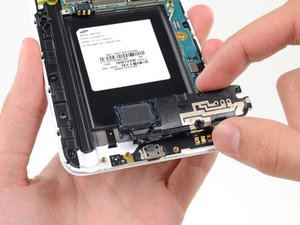
LCD/触摸数字化层
此翻译由机器生成,尚未经过人工审核。会说这种语言吗? 审核此翻译。
|
10个答案 51 分 |
Camera Error and USB connection |
|
13个答案 21 分 |
Why my phone whrite netalpha stopped |
|
1个答案 0 分 |
Front touchscreen how to replace? |
|
3个答案 3 分 |
How do I remove the midframe? |
如需故障排除,请点击 Samsung Galaxy Mega 2 Troubleshooting
这些是维修此设备时常用的工具。并非每次维修都需要用到所有工具。
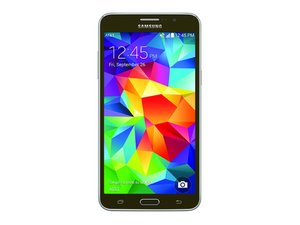
Samsung Galaxy Mega 2 是一款 2016 年发布的搭载 Android 4.4 系统的智能手机。它配备 6 英寸显示屏和 1.2GHz 四核处理器。该机还拥有 500 万像素摄像头,分辨率为 720x1280 像素。
为了正确识别你的设备并确保本维修指南适用于你的手机型号,你需要先关闭设备。关机后,拆下后盖并取出电池。电池下方贴有一张包含设备型号的识别标签。请确保型号为 SM-G750A。本指南仅适用于此型号。
过去 24 小时: 2
过去 7 天: 19
过去 30 天: 73
总计 17,102