CD 驱动器
此翻译由机器生成,尚未经过人工审核。会说这种语言吗? 审核此翻译。
下方列出了维修此类别设备所需的主要工具。当然,并不是所有维修流程都需要备齐这个清单。
使用 Dell Latitude D620 故障排除指南 来排查各类硬件问题。
Dell Latitude D620 可以顺畅运行所有版本的 Windows 8.1、8、7、Vista 和 XP(平板版本的 Windows 操作系统除外)。
Dell Latitude D620 使用 DDR2 内存,这可以提高性能并降低功耗。对于用户来说,拥有充足的内存非常重要,因为更大的内存容量允许同时运行更多的程序。D620 系统有两个可用的 SODIMM 插槽,最高支持 4GB 内存。此外,其内存带宽为 667MHz,双通道模式下为 8.5 GB/s,以提升性能。
建议至少配置 2 GB 内存以获得良好的系统性能。
Dell Latitude D620 有两种显卡选择:NVIDIA 256MB Quadro NVS 110M TurboCache 或 Intel Graphics Media Accelerator 950。
Dell Latitude D620 的硬盘容量最高为 100GB。不过,如果用户有需要,可以自行购买容量超过 100GB 的第三方 SATA 硬盘。
我们建议用户使用外置硬盘和 U 盘以方便操作。
Dell Latitude D620 允许用户将光驱升级为 24 倍速 CD-RW/DVD 或 8 倍速 DVD+/-RW。
我们建议用户使用外置光驱以方便操作。
Dell Latitude D620 提供不同颜色的外壳,供用户打造具有个人风格的 D620 系统。
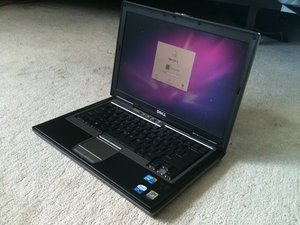
Dell Latitude D620 是戴尔针对商务领域推出的另一款笔记本电脑。D620 配备双核处理器,能够高效处理多项任务。由于 Latitude 系列旨在用于商务用途,因此设备内部的零件实现了标准化,使得寻找备用零件进行支持变得更加容易。D620 还配备了出色的内置 Wi-Fi,支持各种无线设备。
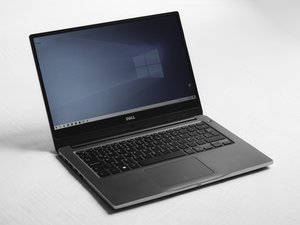
Dell Latitude D620 可以通过键盘左上角的名称和型号进行识别。
CPSU-REGAN-S10S24G35
4 名成员
创作了48篇指南
过去 24 小时: 3
过去 7 天: 24
过去 30 天: 70
总计 74,029