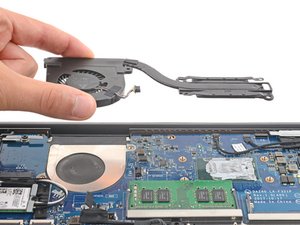
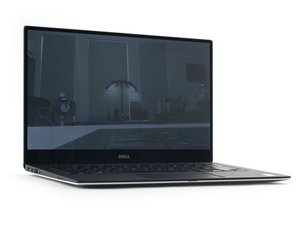
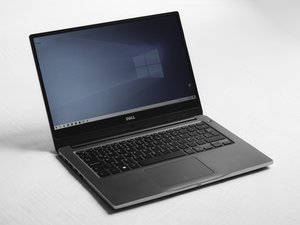
主板
此翻译由机器生成,尚未经过人工审核。会说这种语言吗? 审核此翻译。

|
1个答案 1 分 |
My laptop display working only half portion |
|
1个答案 0 分 |
SSD/HDD optical drive caddy removal |
|
2个答案 0 分 |
Why my mouse pad is not orking |
|
3个答案 0 分 |
My Laptop stuck during booting.. |
方法 1:
设备底盖、屏幕或键盘附近贴有带有型号名称的标签。
方法 2:
在搜索框中输入“Support Assist”。打开应用程序,型号名称会显示在该应用程序的主屏幕上。
方法 3
在搜索框中输入“System”(系统)。在设置下选择“System”(系统)。在系统信息下查找你的计算机型号名称。
该设备内置网络摄像头、存储卡读卡器、无线连接、光驱和蓝牙 4.0 版本。显示屏尺寸为 15.6 英寸 LED,像素密度为 71 PPI。处理器类型为 Intel i5 4210U,电池为 4 芯锂离子电池。RAM 类型为 DDR3L SDRAM。
曾出现过找不到内置硬盘驱动器、电池问题以及内存卡/启动方面的问题。
Inspiron 15 3000 系列 3541–3543 服务手册
Dell Inspiron 15 3000 系列 (3542) Windows 7 快速入门指南 (英, 法, 日)
Dell Inspiron 15 3000 系列快速入门指南 (英, 中, 日, 韩)
Dell Inspiron 15 3000 系列 – 视图和规格
Dell Inspiron 15-3541/15-3542 规格
Dell Inspiron 15 3000 系列 (3541/3542/3543) 技术规格
Dell Inspiron 15 3000 系列 (3541/3542/3543) 规格
Dell Inspiron 15 3000 系列 (3541/3542) 视图和规格
Dell Inspiron 15 3000 系列 (3541/3542/3543) 视图和规格
Dell Inspiron 15 3000 系列 (3541/3542) 视图和规格
Dell Inspiron 15 3000 系列 (3541/3542) – 技术规格
Dell Inspiron 15 3000 系列快速入门指南 (英, 希, 匈, 葡, 土)
Inspiron 15 3000 系列 (3541/3542) 用户手册
Dell Inspiron 15 3000 系列 (3541/3542) 规格
Inspiron 15 3000 系列 (3541/3542) 用户手册
Dell Inspiron 15-3541/15-3542/15-3543 视图和规格
Inspiron 15 3000 系列 (3541/3542) — 视图和规格
Inspiron 15 3000 系列 (3541/3542) 用户手册
Dell Inspiron 15 3000 系列 15-3541/15-3542 规格
Dell Inspiron 15 3000 系列 (3541/3542) 视图和规格
Dell Inspiron 15 3000 系列 (3541/3542) 用户手册
Inspiron 15 3000 系列 3541/3542 视图和规格
Dell Inspiron 15 3541/3542 使用手册
Dell Inspiron 15-3541/15-3542 规格
Dell Inspiron 15 3000 系列 3541/3542 规格
Dell Inspiron 15 3000 系列 3541/3542 技术规格
Inspiron 15 3000 系列 3541/3542 规格
Dell Inspiron 15 3000 系列 15-3541/15-3542 — 用户手册
Inspiron 15 3000 系列 (3541/3542) – 视图和规格
Dell Inspiron 15 3000 系列 (3541/3542) 视图和规格
Inspiron 15 3000 系列 3541/3542 视图和规格
Inspiron 15 3000 系列 (3541/3542/3543) 技术规格
Inspiron 15 3000 系列 (3541/3542/3543) 规格
过去 24 小时: 1
过去 7 天: 16
过去 30 天: 80
总计 9,293