简介
本维修指南由iFixit员工撰写,未经谷歌认可。点击此处了解更多关于我们维修指南的信息内容质量。
使用本指南更换Google Pixel 7 Pro的屏幕。
为确保安全,拆机前请将电池电量降至25%以下。这可降低维修过程中电池意外损坏引发火灾的风险。如果电池膨胀,请点击此处了解如何处理膨胀电池采取适当预防措施。
新更换的屏幕应已预先安装指纹识别器。如果未安装,需将原装指纹识别器重新安装到新屏幕上,并通过[指南|166753|重新校准指纹识别器|new_window=true]以保持其功能。
注意:Pixel 7 Pro包含1类激光元件,拆解可能导致暴露于不可见的红外激光辐射。
维修后能否保持防水性能取决于重新粘贴胶带的质量,但设备将失去原有的IP(防护等级)认证。
完成本维修需要准备替换用的 adhesive(胶粘剂)。
你所需要的
视频概述
-
-
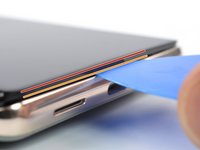
屏幕接缝:该接缝将屏幕与手机的其他部分隔开。请勿撬动此接缝。
-
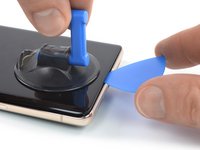
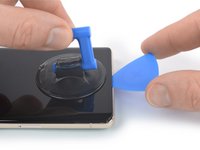
边框接缝:这是为保护屏幕而设计的塑料边框与边框相接的地方。它由 塑料卡扣 固定到位。应在此处撬开。
-
在拆卸过程中,请确保在正确的位置插入三角撬片,以避免屏幕与安全框而不是手机分离。
-
屏幕周围有几个卡扣。如果在拆卸屏幕的过程中,你的撬片被挡住了,这意味着你将撬片插入屏幕下方太深。
-
-
-
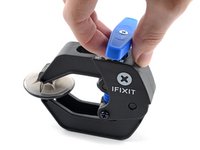
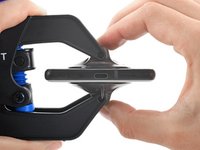
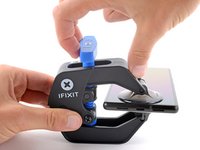
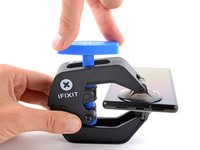
将蓝色手柄拉向铰链以解锁反向钳的手臂。
-
将反向钳手臂滑过手机的左边缘或右边缘。
-
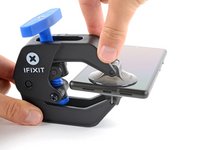
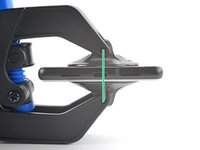
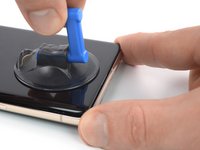
将吸盘放在靠近手机底部边缘的位置——一个在正面,一个在背面。
-
向下推吸盘以将吸力施加到所需区域。
-
-
-


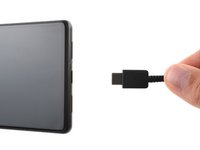








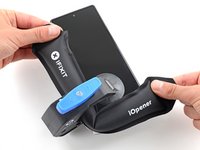
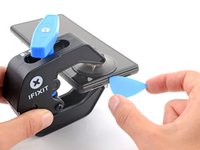
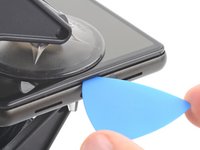


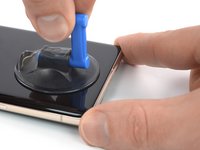


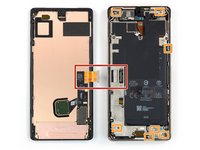


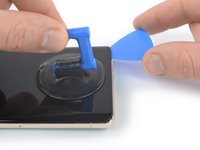


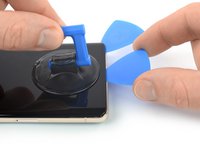
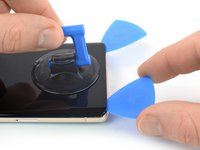


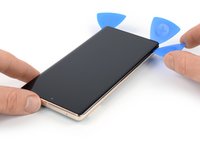
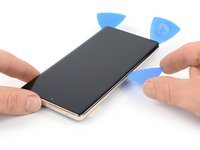
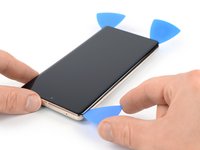


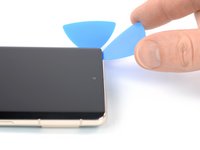
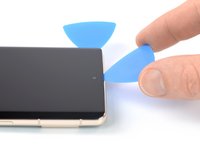
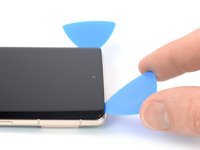


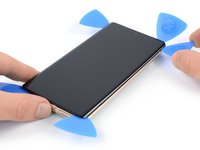
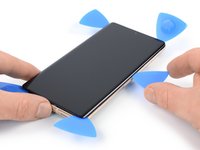
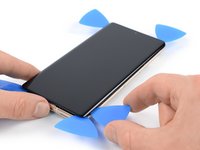


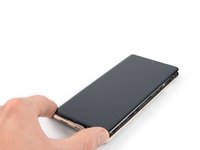
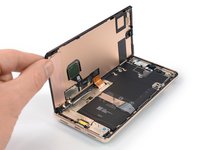
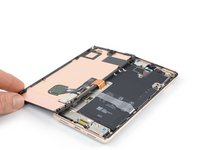


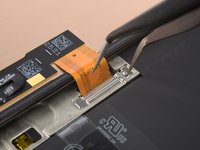
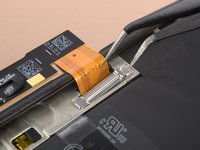


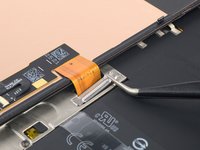
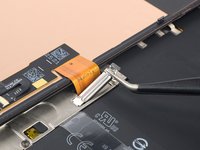
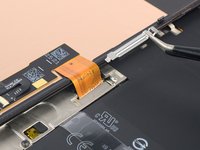


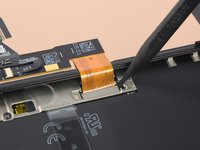
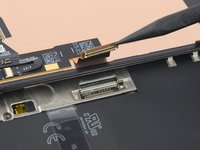


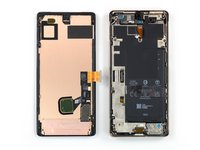
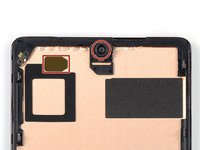
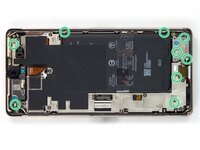
将新的替换部件与原部件进行比较--在安装之前,您可能需要转移剩余部件或去除新部件上的背胶。
要重新组装设备,请按照相反的顺序遵循这些说明。
将你的电子垃圾送到R2 或 e-Stewards 认证回收商]。
维修没有按计划进行?请尝试一些基本故障排除,或向我们的谷歌 Pixel 7 Pro 答案社区寻求帮助。
150等其他人完成本指南。



105指南评论
To get the fingerprint scanner to work... Fingerprint scanner not working after replacing screen. Pixel 6 Pro
After doing a few of these, using the fingerprint calibration tool is always needed. https://pixelrepair.withgoogle.com/udfps
I think it should be included in the final steps for completeness.
Also, the plastic bracket on the back of the screen usually is more willing to separate from the screen than from the phone chassis. I think this may lead to confusion for some people who may try to install the new screen over the old plastic. Some mention of this would be helpful.
Chip Needham - 回复 分享
All guides say we have to recalibrate the fingerprint sensor after a screen replacement by going here https://pixelrepair.withgoogle.com/udfps
Problem is that this does not work anymore. With a Pixel 7 Pro it says software failed to install. Looking at Android and Google forums is seems a common problem that broke this year. Is there another way to install the fingerprint calibration software on the phone without that link above??
I never change any mobile phone parts.
Should I try it?
Yes. It worked like a charm. I just followed the steps, and after calibrating the fingerprint sensor, everything was working 100%.
