内存
此翻译由机器生成,尚未经过人工审核。会说这种语言吗? 审核此翻译。

|
1个答案 1 分 |
What should I do if my screen is cracked? |
|
1个答案 1 分 |
Why is my hard drive so loud? |
|
1个答案 2 分 |
Why does my battery only last 30 minutes? |
|
1个答案 0 分 |
What is the wattage of this computer |
下方列出了维修此类别设备所需的主要工具。当然,并不是所有维修流程都需要备齐这个清单。
Dell Studio 1537 笔记本电脑,型号为 PP33L,最初于 2008 年 8 月发布,捆绑 Windows Vista 系统销售。由于该设备初期非常受欢迎,至今仍有许多人正在使用这款笔记本电脑,尽管通常都进行过一些小幅升级。虽然当时大多数笔记本电脑仍使用 32 位架构,但 Dell Studio 1537 在推出时即支持 64 位系统。强大的 CPU 和 15.4 英寸屏幕使这款笔记本在其生命周期内成为了一款热门选择。
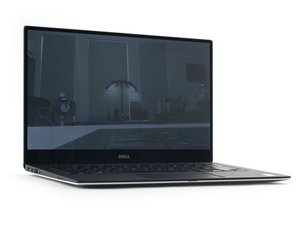
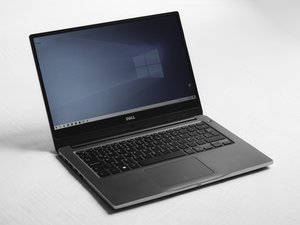
Dell Studio 1537 笔记本电脑非常容易识别。这款笔记本的尺寸为 14 英寸 x 10.3 英寸 x 1.3 英寸,屏幕背面中央带有 Dell 标志。在笔记本电脑的底面(电池附近)应该有一块塑料片上标注有“studio 1537”,另一块上写着“Model No: PP33L”。由于这款笔记本在销售时有多种颜色可供选择,因此颜色并不是识别该设备的可靠方法。
如果笔记本电脑出现问题,请首先尝试在 Dell Studio 1537 故障排除页面进行诊断。
Dell Studio 1535/1536/1537 维修手册
Dell Studio 1535/1536/1537 维修手册
Dell Studio 1535/1536/1537 插口和插头说明
Dell Studio 1535/1536/1537 维修手册
Dell Studio 1535/1536/1537 技术指南
Dell Studio 1535/1536/1537 维护手册
Dell Studio 1535/1536/1537 维修手册
BU-SHAVER-S15S6G2
3 名成员
创作了48篇指南
过去 24 小时: 5
过去 7 天: 16
过去 30 天: 43
总计 5,581