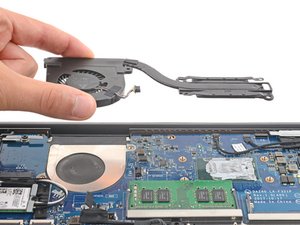
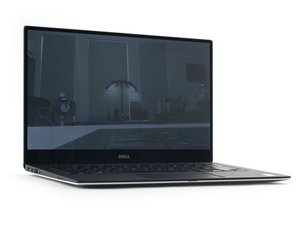
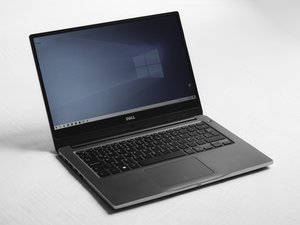
The Dell Precision 3541 laptop was released in 2019 by Dell as a budget friendly laptop designed for everyday use. It was mainly made for students, home users, and people who needed a simple computer for tasks like writing papers, browsing the internet, watching videos, and checking emails. The Dell 3541 became popular because it was affordable and easy to use, which made it a common choice for schools and personal use. Even though it is an older model today, many people still use the Dell 3541 for basic tasks and it can still be found being sold online or second hand.
The Dell 3541 has not had any major recalls. However, like many laptops that have been used for several years, some users have reported issues such as the laptop overheating, slowing down over time, or the battery wearing out. These problems are usually caused by normal wear and tear, dust building up inside the computer, or older hardware that struggles with newer software.
When the Dell 3541 was released, it competed with other low cost laptops from companies like HP and Acer. One reason some people chose other laptops was because of slightly faster processors or better graphics on competing models. However, many users still preferred the Dell 3541 because Dell computers are known for being reliable and simple to use. Even though newer laptops are much more powerful today, the Dell 3541 is still remembered as a solid and affordable laptop that worked well for everyday needs.
https://www.dell.com/support/manuals/en-... (technical specifications)
Identification
The Dell precision 3541 has a label on the bottom, located in the middle when you flip it over that identifies the laptop, the label reads the service tag, manufacture year and above the label is the model, in this case it reads “Precision 3541”
Technical Specifications
Chipset: CM246
Processor: 9th Generation Intel Core i5/i7/i9 or Xeon
DRAM bus width: Dual 64 bit
Flash EPROM: 24/32 MB (32 MB for Vpro SKU)
PCle bus: PCIe 3.0
Processors
Processors: 9th Generation Intel Core i5-9400H
Wattage: 35 W
Core Count: 4
Thread Count: 8
Speed: 4.3 GHz
Cache: 8M
Integrated Graphics: Intel UHD Graphics 630
Memory
Slots: Two-SODIMM slots
Type: Dual-channel DDR4-Optional ECC memory for Mobile Intel Xeon Processor
Speed: 2667 MHz
Maximum Memory: 32 GB
Minimum Memory: 4 GB
Memory size per slot: 16 GB
Configurations Supported:
- 8 GB DDR4 (2 x 4 GB)
- 8 GB DDR4 (1 x 8 GB)
- 16 GB DDR4 (2 x 8 GB)
- 16 GB DDR4 (1 x 16 GB)
- 32 GB DDR4 (2 x 16 GB)
- 4 GB DDR4 (1 x 4GB) - Non-ECC only
Audio
Controller: Realtek ALC3204
Stereo Conversion: Supported
Internal Interface: Intel HDA
External Interface: Universal Audio Jack
Speakers: 2
Internal Speaker amplifier: Supported (Audio codec built-in amplifier)
External Volume Controls: Keyboard shortcut controls
Speaker Output:
Average- 2 W
Peak- 2.5 W
Subwoofer Output: Not supported
Microphone: Dual-array microphones
Keyboard
Type: Standard keyboard
Layout: QWERTY
Number of Keys: 102 Keys
Size:
X=18.06 mm (0.73 in.) key pitch
Y=19.05 mm (0.75 in.) key pitch
Shortcut Keys: Some keys on your keyboard have two symbols on them. These keys can be used to type alternate characters or to perform secondary functions. To type the alternate character, press Shift and the desired key. To perform secondary functions, press Fn and the desired key.
Dimensions and weight
- Height: Front; 21.9mm (0.86 in)
Rear; 24.5mm (0.96 in)
- Width: 359.1 mm (14.13 in)
- Depth: 236.5 mm (9.30 in)
- Weight: 1.97 kg (4.34 lb)
Ports and Connectors
Network: One RJ-45, 10/100/1000
USB:
- Two USB 3.1 Gen 1 port
- One USB 3.1 Gen 1 with PowerShare
- One USB 3.1 Gen 1 (Type C) with Thunderbolt
Audio: One Universal Jack (headset + mic phone in + line support) port
Video: One HDMI 2.0 port
Media Card Reader: One SD-card slot (Optional), One microSD-card slot
Docking port: Supported
Power Adapter Port: One
Security: Wedge-shaped lock slot
Source: Dell Precision 3541 Setup and specifications guide
Additional Information
For additional help, please visit Dell Precision 3541 Overheating Troubleshooting Page