


文档
背景与识别
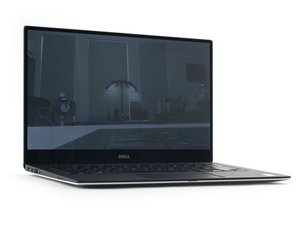
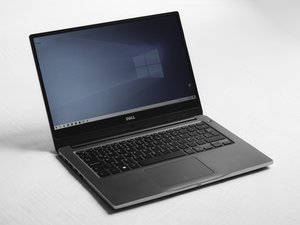
Dell Latitude 7000 系列是面向商务市场的高端笔记本电脑产品线。与 Latitude 3000 或 Latitude 5000 系列相比,Latitude 7000 系列笔记本电脑性能更强,但不及 Latitude 9000 系列的任何机型。7000 系列笔记本电脑有多种尺寸,但本页面专门针对其中的 14 英寸屏幕机型。这些设备的命名方案采用“Latitude 74xx”格式,其中“7”代表该笔记本属于 7000 系列,“4”代表 14 英寸屏幕尺寸,最后两位数字代表设备发布的年份。这虽然有点复杂,但查看以下型号列表可以更直观地理解:
- 2014 年发布 — Latitude E7440
- 2015 年发布 — Latitude E7450
- 2016 年发布 — Latitude E7470
- 2017 年发布 — Latitude 7480
- 2018 年发布 — Latitude 7490
- 2019 年发布 — Latitude 7400 和 Latitude 7400 2-in-1
如你所见,型号的最后两位数字代表笔记本的发布年份,但这种模式并不完全一致。此外,2016 年及更早发布的型号在名称前带有“E”前缀,这一惯例在 2017 年被取消。
要确定你的准确型号,请查看笔记本电脑底部包含服务标签和/或服务代码的贴纸,或查看 BIOS。通常情况下,BIOS 是更可靠的来源,因为这些机器的底部面板很容易更换,而服务标签就在面板上。正如这篇 Dell 支持文章中所述,在某些型号上,贴纸可能隐藏在翻盖下或可拆卸电池下方。你可以在 Dell 支持网站上输入服务标签或服务代码,以获取有关你笔记本电脑的准确信息。
更多信息
Dell Latitude 14 7000 系列快速入门指南 (EN, FR, ES)
Dell Latitude 14 7000 系列快速入门指南 (EN, CS, HU, PL, SK)
Dell Latitude 14 7000 系列快速入门指南 (EN, ID, ES, VI, AR)
Dell Latitude 14 7000 系列快速入门指南 (EN, ZH, JA, KO)
Dell Latitude 14 7000 系列快速入门指南 (EN, PL, RO, SL)
Dell Latitude 14 7000 系列 Windows 10 快速入门指南 (EN, EL, PT, RU, TH)
Dell Latitude 14 7000 系列快速入门指南 (EN, FR, IT, PT, ES)
Dell Latitude 14 7000 系列快速入门指南 (EN, DA, FI, NO, SV)
Dell Latitude 14 7000 系列快速入门指南 (EN, PL, RO, SL)
Dell Latitude 14 7000 系列快速入门指南 (EN, NL, PL, RO, SL)
Dell Latitude 14 7000 系列快速入门指南 (EN, ID, ES, AR)
Dell Latitude 14 7000 系列 Windows 10 快速入门指南 (EN, NL, FR, DE, IT)
Dell Latitude 14 7000 系列 Windows 10 快速入门指南 (EN, DA, FI, NO, SV)
Dell Latitude 14 7000 系列快速入门指南 (EN, PT, ES)
Dell Latitude 14 7000 系列快速入门指南 (EN, CS, HU, PL, SK)
Latitude 14-7470/E7470 快速入门指南 (EN, HR, HU, RU, SR)
Dell Latitude 14 7000 系列快速入门指南 (EN, ID, ES, VI, AR)
Dell Latitude 14 7000 系列快速入门指南 (EN, EL, PT, RU)
Dell Latitude 14 7000 系列 Windows 10 快速入门指南 (EN, PT, TR, AR)