
跳转到主内容
加入维修社区 - 创建账户

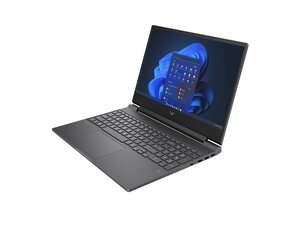
Repair guides and disassembly information for the Victus series of gaming laptops by HP.

Mouse pad is stuck

My mouse pad is stuck and the left click is constantly pressed which makes the pad unusable

回答此问题 我也有这个问题

这是一个好问题吗?

得分 0
添加一条评论

1个答案

最有帮助的答案

@ghost47490 start off by checking and adjusting the settings for your touchpad.

Through Windows Settings:

  • Press Windows key + I to open Settings.
  • Go to Devices and select Touchpad from the left-hand menu.
  • Adjust Touchpad sensitivity using the dropdown menu.
  • You can also customize gestures, scrolling and zoom settings here.

Through Control Panel:

  • Open the Control Panel.
  • Go to Mouse.
  • Click the Touchpad tab (this may vary depending on your driver) and find the options to adjust sensitivity or other settings.

If none of that will make a difference I would consider removing and checking the touchpad for and physical damage and/or replacing it. Use the HP Victus Maintenance And Service Guide and on page 59 it tells you how to work on it.

这个答案有帮助吗?

得分 1
添加一条评论

添加你的答案

Ghost 将永远感激不已
浏览统计数据:

过去 24 小时: 5

过去 7 天: 24

过去 30 天: 85

总计 297
