
跳转到主内容
加入维修社区 - 创建账户

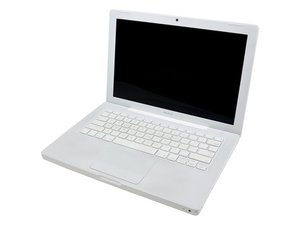
2006 年年中 / 型号:A1181 / 黑色或白色外壳 / 1.83 或 2.0 GHz Intel Core Duo 处理器

New hard drive input/output error

My old MacBook hard drive died and so I installed a WD 250GB 5400RPM SATA HD myself but when trying to erase it I get a input/output error and I cannot seem to partition it. When I try to reinstall my original Tiger OS X the 'select a destination' step is blank and there is nothing to select. I'm not worried about the old HD as I had mostly everything backed up - I just want to get this new HD up and running and get my MacBook fixed! I starting to go through cold turkey without it... please help!

已回答! 显示答案 我也有这个问题

这是一个好问题吗?

得分 0
添加一条评论

5个答案

已选择的解决方案

Use the jumpers and set it down to 1.5 GB. Usually pins 5 & 6

Go here and look for SATA Hard Drive Jumper Settings on the first page:

http://www.wdc.com/wdproducts/library/ot...

UPDATE 4/8/12 Here are the settings. The two pins on the right should be jumped

图片

这个答案有帮助吗?

得分 1

5条评论:

Forgive my ignorance but I don't follow..

完成的

Thanks for the help, but I don't think that is the hard drive I have bought. Mine only has 4 jumper pins and no shunt or anything already on it. Is the problem something to do with the fact that the software isn't reading the hard drive as a 250GB, rather it reads the drive as a 1.8/2TB drive?

完成的

Having found others with this problem, I think you are right in that it needs a jumper shunt, but how can I get one to put on?

完成的

All old IDE drives had jumpers. Any computer repair place will have bottles of them or that old PC in the garage will have one.

完成的

Hi thanks for the help - I put a jumper on 2 of the pins using these -

http://www.maplin.co.uk/2.54mm-0.1-inch-...

I'm not sure if they were the right fit. I still get the I/O error. This is the HD I bought and my MacBook is a 2006 model.

http://www.scan.co.uk/products/250gb-wes...

Should I try another HD? Cheers.

完成的

添加一条评论

Hi did you find a solution for this in the mean time? I am having this problem too....

这个答案有帮助吗?

得分 0
添加一条评论

i have the same problem.

i bought a new 500gb wd hard drive and it didnt work. i thought its the hard drive cable which is broken, so i bought a new one and replaced it, but the "input/output error" is still there.

my hard drive is also read as an 3tb drive by the mac os x install disc.

i tried to format it with "gparted" (boot cd) and it did work, but mac os x shows the same error.

whats wrong?

i dont get it

这个答案有帮助吗?

得分 0
添加一条评论

Having the same exact problem. After ordering a new hard drive, I'm ready to give up and order a new computer.

这个答案有帮助吗?

得分 0
添加一条评论

I just had this issue.

Hard drive died, bought new hard drive, didn't work. Replaced hard drive cable, formatted HFS+ using a second Linux machine, and then i started getting the "Input/output error" that you guys are having.

Two sets of discs came with the MacBook. One set is the "Mac OS X Install Disc 1/2" CD's (they still make CD's?). The other is a Leopard OS X Install DVD. The CD's gave me the I/O error and recognized the 500GB drive as 3.64TB. The DVD had no issues at all. Try to find that DVD :)

这个答案有帮助吗?

得分 0
添加一条评论

添加你的答案

J Ernesto 将永远感激不已
浏览统计数据:

过去 24 小时: 0

过去 7 天: 7

过去 30 天: 33

总计 10,091


