简介
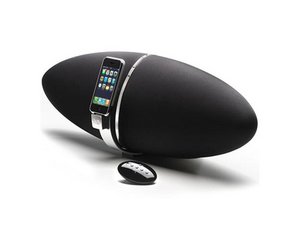
如何维修当插入设备时 Zeppelin 出现的闪烁红灯故障。
工具
- 电烙铁和焊锡
- T20 Torx 螺丝刀
相关零件
- 2,220 uF 16V 105°C 电容
步骤
步骤 1
- 首先拆卸 Zeppelin,取下软橡胶支座(用胶带固定)。
- 拧下固定银色 iPod 支架的 4 颗螺丝。(你需要一个中间带孔的 T20 批头,可在 iFixit Pro Tech Toolkit 中找到)
- 从底座上拔下排线。(小心连接器,必须非常轻柔地滑动才能拔下!)
- 按压黑色盖板背部的“开关”并轻轻滑出,取下两个黑色盖板。
- 你会看到 8 颗十字螺丝,它们将扬声器组件固定在 Zeppelin 的银色背壳上。小心地将它们拧下,但注意不要让前部和后部完全分离。
步骤 2
- 将后部与前部轻轻分开。
- 取下连接在电源上的地线,以及主连接线(连接在电源下部的双线电缆)。
- 从主板上取下排线连接(注意连接器,需要非常轻柔地松开)。
- 现在你可以检查电源上是否有鼓包的电容。很可能是 2200uF 16V 的那颗电容出了问题。
步骤 3
- 取下电源顶部的连接。
- 拧下将电源从后壳上固定的 4 颗螺丝。
- 拧下将 PCB 从铝制底座上固定的 4 颗螺丝。
- 更换鼓包的电容。
- 确保底座的半导体上仍有导热硅脂。
- 将 PCB 装回底座,并装回电源。
步骤 4
- 插回所有线缆。
- 检查内部所有部件是否稳固。
- 装回盖板并拧上 8 颗十字螺丝。
- 轻轻滑入盖板,确保两侧对齐(有导轨,盖板必须滑入导轨中)。还要确保不要弄混两个盖板(它们不完全相同,带 LED 输出橡胶保护层的那个位于左侧)。
- 小心地装配 iPod 底座的排线。
- 用 4 颗螺丝固定好。
- 装回橡胶部件。
- 大功告成!


35条评论
I fixed by replacing the power supply. Part ALP0050-NU25 from Profusion.
http://www.profusionplc.com/pro/gex/pcat...
Good luck!!
isaac - 回复 分享
Isaac - was there any difficulty in replacing the entire PSU?
jonathanwalk - 回复 分享
Hi, just replaced the PSU but the light turns white and nothing happens??!
Any suggestions?
best regards
Rune
Rune Christiansen - 回复 分享
Hi Rune,
I didn't replace the PSU but I am stuck as well with the white light - meaning firmware update mode - but the firmware does not update even though the Utility App seems to work fine.
Have you got any luck ever since ?
Thanks in advance
christianbetheuil - 回复 分享
Will this work on the older model as well? Not the air, the first model (with native support for iPhone 4 etc)? Im having the same problem.
christofferdvinge - 回复 分享