简介
This guide shows how to remove and replace the outer cover on your iFixit digital multimeter.
The outer cover protects the multimeter from drops and dings. You can peel it off easily, but it can be tricky to reinstall due to its perimeter lip. This guide will help you align and seat the cover properly.
You don't need to remove the outer cover to replace the batteries, but you do need to remove it to replace the fuses.
-
-
Turn off your multimeter.
-
Disconnect the probes from your multimeter.
-
-
-
Use your fingers to pull and loosen the cover lip out of its groove along the right edge of the multimeter.
-
Pry and loosen the cover from the bottom right corner of the multimeter.
-
-
-
-
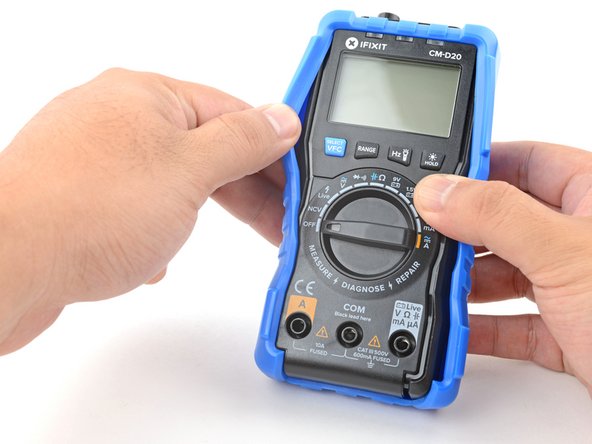
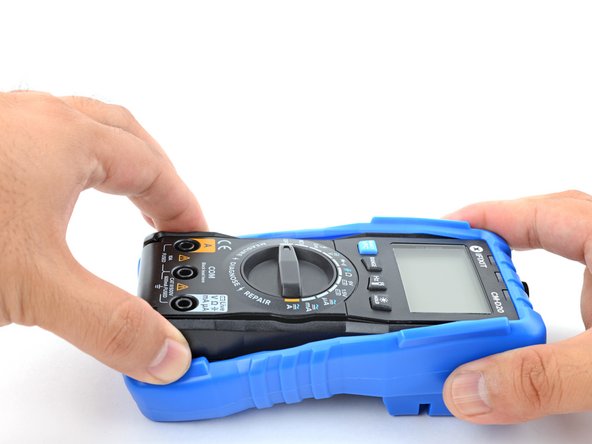
Grasp the sides of the cover near the top to hold it in place.
-
Grasp the bottom edge of the multimeter and pull it out at a shallow angle to remove it from the cover.
-






For more information on how to use your iFixit multimeter, check out this page.
另外一个人完成了本指南。


