跳转到主内容
加入维修社区 - 创建账户

RetroMini Miyoo Mini Plus Battery Replacement

你所需要的

  1. RetroMini Miyoo Mini Plus Battery Replacement, Battery: 步骤 1 中的图像 1,2 RetroMini Miyoo Mini Plus Battery Replacement, Battery: 步骤 1 中的图像 2,2
    • Lay the device face down on a flat surface.

    • You may want to lay the device on a towel or other soft surface to avoid scratching the screen.

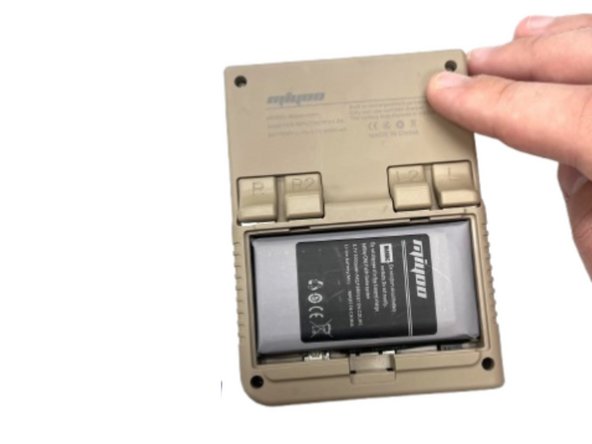
  2. RetroMini Miyoo Mini Plus Battery Replacement: 步骤 2 中的图像 1,2 RetroMini Miyoo Mini Plus Battery Replacement: 步骤 2 中的图像 2,2
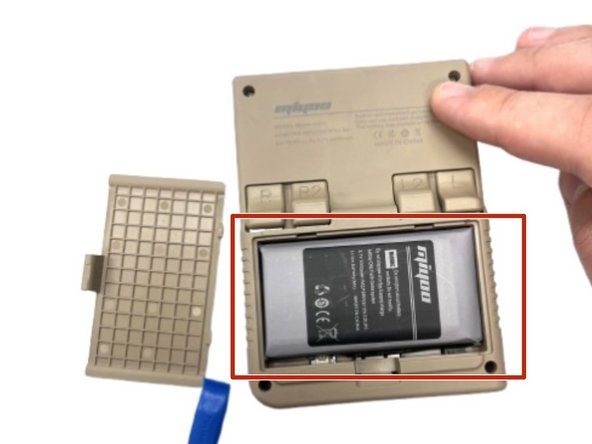
    • Use your fingernail to push in the battery compartment tab.

    • Lift the cover up to expose the battery.

  3. RetroMini Miyoo Mini Plus Battery Replacement: 步骤 3 中的图像 1,1
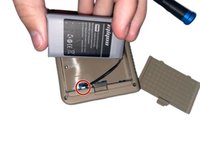
    • Use an opening tool to gently lift the the battery from its compartment.

    • Gently pull the battery out and set the battery next to the system, with care not to strain the attached wire.

  4. RetroMini Miyoo Mini Plus Battery Replacement: 步骤 4 中的图像 1,2 RetroMini Miyoo Mini Plus Battery Replacement: 步骤 4 中的图像 2,2
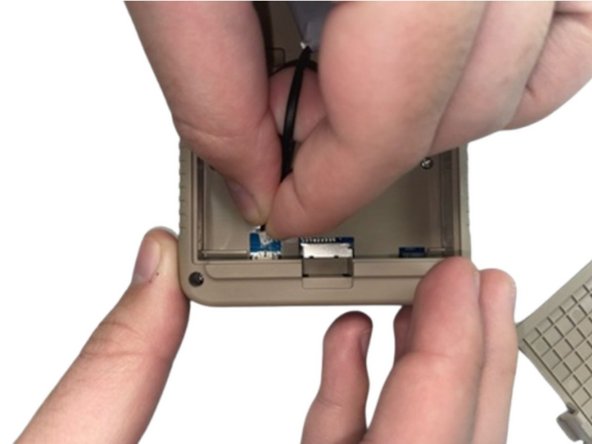
    • Pinch the white battery connector and pull it directly out of its socket.

    • Completely remove the battery.

  5. RetroMini Miyoo Mini Plus Battery Replacement: 步骤 5 中的图像 1,2 RetroMini Miyoo Mini Plus Battery Replacement: 步骤 5 中的图像 2,2
    • When you have the new battery, put the new battery wire into the connecter.

    • Place the battery back into the empty space with the wire at the bottom of the battery.

结论

To reassemble your device, follow the above steps in reverse order.
For optimal performance, after completing this guide, calibrate your newly installed battery.
Take your e-waste to an R2 or e-Stewards certified recycler.
Repair didn’t go as planned? Try some basic troubleshooting, or ask our Steam Deck answers community for help.

另外一个人完成了本指南。

1指南评论

Does anyone know where to get these batteries? Or perhaps the specs of the Miyoo Mini Plus battery such as dimensions (mine is a bit obese right now) and connector type?

Arend Hamming - 回复 分享

添加评论

浏览统计数据:

过去 24 小时: 7

过去 7 天: 51

过去 30 天: 190

总计 1,433