跳转到主内容
加入维修社区 - 创建账户

Petcube Play 2 Microphone Replacement

你所需要的

  1. Petcube Play 2 Microphone Replacement, Motherboard: 步骤 1 中的图像 1,3 Petcube Play 2 Microphone Replacement, Motherboard: 步骤 1 中的图像 2,3 Petcube Play 2 Microphone Replacement, Motherboard: 步骤 1 中的图像 3,3
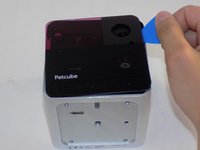
    • Flip over the Petcube so the rubber bottom faces you.

    • Pull up the rubber layer with an iFixit opening pick to expose the screws underneath.

  2. Petcube Play 2 Microphone Replacement: 步骤 2 中的图像 1,2 Petcube Play 2 Microphone Replacement: 步骤 2 中的图像 2,2
    • Remove the four 3.5mm screws from under the rubber cover using a Phillips #1 screwdriver.

    • The glue may cause slight resistance, but the screws should come out with minimal effort.

  3. Petcube Play 2 Microphone Replacement: 步骤 3 中的图像 1,2 Petcube Play 2 Microphone Replacement: 步骤 3 中的图像 2,2
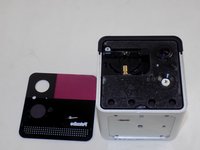
    • Carefully pry off the glass front panel using an opening pick or a spudger.

    • Do not force the front panel off, as it may crack and break.

  4. Petcube Play 2 Microphone Replacement: 步骤 4 中的图像 1,3 Petcube Play 2 Microphone Replacement: 步骤 4 中的图像 2,3 Petcube Play 2 Microphone Replacement: 步骤 4 中的图像 3,3
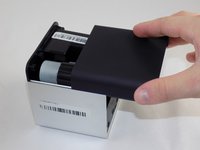
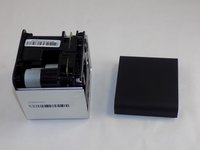
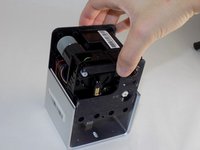
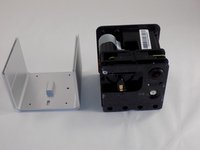
    • Slide off the two covers, starting with the top plastic cover.

    • Slide out the internal assembly from the aluminum casing.

  5. Petcube Play 2 Microphone Replacement: 步骤 5 中的图像 1,3 Petcube Play 2 Microphone Replacement: 步骤 5 中的图像 2,3 Petcube Play 2 Microphone Replacement: 步骤 5 中的图像 3,3
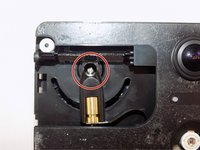
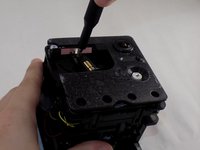
    • Once the internal assembly is removed, a brass cylinder in one corner of the cube's front face will be visible. A screw will be attached to it.

    • Remove the screw with a Phillips #1 screwdriver.

  6. Petcube Play 2 Microphone Replacement: 步骤 6 中的图像 1,3 Petcube Play 2 Microphone Replacement: 步骤 6 中的图像 2,3 Petcube Play 2 Microphone Replacement: 步骤 6 中的图像 3,3
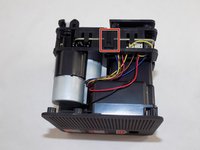
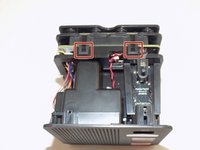
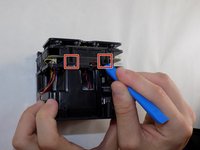
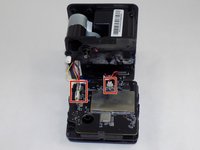
    • Flip the cube onto its side to locate the pull tabs.

    • Using an opening tool, lift each of the five tabs to separate the two halves of the Petcube 2.

  7. Petcube Play 2 Microphone Replacement: 步骤 7 中的图像 1,3 Petcube Play 2 Microphone Replacement: 步骤 7 中的图像 2,3 Petcube Play 2 Microphone Replacement: 步骤 7 中的图像 3,3
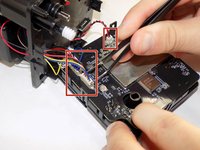
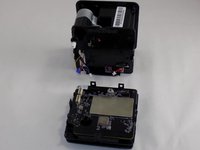
    • Gently disconnect the cable connectors to separate the two halves of the device.

    • Avoid pulling on the wires to prevent damage to the connectors.

  8. Petcube Play 2 Microphone Replacement: 步骤 8 中的图像 1,3 Petcube Play 2 Microphone Replacement: 步骤 8 中的图像 2,3 Petcube Play 2 Microphone Replacement: 步骤 8 中的图像 3,3
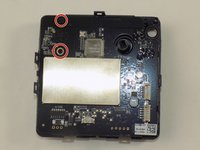
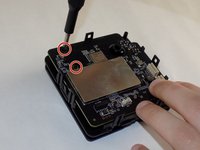
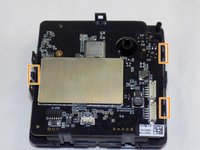
    • Use a Phillips #1 screwdriver to remove the two 1mm screws.

    • Carefully release each of the tabs on the sides of the cube and remove the motherboard.

    • Be gentle with the tabs. They will break under too much pressure.

  9. Petcube Play 2 Microphone Replacement, Microphone: 步骤 9 中的图像 1,3 Petcube Play 2 Microphone Replacement, Microphone: 步骤 9 中的图像 2,3 Petcube Play 2 Microphone Replacement, Microphone: 步骤 9 中的图像 3,3
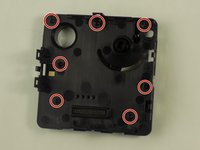
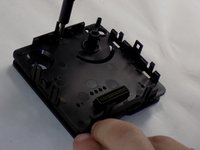
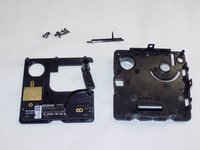
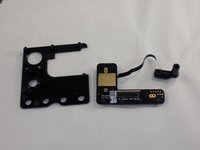
    • Use a Phillips #1 screwdriver to remove the screws from the plates behind the motherboard, separating the two plates.

  10. Petcube Play 2 Microphone Replacement: 步骤 10 中的图像 1,2 Petcube Play 2 Microphone Replacement: 步骤 10 中的图像 2,2
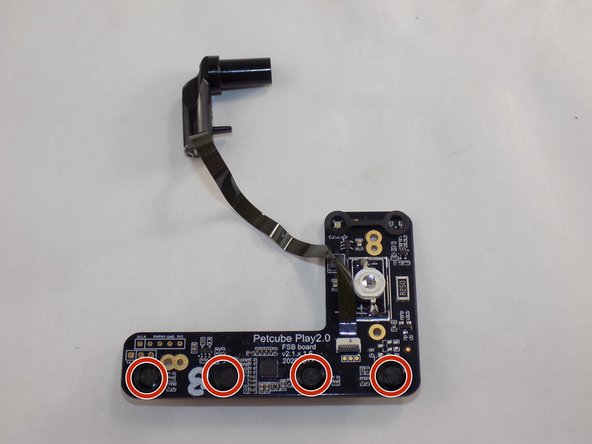
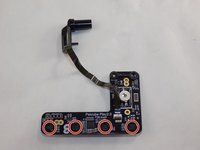
    • Detach the PCB with the microphones from the plastic.

    • Using a soldering iron, desolder the microphones from the PCB.

    • Be careful! The soldering iron becomes hot! Avoid touching the device for too long, as this may damage the components.

    • To Avoid burning yourself or damaging the device, follow the IFixit soldering instructions

结论

To reassemble your device, follow these instructions in reverse order. Take your e-waste to an R2 or e-Stewards certified recycler.

另外一个人完成了本指南。

Jacob Branco

于03/18/24注册

291 声望

创作了2篇指南

团队

UMass Dartmouth, Team 1-5, Konn Spring 2024 UMass Dartmouth, Team 1-5, Konn Spring 2024 的会员

UMASSD-KONN-S24S1G5

4 名成员

创作了6篇指南

0指南评论

添加评论

浏览统计数据:

过去 24 小时: 0

过去 7 天: 3

过去 30 天: 19

总计 241