跳转到主内容
加入维修社区 - 创建账户

Amazon Echo Show 10 3rd Gen Display Replacement

你所需要的

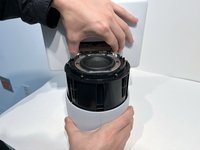
  1. Amazon Echo Show 10 3rd Gen Display Replacement, Display: 步骤 1 中的图像 1,2 Amazon Echo Show 10 3rd Gen Display Replacement, Display: 步骤 1 中的图像 2,2
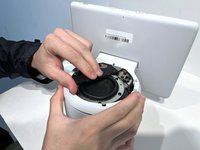
    • With the Echo device standing upright, firmly grip the base and use the blue opening tool to gently pry the lid from the mesh speaker base.

    • Remove the lid and set aside.

    询问修复机器人
  2. Amazon Echo Show 10 3rd Gen Display Replacement: 步骤 2 中的图像 1,1
    • Use a TR8 Torx Security screwdriver to remove the six 9 mm screws from the perimeter of the plastic bezel on the top edge of the device.

    询问修复机器人
  3. Amazon Echo Show 10 3rd Gen Display Replacement: 步骤 3 中的图像 1,2 Amazon Echo Show 10 3rd Gen Display Replacement: 步骤 3 中的图像 2,2
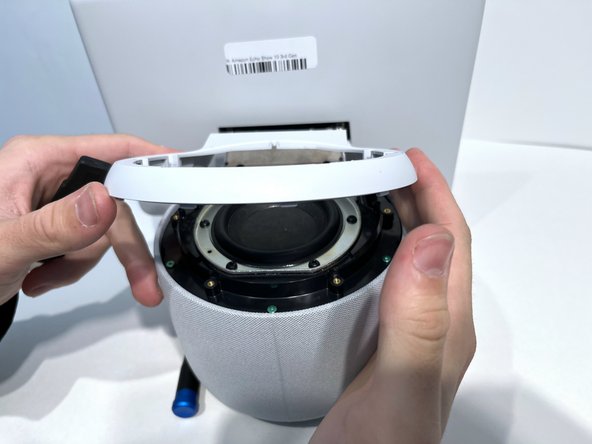
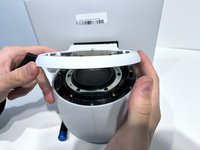
    • Release the adhesive seal connecting the bezel to the main base by inserting a Jimmy underneath the edge, and gently sliding from one side to another.

    • Lift up the outermost edge of the plastic bezel (furthest from the display) to remove it and set it aside.

    • After removing the screws in the previous step, the only thing holding this component in place is glue. You may need to apply a little force to break the seal created by any remaining glue to remove the bezel component. You could also apply a little heat with the iOpener to loosen the adhesive.

    询问修复机器人
  4. Amazon Echo Show 10 3rd Gen Display Replacement: 步骤 4 中的图像 1,1
    • Use a Torx T6 screwdriver to remove the five 10 mm screws from the perimeter of the top surface of the base.

    询问修复机器人
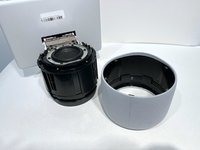
  5. Amazon Echo Show 10 3rd Gen Display Replacement: 步骤 5 中的图像 1,2 Amazon Echo Show 10 3rd Gen Display Replacement: 步骤 5 中的图像 2,2
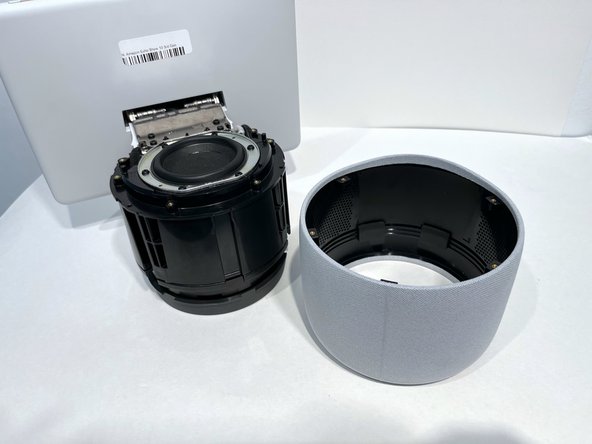
    • With one hand securely holding the neck of the display and the other holding the device base, gently lift the device out of the mesh shell.

    • Place the shell aside.

    询问修复机器人
  6. Amazon Echo Show 10 3rd Gen Display Replacement: 步骤 6 中的图像 1,1
    • Tilt the device so that the underside of the display and its neck are facing you.

    • You may need help holding it in this position. Alternatively, you could place the device on a soft surface so it doesn't get damaged.

    • Use a T6 Torx screwdriver to remove the two 5mm screws from the underside of the display neck.

    询问修复机器人
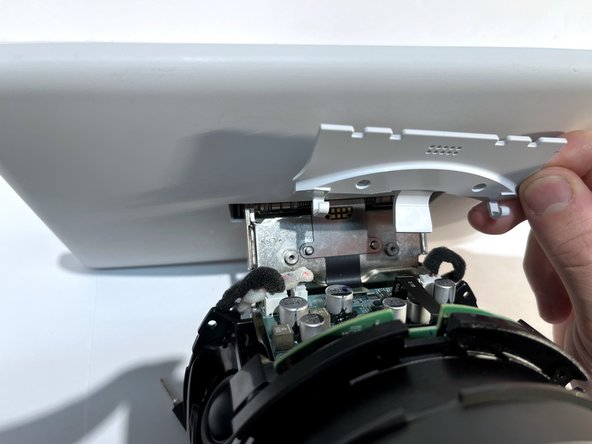
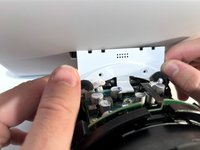
  7. Amazon Echo Show 10 3rd Gen Display Replacement: 步骤 7 中的图像 1,2 Amazon Echo Show 10 3rd Gen Display Replacement: 步骤 7 中的图像 2,2
    • Lift the plate up to remove it from the neck of the device.

    • Set it aside for reassembly.

    询问修复机器人
  8. Amazon Echo Show 10 3rd Gen Display Replacement: 步骤 8 中的图像 1,1
    • Use an opening tool to flip up the small locking flap on the ribbon cable connector located in the center of the exposed underside of the display neck.

    • Gently pull the cable out.

    询问修复机器人
  9. Amazon Echo Show 10 3rd Gen Display Replacement: 步骤 9 中的图像 1,1
    • Tilt the device so it is in the upright position.

    • Use a TR10 Torx Security screwdriver to remove the four 11 mm screws from the top of the display neck.

    询问修复机器人
  10. Amazon Echo Show 10 3rd Gen Display Replacement: 步骤 10 中的图像 1,2 Amazon Echo Show 10 3rd Gen Display Replacement: 步骤 10 中的图像 2,2
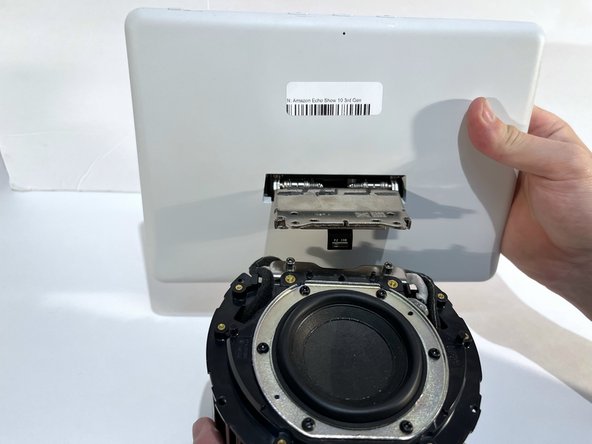
    • Gently lift the display and its connecting neck off of the base.

    询问修复机器人
结论

To reassemble your device, follow these instructions in reverse order.

另外一个人完成了本指南。

5指南评论

any idea where to purchase a replacement display?

Don Jackson - 回复 分享

Were you able to source a replacement display? I'm having troubles finding one. Thanks

Jeg4 - 回复 分享

where can I buy a replacement display for echo 10 3rd gen?

Tomasz K. - 回复 分享

Wenn ihr eine Quelle gefunden habt wäre eine info schön ich suche nun auch nach einem kleinen missgeschick...

Jan Pfotenhauer - 回复 分享

添加评论

浏览统计数据:

过去 24 小时: 3

过去 7 天: 16

过去 30 天: 89

总计 2,412