跳转到主内容
加入维修社区 - 创建账户

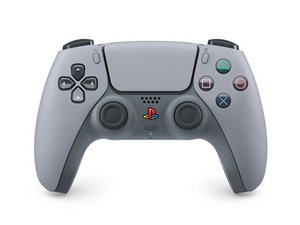
Repair guides, disassembly, and troubleshooting information for the fifth generation Sony PlayStation 5 DualSense controller. Identified by model number CFI-ZCT1W and motherboard model BDM-050.

R1 button not working

Ok so I have replaced the ribbon film as well as the rubber bumpers as well as the R1 button itself as well as clean all contacts and everything works on the controller but the R1 button. What would cause this single button to not work with all the items that I replaced what could cause this problem ??

已回答! 显示答案 我也有这个问题

这是一个好问题吗?

得分 0
1条评论

Ok so I think my next step is buying a digital microscope because after calibration of the sticks the only thing not working is that r1 button….

I’m saying that the person that replaced the sticks probably was a novice or beginner as the sticks were not calibrated and I’m pretty sure there is damage to the mother board that I just can’t see cause my eyes can’t focus that small anymore

完成的

添加一条评论

1个答案

已选择的解决方案

Hi!

Since you have replaced all the parts regarding the button, it’s most likely something else.

How are the traces on the motherboard? Still good?

Are you sure that you used the correct membrane?

这个答案有帮助吗?

得分 2

2条评论:

Yes I made sure all parts were for the Bdm 050R it has to be a mother board issue from too much heat is my guess now it’s to try and find it lol

It was not me that replaced the sticks so I know it’s not something I did but I’m pretty sure the person who replaced the sticks did as he also did not calibrate the sticks

完成的

Looks like it unfortunately… the only thing left now, is the motherboard. Sorry for the bad news..

完成的

添加一条评论

添加你的答案

innisd 将永远感激不已
浏览统计数据:

过去 24 小时: 6

过去 7 天: 26

过去 30 天: 26

总计 26