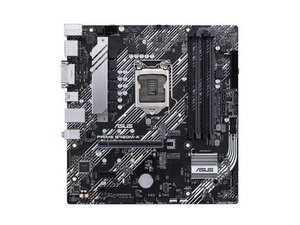

I keep on getting error code 00
why do i keepon getting error code 00 on my asus mother board
声誉积分: 10.1千
 28
28
 12
12
 55
55
Hi!
Please provide your exact motherboard model along with the rest of your system! Also, do you have any signs of life, symptoms or anything happening with your system? Does you get an output, or anything?
Have you just built this PC, or did this come suddenly in a known working system? Have you had any other problems or symptoms recently?
By some quick searching, I found this guide on another forum, please read and go through it and then respond with how it went.
Some additional stuff, the guide above mentions resetting BIOS, to enter bios see your motherboard manual, usually the F2 or DEL key during boot. You may have an option to reset or boot from a back-up bios depending on your motherboard model, please check with your motherboard manual for that, and/or post your motherboard model and we can try to help you.
Some general tips that you should try:
Please respond after you've done all of this and we will see how we can further assist you.
Good luck,
Cheers
这个答案有帮助吗?
@meekvixen you got two links to the same site :)
@oldturkey03 Hmmm... that's funny. Seems the formatting separated the link into two? (It were only supposed to be a single link)
Thanks for keeping tabs on me (:
过去 24 小时: 0
过去 7 天: 4
过去 30 天: 16
总计 330


1条评论
I'd like to know where you encountered the 00 error code?
Is it displayed on the motherboard's PCI/PCIE slots, or on the DDR3/DDR4/DDR5 diagnostic card?
由 希望Windows的hh 完成的