跳转到主内容

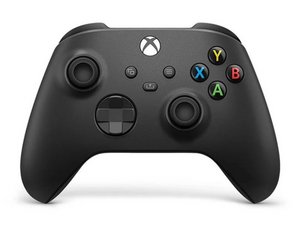
经典 Xbox 无线控制器的第三次修订版于 2020 年 11 月发布,与 Xbox Series X 和 Series S 一起捆绑销售。 该控制器向后兼容以前的 Xbox One 游戏机和 PC。

Antenna Causing XBox Series X/S Controller to Not Work(?)

My Xbox Series X/S controller stopped working and has a weird coil whine when connected with a USB cable. After taking it apart I found that when I disconnect one of the antenna (see Image below), the controller comes back to life, and stops working when I reconnect the antenna cable. Is there a way I can fix the antenna and get the wireless functionality back? Currently I can only use the controller wired. Provided image is the antenna connection that is causing the problem.


Block Image
回答此问题 我也有这个问题

这是一个好问题吗?

得分 1
1条评论

I had the same problem I plugged it in and used a small screwdriver to move the part the antenna connects to until the wine stopped and it fixed the problem for me

完成的

添加一条评论

2个答案

最有帮助的答案

Hi!

First, replace the antenna and see if that fixes it. You do need to solder to do this.

If you can’t find the part, search for a broken/donor board.

if that didn’t fixed it, you can replace the antenna connector, this will be more difficult, and again, soldering is required.

Good luck with the repair!

这个答案有帮助吗?

得分 1

2条评论:

Hello, thank you for the reply! I tried a few things and it appears I have isolated the source of the problem.

Apparently there is some connection issue between the two boards that is causing the problem, reseating the daughterboard alleviated the problem temporarily. I also resoldered the antenna cables and hope that it may help.

Besides the antenna issue, I also discovered that the vibration motors stopped working at random which is seemingly also linked the connection issue between the two boards.

Currently, both of the problems are resolved after repeatedly opening and fiddling with the boards, and I am uncertain if the issues will come back in a future date.

完成的

Hopefully it will keep working from now. Otherwise one of the boards DO need to replaced. You can buy them both at AliExpress. Most of the time it's caused by the board on top (where also the rumble motors are soldered on), but this is a guess. Looks like some sort of issue between the connectors, which connect them together.

完成的

添加一条评论

Hello, I just had a controller come in for repair with such an issue, I spent a bit trying to figure it out, but I suspect it was a broken solder joint under the SOC on the top board (the board with the rumble motors).

I threw on some flux and heated it up enough to melt the solder and for now it seems to work, but it's always possible this was just luck and it will stop again

这个答案有帮助吗?

得分 0
添加一条评论

添加你的答案

Liu Joshua 将永远感激不已
浏览统计数据:

过去 24 小时: 43

过去 7 天: 92

过去 30 天: 507

总计 853
