
跳转到主内容
加入维修社区 - 创建账户

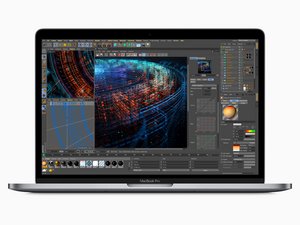
2018年7月发布,15英寸 MacBook Pro,型号 A1990,拥有True Tone技术的LED背光15.4英寸显示器,最高6核心的酷睿 i7 处理器。

Battery changed - still shows Service Recommended

I changed the battery and got the computer all put back together. It charges and seems to hold a charge longer . When I first powered on the Mac Pro - for a short time the Service recommended notice went away but is now back. I tried resetting the SMC but does not seem to have changed anything. I loaded Coconut battery and still shows the original battery information.

Block Image

Could there be an issue with the Battery Board Data Cable if it isn't seated properly ? Wanted to ask for some advice before taking the computer apart again

回答此问题 我也有这个问题

这是一个好问题吗?

得分 1
3条评论

Did you install a new battery or an already used one?

完成的

A new battery from iFixit.

完成的

@livfe that was my doing since it worked for the OP, it is a great answer that will potentially help many others. I did change it back

完成的

添加一条评论

2个答案

最有帮助的答案

Let's see if a hard SMC reset fixes this. Carefully disconnect the batteries connection, leave the Battery data cable connected. Now press the power button and hold it for a good 15 sec's this drains the charge within the logic board. Now plug in the MagSafe to power the system I haven't tried this yet on a M Series system so I'm sure what will be the reaction. Intel system tend to spontaneously restart. Give it a chance, then disconnect the MagSafe charger and reconnect the battery and restart the system did that alter CoconutBattery give it a good minute to recache the values.

这个答案有帮助吗?

得分 1

12条评论:

Thanks! I'll give it a shot and report back

完成的

Open finder, preferences, select to show your macbook (Under iCloud), user name / library / com.apple.power (3 files) - delete them, empty trash, restart.....

完成的

I disconnected the battery and pressed the power button for quite a while (more than 30 seconds). When I plugged the charger in - it stayed dead. No sign of life after waiting a bit. I disconnected the charger, connected the battery and had some trouble getting it to turn on. I needed to plug the charger back in and then it restarted. Unfortunately CoconutBattery still thinks it is the old battery and still recommends service for the battery.

完成的

@laurenf48722 Did you try this? Open finder, finder preferences, select to show your macbook (Under iCloud), user name / library / com.apple.power.plist (3 files) - delete them, empty trash, restart..... (com.apple.powerlogd / com.apple.PowerManagement / com.apple.PowerManagement*)

完成的

@laurenf48722 - See if deleting the files Livfe pointed to fixes things.

完成的

显示更多的7条评论

添加一条评论

I'm in this position now, replacement went great, but it's still showing as "service recommended". I've deleted the power profiles in /Library/Preferences and after a reboot it's still showing the same message. I'm on a Macbook Pro A2338 M2, running Tahoe.

这个答案有帮助吗?

得分 0
添加一条评论

添加你的答案

Lauren F 将永远感激不已
浏览统计数据:

过去 24 小时: 4

过去 7 天: 31

过去 30 天: 126

总计 1,070
