跳转到主内容

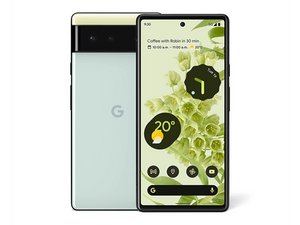
Google Pixel 6 的维修及拆解信息。机器型号为 GB7N6 和 G9S9B16。

How to Reattach Display Frame?

Hello!

Had a swollen battery and replaced it with the kit just fine. My issue is that the swelling separated the screen from the plastic frame, so that's fully separated now. What adhesive can I use to reattach this frame? The adhesive that came with the battery kit attaches to this frame, not the screen itself, so I think the right adhesive matters. Replacement screens already have the frame attached.

已回答! 显示答案 我也有这个问题

这是一个好问题吗?

得分 0
添加一条评论

2个答案

已选择的解决方案

Hi Jeremy,

I assume you're talking about the precut sheet of adhesive that's used to secure the screen normally and are looking for the equivalent to reglue the frame back on the display. Unfortunately I know of no source for any kind of precut adhesive; it's just not a common enough problem that anyone manufactures it for sale.

That being said, your best bet is a tube of glue that you can buy online. There are quite a few available; I'd suggest looking for something along the lines of B-7000 or T-8000. If it was mine, I would probably place the frame on the phone without the precut adhesive, then apply the glue to the frame. Set the screen in place and wrap it with rubber bands or place a weight on it until the glue is dry. After that you can remove the screen, apply the precut adhesive and reassemble. Of course, be sure and test it to make sure the screen still works before gluing it down to the phone.

这个答案有帮助吗?

得分 1

6条评论:

T-7000 did a great job; thanks for the reply. Hopefully, this post helps others.

完成的

I have the same problem with my Pixel 6A. I noticed that the display itself has some black rubbery gasket-like material at the seam. I assume that this might be the old adhesive, but I am not sure as it is not sticky at all (probably cured glue?). Did you remove this from the screen or did you just apply the glue to the plastic frame and re-attached the screen as-is?

完成的

@omicorn The material you're talking about is indeed the old adhesive. In order to ensure the new adhesive holds the screen securely as well as providing a certain degree of water resistance, you must clean all of the old stuff off both the screen and the midframe. iFixit has a guide for exactly that on your phone.

How to Replace the Adhesive for Your Google Pixel 6a

完成的

Thank you, but the guide you linked is about adhering the black plastic bezel to the rest of the phone frame. The guide assumes that the bezel is fixed to the display, which is not the case for me. My problem is that the bezel detached from the display, ie. I have three parts: the display, the plastic bezel and the phone frame, like the OP had. I can attach the bezel to the frame, but my question is about bonding the bezel to the display. I would rather not scrape the display if it can be avoided, but then again, I do want the glue to stick and not ooze out.

To understand the issue better, here are pictures https://imgur.com/a/ZS4uiMk I have highlighted the "gasket" with red and there's also a picture with the display and the bezel to better show what I mean by those parts. What do you think? Is this black stripe meant to be removed or should I keep it as is?

完成的

I have the same issue as the person posting before this comment, any helps would be great!!

完成的

显示更多的1条评论

添加一条评论

Thanks! I was thinking the same thing but unsure of the glue to use. Thanks for the advice and I'll search around for the recommended glue.

这个答案有帮助吗?

得分 0
添加一条评论

添加你的答案

Jeremy Carter 将永远感激不已
浏览统计数据:

过去 24 小时: 2

过去 7 天: 15

过去 30 天: 107

总计 748