跳转到主内容
加入维修社区 - 创建账户

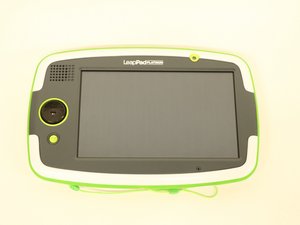
LeapFrog LeapPad Platinum 31565 结合了 7 英寸高分辨率多点触摸屏和强劲的四核处理器,是 LeapFrog 学习平板电脑系列中的最新款机型。

How do I Remove parental controls

I can’t guess the code

回答此问题 我也有这个问题

这是一个好问题吗?

得分 1
添加一条评论

1个答案

  1. Go to www.leapfrog.com.
  2. Click "Log In/Register" or "My account" at the top right.
  3. Log in using the LeapPad's original email address.
  4. The "My Account" page will appear.
  5. Click "Account Information". You can find the Parent Lock password details for any LeapPad3 or LeapPad Ultra set up using this account directly beneath the orange "Edit" button.
  6. Hope this helps! ❤️

这个答案有帮助吗?

得分 0
添加一条评论

添加你的答案

Nednal404 将永远感激不已
浏览统计数据:

过去 24 小时: 0

过去 7 天: 9

过去 30 天: 44

总计 744