
跳转到主内容
加入维修社区 - 创建账户

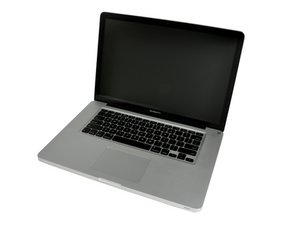
2012 年 6 月发布 / 配备 Turbo Boost 的 Core i7 处理器 / 最高 1 GB GDDR5 显存

Mid 2012 MBP Hardware Upgrades

I want to upgrade my laptop’s current HD & RAM, possibly removing the Optical Drive as well since it doesn’t work anymore.

Any Suggestions ?

It’s not for super critical work such as Audio or Video Editing, I just need it to be faster, or as fast as it can get.

Thanks in advance.

已回答! 显示答案 我也有这个问题

这是一个好问题吗?

得分 0
添加一条评论

2个答案

已选择的解决方案

To start with I would bump the RAM to 16GB which is the systems limit 2012年中 15寸 MacBook Pro 一体化机 RAM 更换

As for as drives I would go with a 1TB so you have plenty of space. I would go with a SSD Vs HD as its just more rugged and uses less power 2012年中期 15寸 MacBook Pro 一体化机硬盘更换.

The one issue you do face is the HD SATA cable will likely need to be replaced if you still have the original HDD in the system as the original cable was not able to run at the higher SATA III (6.0 Gb/s) data rates the SSD will push without encountering issues MacBook Pro 15" Unibody (Mid 2012) Hard Drive Cable I would also apply a strip of electricians tape on the upper case where the cable crosses over and explained here Your Hard Drive Cable Is A Ticking Time Bomb

The last issue is making sure you don’t damage the cable installing it. A common failure I see is people crease the cable which damages the thin foil wires with in the cable. I use an old BIC pen ink straw as a bending brake to form the bends so I don’t exceed the radius of the straw.

I would leave the optical drive alone as it needed for structure and with one large drive you should not need a second.

Replace a damaged cable connecting the hard drive to the logic board in your laptop.图片

产品

MacBook Pro 15" Unibody (Mid 2012) Hard Drive Cable

$19.99

MacBook Pro 15" Unibody Mid 2012 硬盘图片

指南

2012年中期 15寸 MacBook Pro 一体化机硬盘更换

难度:

中等

20 - 30 minutes

MacBook Pro 15" Unibody Mid 2012 RAM图片

指南

2012年中 15寸 MacBook Pro 一体化机 RAM 更换

难度:

简单

10 - 45 minutes

这个答案有帮助吗?

得分 3

3条评论:

I think the original HD was already replaced because the HD in it now is a 1TB, but good looking out with regards to the HD Cable installation.

完成的

An SSD will give you a perceived 100% speed increase.

完成的

That trick with the old bic ink straw to limit the radius of a bend for the ribbon cable - I'll be keeping that in mind.

完成的

添加一条评论

so, what cable would be necessary for a Macbook pro mid 2012, 13 inch, if one changed the HD to a faster SSD? Is there a fitting SAT III cable around that would work? a fast one and sturdy one?

这个答案有帮助吗?

得分 0

1条评论:

Here's the needed cable for your 13" system MacBook Pro 13" Unibody (Mid 2012) Hard Drive Cable and here's the guide to follow MacBook Pro 13" Unibody 中期2012 硬盘线缆替换

完成的

添加一条评论

添加你的答案

immanueltnt 将永远感激不已
浏览统计数据:

过去 24 小时: 0

过去 7 天: 9

过去 30 天: 22

总计 206