跳转到主内容

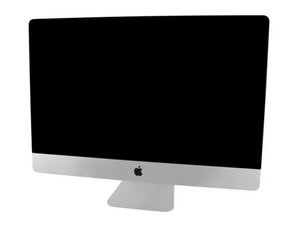
Model A1419 / Late 2013 / 3.2 & 3.4 GHz Core i5 or 3.5 GHz Core i7 Processor, ID iMac14,2

Why can't my iMac boot up?

My iMac won’t boot up to the login screen. It gets stuck at 100%. Ive done everything I can from resetting the smc, to resetting the nvram, to redownloading macOS. I checked the disk utility and it says nothing is wrong. Ive done everything the apple support page has shown to fix it and nothing has worked.I had a friend look at it and he seems to think the hard drive might be bad. Could that cause my issues?

回答此问题 我也有这个问题

这是一个好问题吗?

得分 0
添加一条评论

2个答案

最有帮助的答案

Boot from an external USB drive. Then run Disk Utilities from it.

UPDATE 8/12/20

Here how to drop in a new SSD, see step #36

iMac 因特尔 27" EMC 2639 硬盘更换

这个答案有帮助吗?

得分 3

2条评论:

Okay I booted from my external and I’m finally Logged in to my iMac. So does this mean my main hard drive is the issue? My iMac 27 is still not running as fast but that’s probably because my external is just a seagate backup plus slim 1tb right?

完成的

@emveed Time to drop an SSD drive in it and give it a few more years of usefulness.

完成的

添加一条评论

First, check that your Mac has a power source. Yes, it’s silly and obvious, but anyone who’s done tech support knows that you have to get the obvious fixes out of the way first. So if your MacBook won’t boot on battery power, plug it in. The battery may be fully depleted or could be malfunctioning. Use Disk Utility From Recovery Mode. Press and hold the Command + R keys during the boot-up process. You should try to press these immediately after you hear the chime sound. Your Mac should boot to recovery mode. If it doesn't, you probably didn't press the keys soon enough — restart your Mac and try again.

这个答案有帮助吗?

得分 0
添加一条评论

添加你的答案

Eric Marq 将永远感激不已
浏览统计数据:

过去 24 小时: 0

过去 7 天: 0

过去 30 天: 4

总计 180