
跳转到主内容
加入维修社区 - 创建账户

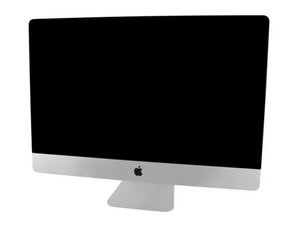
Model A1419 / Late 2013 / 3.2 & 3.4 GHz Core i5 or 3.5 GHz Core i7 Processor, ID iMac14,2

Check power supply with multimeter?

Does anybody have a good methodology for checking a power supply with a multi-meter? I've found this link to testing the PSU, but I'm not sure if it'd work with mac PSU's as well. Closing a circuit with a paperclip sounds dodgy:

https://www.wikihow.com/Check-a-Power-Su...

回答此问题 我也有这个问题

这是一个好问题吗?

得分 0
添加一条评论

1个答案

最有帮助的答案

@hughprobyn not dodgy at all, I do it like that all the time. That is how you turn the power supply on. Problem that you will encounter is that you have no schematic and no values for your power supply. Those are the minimum things you need to check it. Of course, there is not a lot of information available since Apple is known to be absolutely paranoid and not the least bit interested in helping DIY'ers out. It will help if you can give us the power supply number. Should be something like a Delta ADP300 etc.

Just to reiterate, you can't use the test procedures show on your link for your iMac.

这个答案有帮助吗?

得分 2

4条评论:

Thanks for the reply. The PSU is a Lite-on, model # PA-1311-2A, with an output of 12Vs5=25A. I have the Apple repair guide but haven't located a pin-out schematic

Thanks for any input

完成的

@hughprobyn those are not easy to find. Until we'll find something better, check this guide iMac Intel 20" EMC 2210 Power Supply Output Voltage Test and see if it sheds a bit more light on it.

完成的

@oldturkey03 Thanks for the help

完成的

Any success with yours? I can read the 12v as labelled. Perhaps this PSU only deals out +12v, and leaves the lower voltages to the logic board or perhaps does it via the the PSU signal cable?

完成的

添加一条评论

添加你的答案

Hugh Probyn 将永远感激不已
浏览统计数据:

过去 24 小时: 0

过去 7 天: 8

过去 30 天: 20

总计 2,147