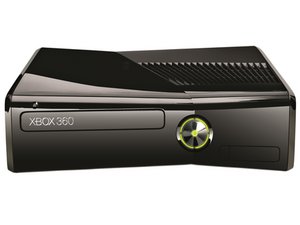
Before trying to troubleshoot your Xbox 360's problems, try resetting the console by turning it off and back on. Additionally, check the connections for the power and A/V cables to ensure that they are probably seated.
Xbox 360 S 无法开机
未检测到 USB
检查主机正面 (2) 和背面 (1) 的 USB 接口。如果 USB 接口的针脚弯曲并接触到接口外壳,会导致 USB 短路,从而使 Xbox 无法开机。
电源损坏或故障
如果你的设备已正确连接,但电源非常烫,请拔掉所有连接并让各部件冷却至少一小时。如果冷却后问题依旧,你可能需要更换或维修电源。
射频模块电路板裂纹
如果电源正常,问题可能出在射频模块电路板上。如果它已损坏,你需要 更换 它。
主板烧毁
如果检查上述项目后问题依然存在,你的主板可能出了问题。主板上的焊接连接处出现裂纹是一个常见问题。如果是这种情况,可以尝试重新焊接或回流连接处。
光驱无法打开/关闭
光驱内部脏污
如果光驱托架卡住无法打开或关闭,你需要手动弹出光盘。按照 这些说明 拆下前盖并手动弹出光驱。清除任何杂物,然后重新插上主机电源。如果退盘按钮仍然无效,请联系 XBOX,或者你的光驱可能需要更换。
Xbox 360 S 无法读取光盘
光盘划伤
划痕严重的光盘将无法被主机读取。放入一张干净、无划痕的光盘。如果你的 Xbox 360 S 能正常播放该光盘,说明之前是划伤的光盘出了问题。
激光镜头积灰或脏污
如果问题不是由光盘划伤引起的,则可能是光学驱动器的镜头积灰,导致其无法读取光盘。从主机中取出光学驱动器并对其进行彻底清洁。
联系 XBOX 维修故障光驱
如果清洁光学驱动器后 Xbox 360 仍无法读取光盘,那么你的光学驱动器很可能已经损坏。联系 Xbox 电话支持中心,直接更换故障 DVD 驱动器是无效的,因为更换后的驱动器有不同的 DVD 驱动器密钥,游戏主机无法接受。
主板烧毁
如果检查上述项目后问题依然存在,你的主板可能出了问题。主板上的焊接连接处出现裂纹是一个常见问题。如果是这种情况,可以尝试重新焊接或回流连接处。
无法保存游戏数据
无论你怎么尝试,Xbox 360 S 都无法保存你的游戏。
硬盘卡滞
如果你的 Xbox 360 S 无法保存游戏内数据,很可能是硬盘已满或卡滞。确保硬盘连接正确,确认有足够的可用空间用于存档,然后再次尝试保存。如果这不起作用,你可能需要更换卡滞的硬盘。
主板烧毁
如果检查上述项目后问题依然存在,你的主板可能出了问题。主板上的焊接连接处出现裂纹是一个常见问题。如果是这种情况,可以尝试重新焊接或回流连接处。
红色错误灯
判断 Xbox 360 哪个组件发生故障,取决于电源按钮周围闪烁的红色灯的数量。
一个红灯
如果 Xbox 360 上右下角的红灯闪烁,说明你的主机遇到了硬件错误。主机仍能开机,并应在连接的屏幕上显示错误代码。代码将以 E 开头,后跟两位数字。部分 更常见的错误代码 可在本页面找到,更深入的信息可在 Xbox-Experts 错误代码数据库 中查看。
两个红灯
当主机左侧两个灯闪烁红光时,说明某个组件过热。此时风扇的声音很可能非常大。关闭主机电源,让它冷却几个小时。为了防止这种情况再次发生,请确保你的 Xbox 360 处于通风良好的区域,并远离墙壁、加热器或其他电器。
三个红灯(又称“死亡红环”)
当光环中除右上角外的其余灯都闪烁红光时,即出现“死亡红环”。这表示发生了通用硬件故障,影响了一个或多个组件。由于主机无法开机,错误消息不会直接显示,但你可以从 Xbox 获取二级错误代码。
Xbox 360 S 主机中绝大多数(如果不是全部)三灯错误都与过热有关。最常见的问题是主板上 GPU 下方的焊接连接处开裂或虚焊。散热器的设计缺陷导致主板在芯片周围区域发生翘曲,从而导致芯片与电路板失去接触。对于 RROD 有多种修复方法,包括更换高压力的 X 形夹、对 GPU 的焊接连接进行回流,以及在旧型号中用微软升级的 Zephyr 散热器替换原散热器。
为了防止 Xbox 360 S 受到 RROD 的影响,请将其放在通风良好的地方,并确保冷却通风口没有堵塞。如果 Xbox 开始过热,请关闭电源并让它冷却至少一小时后再继续玩。或者,使用外置风扇帮助设备散热。
如果你的 Xbox 已经被 RROD 困扰,且主机已超出微软保修期,仍有希望修复。即使主机无法开机,你也可以从中获取 二级错误代码。找出 Xbox RROD 的原因后,你可以采取必要的行动来解决问题。由 CPU 或 GPU 引起的红环错误通常可以通过安装我们的 红环故障维修套件 来修复。
你的主板可能出了问题。主板上的焊接连接处出现裂纹是一个常见问题。如果是这种情况,可以尝试重新焊接或回流连接处。
四个红灯
如果四个红灯同时闪烁,说明 Xbox 360 A/V 线缆未连接。请将线缆重新连接到主机或你正在使用的显示设备上。
你的主板可能出了问题。主板上的焊接连接处出现裂纹是一个常见问题。如果是这种情况,可以尝试重新焊接或回流连接处。
常见错误代码
Some of the information below is taken from a collaborative effort by users on Xbox-Scene forums. The full thread contains more information on diagnosing and repairing error codes.
- E64: *** DVD 驱动器错误 - 驱动器超时或固件错误。导致此错误的原因有多种,但最常见的是频繁使用有划痕的光盘。
- E65: *** DVD 驱动器错误 - 通常由于光盘托架未完全闭合导致。
- E66: *** DVD 驱动器错误 - 光驱版本与主机预期的版本不匹配。确保 DVD 驱动器与主机最初随附的版本相同,并且使用的是主机随附的原厂固件或更新的固件。如果驱动器能在 Windows 中弹出、读取和写入光盘,但在主机上报错,恢复原厂固件应该能解决此问题。
- E67: *** 硬盘错误 - 重置过程中硬盘超时。错误很可能是由故障硬盘引起的。从主机中取出硬盘,尝试登录。如果移除硬盘后 Xbox 360 可以无错运行,则可断定硬盘已损坏。
- E68: *** 电压错误 - 额外的配件耗电过大。尝试先移除不必要的配件,然后是必要的组件,如硬盘和 USB 设备。对 Xbox 外壳的任何改装也可能导致此错误。在某些情况下,此错误也伴随着未配置 DMA 的硬盘出现。
- E69: *** 硬盘错误 - 读取硬盘安全扇区失败。此错误可能由坏硬盘或硬盘连接不良引起。尝试取出硬盘并在无硬盘的情况下运行,以确定其是否故障。
- E70: *** 硬盘错误 - 主机未找到硬盘。确保硬盘已正确安装并连接。
- E71: *** 仪表板错误 - 可能是仪表板更新错误。尝试在启动 Xbox 时按住同步按钮来清除仪表板。启动过程中应会清除任何失败的更新。如果这不能修复错误,则主机必须由微软进行维修。
- E72: *** 仪表板错误 - 错误通常是由引脚连接器松动或 NAND 芯片缺失引起的。常见的解决方案是回流南桥芯片。
- E73: *** I/O 硬件错误 - 由南桥或以太网芯片上的虚焊引起。通常,回流以太网芯片或南桥区域可以修复此问题。
- E74: *** I/O 硬件错误 - 此错误的常见原因是 GPU 下方的焊接连接处虚焊或开裂。回流 GPU 通常可以修复此错误消息。在某些情况下,更换 GPU 上的 X 形夹和导热硅脂可以缓解该问题。
- E75: *** 以太网错误 - 无法读取以太网 PHY 供应商。奇怪的是,此错误有时是由 DVD 驱动器未正确连接引起的。
- E76: *** 以太网错误 - 你的 Xbox 360 网络芯片已损坏。当芯片经历电压剧增时会发生这种情况。必须更换网络芯片。
- E77: *** 以太网错误 - 与 E76 类似,此错误由网络芯片损坏引起。它也可能由散热器与电阻之间的短路,或更严重的 RAM 问题引起。尝试回流网络芯片周围区域。
- E78: *** 仪表板错误 - ASICID 检查失败。目前没有针对此问题的已知修复方法。
- E79: *** 仪表板错误 - 由于硬盘故障,无法启动 xam.xex。尝试在不带硬盘的情况下再次启动主机,以验证这是否为问题所在。
- E80: *** 仪表板错误 - 当你的 Xbox 360 仪表板已升级但缺少电阻 R3T6 时,会出现此错误。修复此错误最简单的方法是降级到旧版仪表板,焊接上电阻,然后再次升级 Xbox。
A full list of known error codes and their causes is provided by Xbox-Experts on their website.
二级错误代码
出现三个闪烁红灯的 Xbox 360 无法开机,因此必须通过另一种方法获取错误消息。
获取二级错误代码
开启主机电源,直到三个红灯闪烁。在按住主机正面同步按钮的同时,按下并松开光盘弹出按钮。灯光将以不同的模式闪烁。这种新模式下闪烁灯的数量决定了二级错误代码的第一位数字(0-3),四个灯全闪表示 0。继续按住同步按钮,再按并松开弹出按钮三次,用同样的方法获取二级错误代码的第二、三、四位数字。第五次按下弹出按钮应使闪烁灯恢复到最初的“死亡红环”模式。至此,你已获得 4 位数的二级错误代码。
对应错误代码
要确定哪个错误消息对应你的二级错误代码,请使用 Xbox-Experts 提供的 错误代码数据库。
电源颜色代码
No light No power - The power supply isn't receiving power from the mains supply (not plugged into mains supply).
Green light Working and Xbox on - The power supply is receiving power from the mains supply and is operating correctly, with the Xbox on.
Orange light Standby - The power supply is receiving power from the mains supply, with the Xbox off.
Red light Power supply fault - The power supply is receiving power from the mains supply, but isn't supplying power to the Xbox. The possible courses are:
- Incorrect mains voltage - If the power supply is plugged into a mains supply, that is at a different voltage to what the power supply is rated for (Xbox 360 power supply's are rated for 220-240 VAC or 110-127 VAC), this will cause the power supply to not operate properly and can cause damage to the power supply. This problem can also occur if your mains supply has issues, e.g. a brown out.
- Overheating - This is most commonly caused by a lack of ventilation. This can be diagnosed by feeling how warm/hot the power supply is. Check/insure that there is a lot of open space around the power supply, that the temperature in the room is cool (not excessively high) and that the ventilation vents on the power supply, are free from dust and debris. If the power supply is well in a well ventilated space and the vents are free of dust and debris, check that the fan in the power supply is still functioning properly.
- Too much current draw - This means that the console is drawing too much power from the power supply. This is most commonly found in modified Xbox's, due to hardware additions (such as excessive LED's, fans etc) and/or modifications being incorrectly done. If the Xbox is non-modified, this most likely caused by short-circuit somewhere in the Xbox. The most common short-circuit, is the USB ports being damaged and the pins inside the port are shorting out on each other.


9条评论
Still looking for a reason or solution or some troubleshooting advice to check my disc reader is seems to want to work but it doesn't go through the process
Sean Theriault - 回复 分享
My xbox 360 will power on for a a few seconds then turn off what could be causing it?
Willard Stark - 回复 分享
The "Orange Light" thing will really help me on turning on my XBOX after 3 years. Thanks!
Ethan Sellers - 回复 分享
Hello, I had a problem with my xbox 360 slim So that one red light was on and I took the device to the rigor center and fixed it Then I played with it for a few days, then one day it stopped working. I restarted several times and fought all possible ways, but when it works, the screen does not appear at all, Although I checked the wires, the TV and everything, although the screen does not show anything And it does not show me any error and does not show any red color for what is the reason. Knowing that the problem is not in the charger connection or USB connection
jean Luc - 回复 分享
my xbox 360 runs for some time and turns off by it self I've repasted, I've checked power, I've cleaned the xbox but still the same what could be causing it? and how can I fix it?
Simon Okolonma - 回复 分享