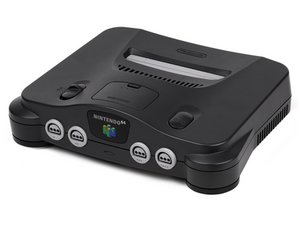
Nintendo 64 游戏画面显示异常
电源指示灯亮起,但电视屏幕为黑色、闪烁或开机后画面显示不正常
内部积尘
大多数 Nintendo 64 的问题都可以通过清洁游戏卡带或 清洁卡带插槽 来解决。如果这些方法都不奏效,你需要检查连接卡带插槽与主板的引脚,查看是否有断路情况。
重新安装跳线包或扩展内存包
如果没有正确安装跳线包 (Jumper Pak) 或扩展内存包 (RAM Pak),Nintendo 64 将无法正常启动。打开主机顶部的小盖板,将扩展包稍微拔出(前两步) 然后重新插回。
RF 或 AV 线缆问题
如果清洁系统后问题仍未解决,可能是连接电视的 RF 或 AV 线缆存在故障。请检查线缆连接是否正确。同时,确认你的电视是否支持你所使用的线缆类型。如果这无法解决问题,请更换一套可正常工作的线缆进行测试。
如果问题依然存在,可能是主板上的电路出现了问题。要修复这些故障,你需要 维修影音接口。
电源指示灯不亮
主机正面 Nintendo 64 的红色 LED 指示灯在开机后不亮
LED 灯珠问题
幸运的是,LED 指示灯不会影响系统的功能,所以如果它坏了,主机仍然可以正常工作。不过,如果你介意系统的外观,只需 更换灯珠 即可。
Nintendo 64 无法开机
按下电源开关后毫无反应
电源线问题
损坏的电源线可能是 Nintendo 64 无法开机的原因。请确认电源线连接正确,然后更换另一条可正常工作的电源线,看看是否能解决问题。
从电源线到主板的电路连接不良
电源线的电路连接可能出现错位或完全脱落。要修复此问题,你需要维修电源连接处。
主板损坏
如果主机在打开电源后没有任何反应,可能需要更换主板。该设备的大部分部件都安装在 主板 上,因此更换主板通常是一个全面有效的修复方案。
手柄无法工作
手柄无响应或响应不灵敏
按钮失灵
手柄的问题可能是由一个或多个按钮失灵引起的。你可能需要打开手柄并 清洁受影响的按钮。
如果这不能解决问题,你需要 检查手柄与主板之间的接触点,并在必要时进行更换。
以上均无效
如果上述方法都无法解决 Nintendo 64 的问题,建议你在我们的 Answers 论坛 上提问。如果情况实在糟糕,网上可以以非常合理的价格买到手柄,而旧手柄可以拆解留作备用零件,或进行 负责任的回收。

团队

Cal Poly, Team 5-4, Regan Fall 2009 Cal Poly, Team 5-4, Regan Fall 2009 的会员
CPSU-REGAN-F09S5G4
7 名成员
创作了60篇指南

52条评论
hey what id the conecters are rusty
PIE NATION - 回复 分享
What makes a Nintendo blink on and off when you turn it on?
mary bolin - 回复 分享
Mine also has the same issue. The red light lights up briefly with a pop sound sent to the speakers, but either doesn't have enough voltage/amperage to power the system, or there is a short in it, causing a cycle of red light blinking and popping about every 0.3 seconds.
Jacob Mantz (忍マンツ) - 回复 分享
Put a Killer Instinct II Gold cart into a working system and got no video or sound out. Put a working Turok cart in and also got nothing. Put my backup system on and tried the Turok. It worked as expected. Tried the Killer Instinct cart, got nothing and now I have two down systems. I didn't think a cart could kill a console, but apparently it can. I opened the cart and there is no evidence of tampering inside (no obvious shorts, so foul play is out).
Jeff Sockwell - 回复 分享
I picked up a copy of killer instinct gold today and was getting the same black screen. I took it apart inspected it. Cleaned it and still nothing. Just out of curiosity I put the game back in. I turned it on and still a black screen but then I removed my rumble pak from the back of my controller and the game started right up. I put the rumble pak back in the controller and restarted my console and again black screen. Once again I removed the rumble pak and the game started right up. It starts right up anytime there isn't a memory card or rumble pak connected to the controller. Hope this helped.
Josh kennedy - 回复 分享