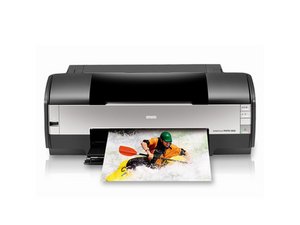
打印质量不佳
文档部分或全部未打印在页面上
此问题可能是左侧边缘导轨调节不当引起的。将左侧边缘导轨滑动至贴合纸张左边缘,但不要挤压过紧。如果是照片打印,请确保纸张的可打印面朝上。可打印面通常更白、更亮。
失真、条纹或颜色混合
这可能是打印头变脏引起的。打印机内置有自动清洁机制,清洁后此问题应会消失。请确保打印机已开启、未处于打印状态,且墨水量充足(红色墨水指示灯熄灭)。按住墨水按钮约 3 秒钟以启动清洁。此过程大约需要 2 分钟。
墨水耗尽
打印褪色或缺失颜色可能表明墨盒中的墨水水平过低。更换墨盒将解决此问题。请参阅更换墨盒指南。
组件变脏
为了保持始终如一的良好打印质量,打印机需要定期清洁。进行简单的除尘和墨渍清理可以解决此问题。请参阅关于清洁打印机的指南。
软件或连接问题
确保驱动程序为最新版本,并检查外部连接。尝试使用其他程序打印。请参阅软件部分以更新驱动程序。
打印头变脏或损坏
即使在清洁后仍出现大面积墨渍、颜色缺失、颜色混合或失真,可能表明打印头已损坏或脏污严重。请按照此指南取出打印头。
打印机卡纸
卡纸
纸张卡在打印机内部无法排出。将纸张取出即可解决此问题。请参阅卡纸指南。
频繁卡纸
出纸中框总成可能已损坏,导致出纸功能失效。请检查是否有损坏,并按照更换出纸中框总成的指南更换该组件。
指示灯
红色纸张指示灯亮起,绿色电源指示灯闪烁
如果正在打印纸张,说明缺纸。请重新装入纸张并按压纸张按钮以恢复打印。
如果正在打印 CD/DVD,说明未插入 CD/DVD 托盘。请插入 CD/DVD 托盘,然后按压纸张按钮。
红色纸张指示灯和绿色电源指示灯闪烁
如果正在打印纸张,说明发生了卡纸。按压纸张按钮以弹出纸张。如果无效,请按照卡纸指南修复。
红色墨水指示灯闪烁
墨盒即将用尽。检查哪个墨盒需要更换。
红色墨水指示灯亮起,绿色电源指示灯亮起
墨盒已耗尽。请按照墨盒指南进行更换。
驱动程序/软件
缺少驱动程序或软件
要下载最新的驱动程序和软件,请访问 Epson Stylus Photo 1400 页面。
软件
打印机软件能够检查每个墨盒的墨水量、启动自动清洁(与按住打印机上的墨水按钮作用相同)以及对齐打印喷嘴。该软件通常位于计算机控制面板的打印机部分。请确保从以下网站下载了最新软件:Epson Stylus Photo 1400 页面。

团队

Cal Poly, Team 17-11, Regan Fall 2011 Cal Poly, Team 17-11, Regan Fall 2011 的会员
CPSU-REGAN-F11S17G11
4 名成员
创作了72篇指南

15条评论
No one seems to ask this question: Why won't the CD tray insert into my Epson 1400? I followed instructions but it stops solid about halfway in before the arrows line up. I really need this thing to work!
techno17 - 回复 分享
Why would my epson photo stylus printer 1400 keep getting an error saying that the cd print tray needs to be removed before I can print on paper when the tray is not even inserted. It can run the paper thru and eject it, but it won’t print because of the above error. I have tried inserting and opening the folding up paper holder for your printed papers.
Char- Deerborn - 回复 分享
How can I move the printer carriage to the left? It does not need ink, there is no red light, but I need to move it from the right to the middle for cleaning. Thank you
shiloarts - 回复 分享
Press the Ink button and wait a few seconds. Press it a second time. This works for me.
David Greene - 回复 分享
No cd tray but won’t print
Dennis Eros - 回复 分享