简介
If the touchpad on your Wacom Intuos Pro stops functioning and no longer tracks input, you can replace it using this guide. The touchpad is responsible for tracking all of your drawings, so having it function less than perfectly can greatly hinder the functionality of your device. A replacement should alleviate any glitching or incorrect logging of input.
This guide instructs the user to remove the battery before removing the touchpad to negate the risk of an electrical discharge ruining any of the components while removing the touchpad. However, the battery requires soldering and desoldering to disconnect, which is not ideal for a temporary power disconnect. It should be possible to complete the replacement without disconnecting the battery if one wears an anti static wristband and takes care not to touch any metal tools to any of the cables or circuit boards during the repair.
你所需要的
-
-
-
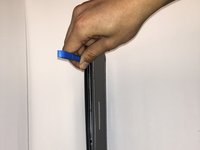
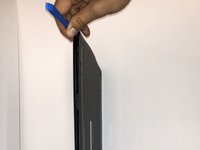
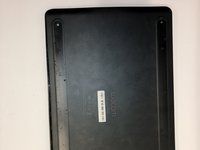
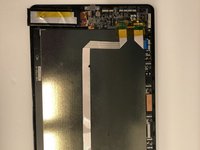
Orient the device so the bottom casing is facing upwards.
-
Use your fingers to gently pull on the rubber covers on the bottom of the device to remove them.
 询问修复机器人
-
-
-






To reassemble your device, follow these instructions in reverse order.

团队

Embry-Riddle Aeronautical University, Team S6-G3, Watkins Spring 2020 Embry-Riddle Aeronautical University, Team S6-G3, Watkins Spring 2020 的会员
ERAU-WATKINS-S20S6G3
4 名成员
创作了7篇指南
