跳转到主内容
加入维修社区 - 创建账户

W-King X10 Battery Replacement

你所需要的

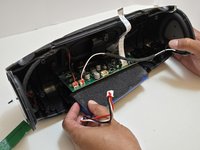
    1. W-King X10 Battery Replacement, Speaker: 步骤 1 中的图像 1,1
      • Make sure the X10 is powered off and disconnected from the charger before beginning the replacement.

      • Orient your W-King X10 so that the front is facing you.

      • The W-King logo will be facing you when the X10 is oriented correctly.

      询问修复机器人
      添加评论

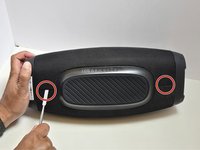
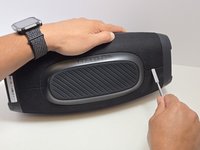
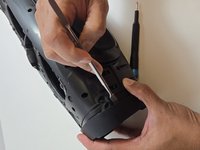
    2. W-King X10 Battery Replacement: 步骤 2 中的图像 1,2 W-King X10 Battery Replacement: 步骤 2 中的图像 2,2
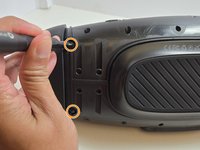
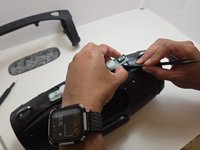
      • Using a metal spudger, pry open the top points of the front-facing mesh guard.

      • The connection points are approximately in line with the strap clips on the central control panel.

      • You will hear an audible "pop" when the connection opens, and the top edge of the mesh guard will visibly separate from the X10.

      询问修复机器人
      添加评论

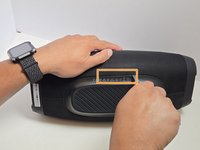
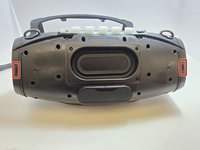
    3. W-King X10 Battery Replacement: 步骤 3 中的图像 1,3 W-King X10 Battery Replacement: 步骤 3 中的图像 2,3 W-King X10 Battery Replacement: 步骤 3 中的图像 3,3
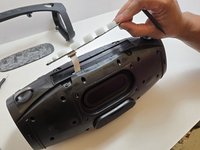
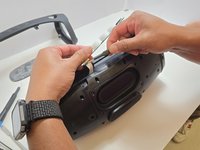
      • Lay the X10 on its back so that the bottom is facing you.

      • Using the metal spudger, separate the two connection points located on the left and right sides of the mesh panel as shown.

      • Separate the connection point in the center of the bottom section of the device.

      • As before, all connection points should audibly 'pop' when disconnected, and the mesh panel will visibly separate from the body of the X10.

      • Take care not to accidentally reconnect the points you’ve already separated. Using opening picks to hold the connections open can be helpful as you complete this step.

      询问修复机器人

      添加评论

    4. W-King X10 Battery Replacement: 步骤 4 中的图像 1,1
      • Remove the front and back mesh panels of the device.

      询问修复机器人

      添加评论

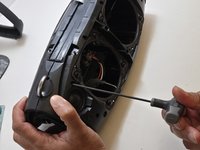
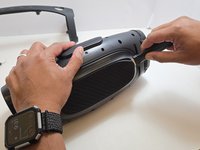
    5. W-King X10 Battery Replacement: 步骤 5 中的图像 1,2 W-King X10 Battery Replacement: 步骤 5 中的图像 2,2
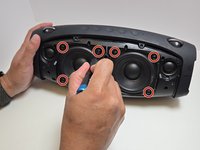
      • Use a Phillips #2 screwdriver to remove four 15.5 mm screws from the corners of each speaker.

      询问修复机器人
      添加评论

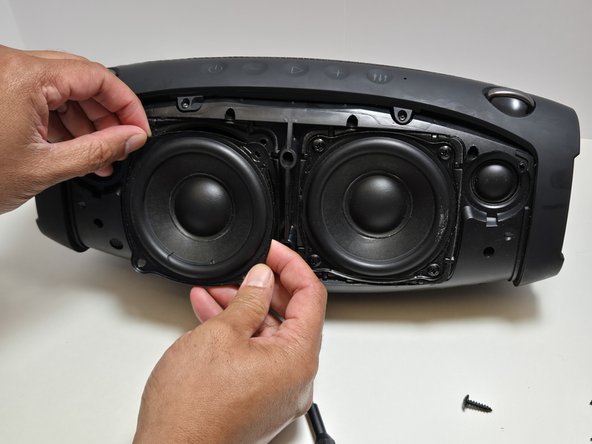
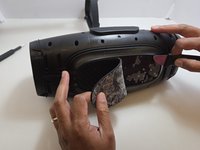
    6. W-King X10 Battery Replacement: 步骤 6 中的图像 1,2 W-King X10 Battery Replacement: 步骤 6 中的图像 2,2
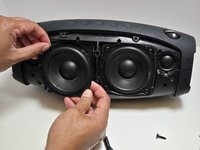
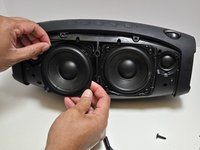
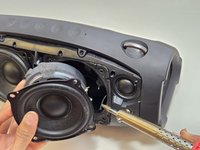
      • Gently pull the speaker straight out of the frame of the device.

      • If you tilt the speaker too far, it may catch on the frame, making it impossible to remove.

      • The speakers are connected to the board by cables, so avoid yanking or pulling on them forcefully.

      询问修复机器人
      添加评论

    7. W-King X10 Battery Replacement: 步骤 7 中的图像 1,2 W-King X10 Battery Replacement: 步骤 7 中的图像 2,2
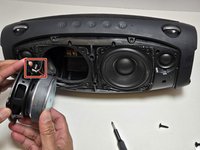
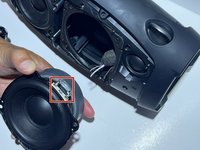
      • Use a soldering iron to disconnect the three wires connecting the speaker to the motherboard.

      询问修复机器人

      添加评论

    1. W-King X10 Battery Replacement, Battery: 步骤 8 中的图像 1,3 W-King X10 Battery Replacement, Battery: 步骤 8 中的图像 2,3 W-King X10 Battery Replacement, Battery: 步骤 8 中的图像 3,3
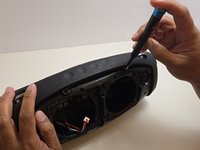
      • Unscrew the top arm of the X10.

      • There are four 7.5mm Phillips #0 screws at the center of the top arm.

      • There are two 7.5mm Phillips #0 screws at the base of each side of the arm.

      询问修复机器人

      添加评论

    2. W-King X10 Battery Replacement: 步骤 9 中的图像 1,2 W-King X10 Battery Replacement: 步骤 9 中的图像 2,2
      • Use the metal spudger to dislodge the two clips on each side of the arm.

      • The two clips are at the front and back sides of the arm.

      • Remove the arm but pulling apart the two sides of the arm away from the casing and lifting the arm free from the casing.

      • All four clips must be dislodged in order to free the arm. Be careful not to accidentally reconnect one or more as you dislodge the others.

      • Removing the arm takes moderate force. The plastic is strong and should not break, but be careful with yourself and your X10.

      询问修复机器人

      添加评论

    3. W-King X10 Battery Replacement: 步骤 10 中的图像 1,2 W-King X10 Battery Replacement: 步骤 10 中的图像 2,2
      • Remove the rubber foot at the bottom of the X10.

      • Use the Jimmy to separate the glue that holds the foot on to the casing.

      • Be gentle so as not to damage the soft rubber foot.

      • Peel away the rubber foot to expose the bottom panel of the casing.

      询问修复机器人

      添加评论

    4. W-King X10 Battery Replacement: 步骤 11 中的图像 1,3 W-King X10 Battery Replacement: 步骤 11 中的图像 2,3 W-King X10 Battery Replacement: 步骤 11 中的图像 3,3
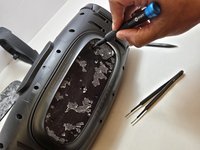
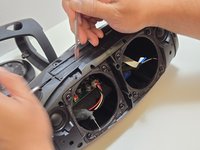
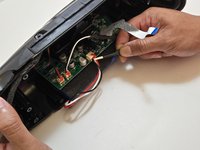
      • Remove the Control Panel from the top of the X10 by using the plastic spudger to separate the glue that attaches it to the casing.

      • There will be limited slack on the panel until you disconnect the ribbon cable. Be careful to not overexert the cable by keeping the panel close to the casing until you have disconnected the cable.

      • Using a pair of tweezers, gently pry the ribbon cable that connects the control panel to the motherboard.

      询问修复机器人

      添加评论

    5. W-King X10 Battery Replacement: 步骤 12 中的图像 1,2 W-King X10 Battery Replacement: 步骤 12 中的图像 2,2
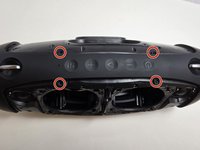
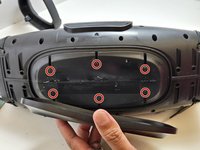
      • Use a Phillips #0 screwdriver to remove the six 7.5 mm screws connecting the bottom panel.

      询问修复机器人

      添加评论

    6. W-King X10 Battery Replacement: 步骤 13 中的图像 1,3 W-King X10 Battery Replacement: 步骤 13 中的图像 2,3 W-King X10 Battery Replacement: 步骤 13 中的图像 3,3
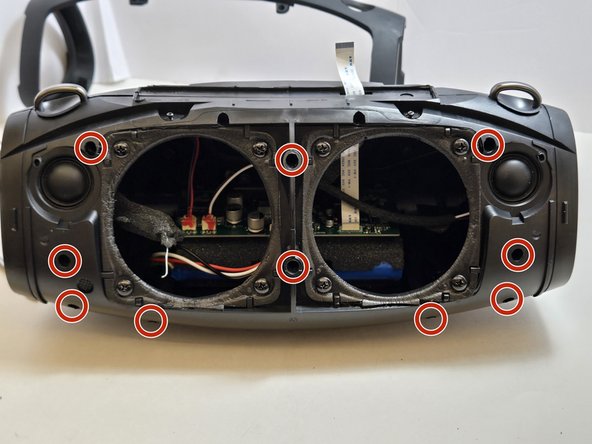
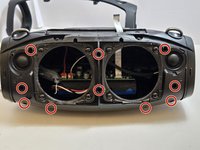
      • Use a 2.5 millimeter hex key to remove the ten 17.5 mm screws that connect the two halves of the X10 casing.

      • Several of these hex screws are in deep, narrow holes in the casing. We recommend using a full-length hex key rather than a hex bit at the end of a driver.

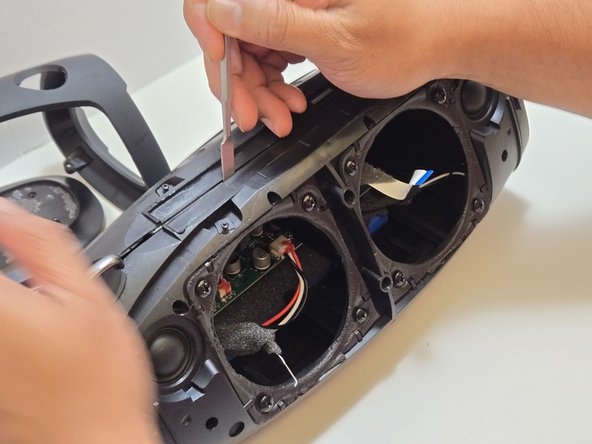
      • Separate the two halves of the casing using the metal spudger to pry apart the ten connection arms that form the structure of the casing.

      • If this is the first time opening the casing of this X10, there will be glue around the seam of the casing. Use the spudger to split the glue to loosen the seam.

      询问修复机器人

      添加评论

    7. W-King X10 Battery Replacement: 步骤 14 中的图像 1,2 W-King X10 Battery Replacement: 步骤 14 中的图像 2,2
      • Use tweezers to disconnect the push-in wire connection between the battery and the motherboard.

      • Batteries connected to a circuit pose a risk of electrical shock. Use ESD-safe tools when handling electronics.

      • Remove the battery.

      添加评论

结论

To reassemble your device, follow these instructions in reverse order. Take your e-waste to an R2 or e-Stewards certified recycler.

取消:我没有完成这个指南。

2等其他人完成本指南。

团队

4指南评论

Any chance you can give the manufacturer and part number for that battery pack and if you know where to buy the direct replacement please state this site we can purchase that new pack?

Brian Elm - 回复 分享

Where can I purchase the battery for the w-king x10?

Bìg Žìé - 回复 分享

Dónde compro la batería

Peter - 回复 分享

No encuentro la batería. Alguien sabe dónde comprarla. (que no sea Alibaba)

Jonathan - 回复 分享

添加评论

浏览统计数据:

过去 24 小时: 8

过去 7 天: 69

过去 30 天: 292

总计 4,291