跳转到主内容
加入维修社区 - 创建账户

SuperSonic Matrix Mid SC-999 Battery Replacement

你所需要的

    1. SuperSonic Matrix Mid SC-999 Battery Replacement, Back Cover: 步骤 1 中的图像 1,1
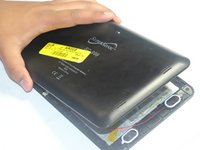
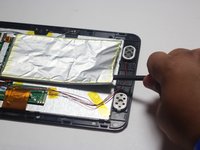
      • Wedge the plastic opening tool between the back cover of the device and the front panel.

      • You will hear a snapping sound as the cover is separated from the body of the device.

      询问修复机器人

      添加评论

    2. SuperSonic Matrix Mid SC-999 Battery Replacement: 步骤 2 中的图像 1,1
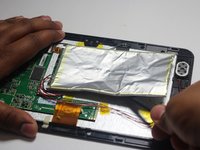
      • Slide the opening tool along the seam between the front panel and the back cover to un-clip the remaining connections around the device.

      • Again, you will hear a snapping sound as the cover is separated from the body of the device.

      询问修复机器人

      添加评论

    3. SuperSonic Matrix Mid SC-999 Battery Replacement: 步骤 3 中的图像 1,2 SuperSonic Matrix Mid SC-999 Battery Replacement: 步骤 3 中的图像 2,2
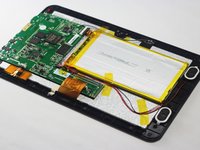
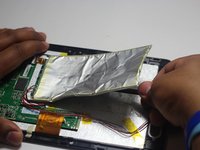
      • Lift the back cover from the body of the device to expose the internal components.

      询问修复机器人

      添加评论

    1. SuperSonic Matrix Mid SC-999 Battery Replacement, Battery: 步骤 4 中的图像 1,3 SuperSonic Matrix Mid SC-999 Battery Replacement, Battery: 步骤 4 中的图像 2,3 SuperSonic Matrix Mid SC-999 Battery Replacement, Battery: 步骤 4 中的图像 3,3
      • Remove the Battery

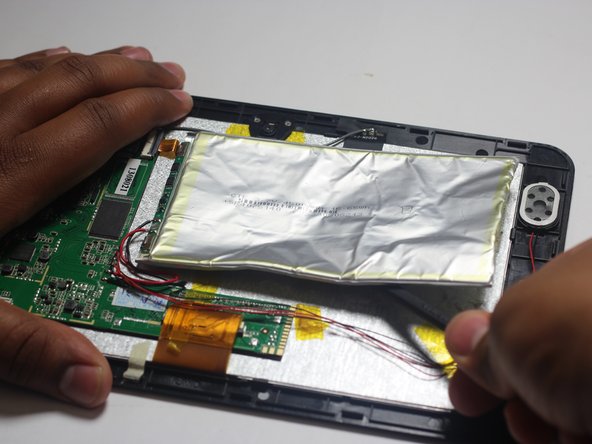
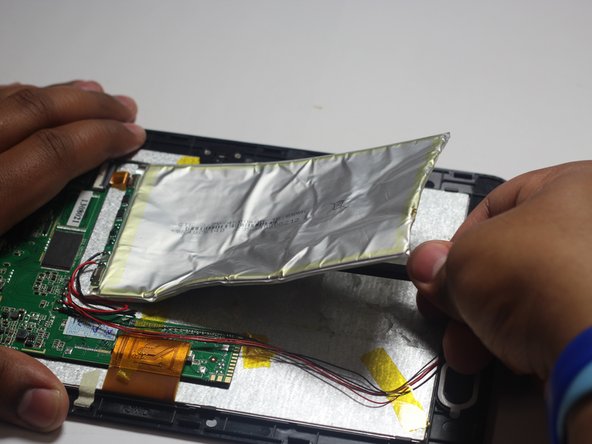
      • The battery is secured to the back panel with tape and glue.

      • Peel back the tape around the battery and discard it.

      • Tear through the adhesive holding the battery by using the spudger tool.

      询问修复机器人

      添加评论

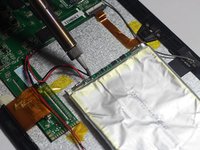
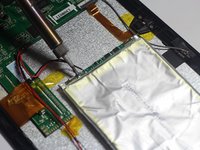
    2. SuperSonic Matrix Mid SC-999 Battery Replacement: 步骤 5 中的图像 1,3 SuperSonic Matrix Mid SC-999 Battery Replacement: 步骤 5 中的图像 2,3 SuperSonic Matrix Mid SC-999 Battery Replacement: 步骤 5 中的图像 3,3
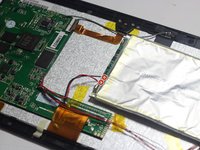
      • Desolder the 2 Battery Wires

      • The Battery has two wires connected to the motherboard (one black and one red).

      • If you're unfamiliar with soldering or desoldering check out this guide.

      • Be sure to wear protective eye wear. The soldering iron will become extremely hot and a potential danger, so make sure you are aware of your surroundings.

      添加评论

结论

To reassemble your device, follow these instructions in reverse order.

取消:我没有完成这个指南。

2等其他人完成本指南。

团队

Baylor, Team 6-1, Shaver Spring 2015 Baylor, Team 6-1, Shaver Spring 2015 的会员

BU-SHAVER-S15S6G1

4 名成员

创作了54篇指南

1指南评论

Link to the soldering technique guide!

Josh Lewis - 回复 分享

添加评论

浏览统计数据:

过去 24 小时: 1

过去 7 天: 5

过去 30 天: 37

总计 2,732