简介
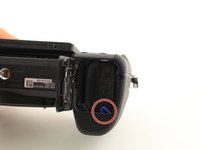
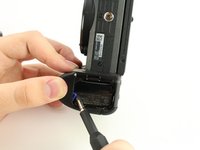
If your camera isn’t powering on, the culprit may be a faulty battery. The battery must also be removed as a prerequisite in some replacement guides. This guide will provide step-by-step instructions on how to remove and replace the battery. This replacement guide requires no tools.
你所需要的

 询问修复机器人



结论
To reinsert the battery, follow these instructions in reverse order.
另外一个人完成了本指南。

团队

University of South Florida St. Petersburg, Team S1-G1, Stowe Fall 2018 University of South Florida St. Petersburg, Team S1-G1, Stowe Fall 2018 的会员
USFSP-STOWE-F18S1G1
4 名成员
创作了4篇指南
