简介
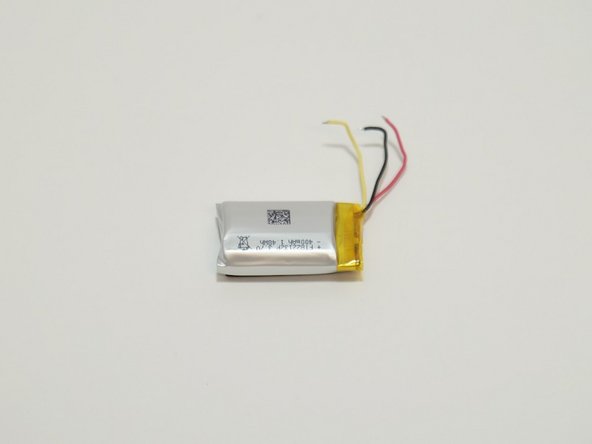
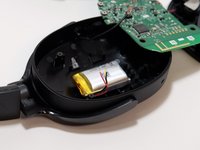
If your Skullcandy Hesh 3 headphones (model S6THW) are having battery issues with battery not being fully charged or insufficient battery life, use this guide to help replace your battery.
Be sure to check for debris within the battery port before starting this repair. You can easily remove debris with a small dust blower or blowing into the port. Also be sure to make sure the micro-USB pins are aligned and still intact. You may do this by using a flashlight to inspect them.
Before beginning the repair, make sure to power down the headphones completely and disconnect them from any external power source. In event of having a swollen battery within the headphones please consider reading this article on Swollen batteries to know how to properly deal with one.
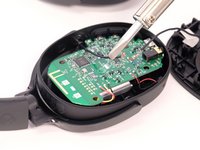
This repair requires soldering. The soldering iron may reach temperatures of up to 480'C (896'F) and can cause severe burns to skin. You might consider using heat proof gloves if you aren't experienced with soldering. In addition, for information on how to solder consider reading this page on How to solder and desolder
你所需要的
-
-
-
Use a Phillips #00 screwdriver to remove all four 4.0 mm screws securing the faceplate.
-
Remove the faceplate gently without pulling off the wires attached to the speaker and faceplate.
 询问修复机器人
-
-
-



To reassemble your device, follow these instructions in reverse order.
2等其他人完成本指南。

团队

Linn Benton Community College, Team 1-3, Karnes Winter 2023 Linn Benton Community College, Team 1-3, Karnes Winter 2023 的会员
LBCC-KARNES-W23S1G3
4 名成员
创作了12篇指南
2指南评论
Useful but doesn't mention battery type or where or if you can buy replacement battery.
John Layne - 回复 分享
I’ve been searching the exact screw type of these because I lost 5 of them, does anyone know any specifics past 4.0 mm?
Kouroshghane - 回复 分享
