跳转到主内容
加入维修社区 - 创建账户

Samsung WB350F Menu/Control Buttons Replacement

你所需要的

    1. Samsung WB350F Menu/Control Buttons Replacement, Rear Case: 步骤 1 中的图像 1,3 Samsung WB350F Menu/Control Buttons Replacement, Rear Case: 步骤 1 中的图像 2,3 Samsung WB350F Menu/Control Buttons Replacement, Rear Case: 步骤 1 中的图像 3,3
      • Remove the wristlet strap.

      • If you have difficulties use your plastic spudger. If you don't have a plastic spudger, you can also use a pen/pencil.

      询问修复机器人

      添加评论

    2. Samsung WB350F Menu/Control Buttons Replacement: 步骤 2 中的图像 1,3 Samsung WB350F Menu/Control Buttons Replacement: 步骤 2 中的图像 2,3 Samsung WB350F Menu/Control Buttons Replacement: 步骤 2 中的图像 3,3
      • Remove five 3.2 mm screws with a Phillips #000 Screwdriver.

      • There is one silver screw on the bottom and two black screws on each side.

      • Keep the screws together for an easier re-assembly later.

      询问修复机器人

      添加评论

    3. Samsung WB350F Menu/Control Buttons Replacement: 步骤 3 中的图像 1,3 Samsung WB350F Menu/Control Buttons Replacement: 步骤 3 中的图像 2,3 Samsung WB350F Menu/Control Buttons Replacement: 步骤 3 中的图像 3,3
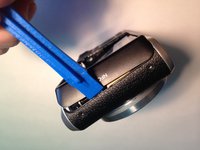
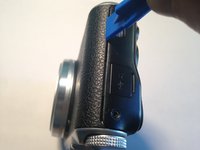
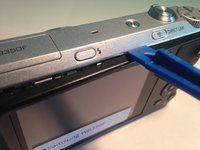
      • Open the case of the camera using your plastic opening tool.

      • Start on each end, working the tool into the opening and popping the casing up. Then work your way down the longer sides (top and bottom).

      • If you don’t have plastic opening tools, any flat plastic object, like a used gift card, can be used as an improvised alternative.

      询问修复机器人

      添加评论

    4. Samsung WB350F Menu/Control Buttons Replacement: 步骤 4 中的图像 1,1
      • Remove the plastic casing, exposing the inner workings of the camera.

      询问修复机器人
      添加评论

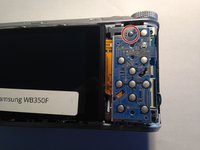
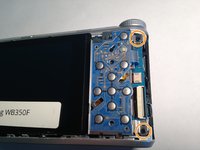
    1. Samsung WB350F Menu/Control Buttons Replacement, Screen: 步骤 5 中的图像 1,2 Samsung WB350F Menu/Control Buttons Replacement, Screen: 步骤 5 中的图像 2,2
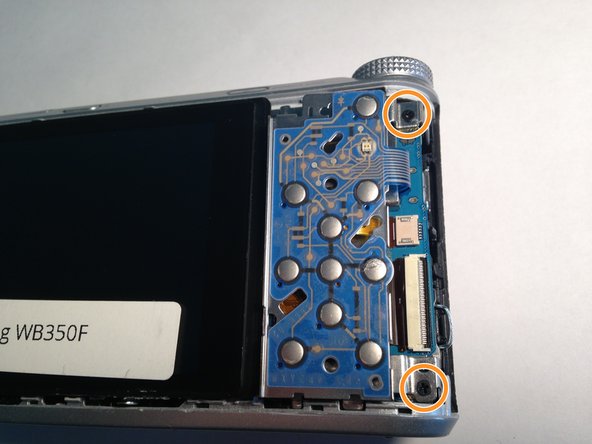
      • Using your Phillips #000 Screwdriver, remove one 3.2 mm screw above the menu buttons panel.

      • Next, remove the two 3.2 mm Phillips #000 screws to the left of the menu buttons panel.

      询问修复机器人
      添加评论

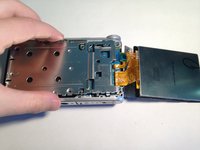
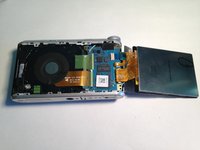
    2. Samsung WB350F Menu/Control Buttons Replacement: 步骤 6 中的图像 1,1
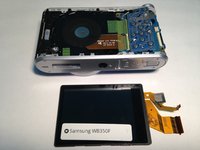
      • Move the menu button panel to the right as well as the screen.

      • Be careful because each are connected to the camera by a ribbon.

      询问修复机器人
      添加评论

    3. Samsung WB350F Menu/Control Buttons Replacement: 步骤 7 中的图像 1,1
      • Remove two more 3.2 mm screws on the silver panel using your Phillips #000 Screwdriver.

      询问修复机器人

      添加评论

    4. Samsung WB350F Menu/Control Buttons Replacement: 步骤 8 中的图像 1,2 Samsung WB350F Menu/Control Buttons Replacement: 步骤 8 中的图像 2,2
      • Remove the silver panel.

      询问修复机器人

      添加评论

    5. Samsung WB350F Menu/Control Buttons Replacement: 步骤 9 中的图像 1,2 Samsung WB350F Menu/Control Buttons Replacement: 步骤 9 中的图像 2,2
      • Flip the screen back over.

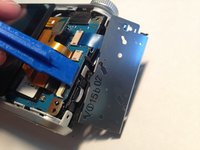
      • Using the plastic open tool, flip open the black retaining plastic piece holding the larger ribbon in place.

      询问修复机器人

      添加评论

    6. Samsung WB350F Menu/Control Buttons Replacement: 步骤 10 中的图像 1,2 Samsung WB350F Menu/Control Buttons Replacement: 步骤 10 中的图像 2,2
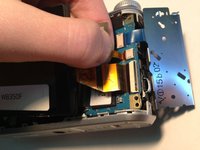
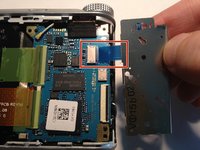
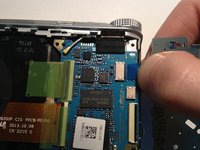
      • Carefully detach both ribbons by gently pulling one at a time.

      • The thinner ribbon isn't secured with a connector and you are able to pull it straight out.

      • Be sure to pull gently as you do not want to break either ribbon.

      询问修复机器人

      添加评论

    1. Samsung WB350F Menu/Control Buttons Replacement, Menu/Control Buttons: 步骤 11 中的图像 1,3 Samsung WB350F Menu/Control Buttons Replacement, Menu/Control Buttons: 步骤 11 中的图像 2,3 Samsung WB350F Menu/Control Buttons Replacement, Menu/Control Buttons: 步骤 11 中的图像 3,3
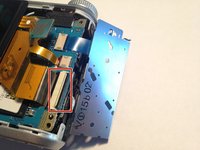
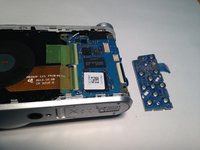
      • Gently pull the ribbon in order to remove the menu/control button panel.

      • The ribbon isn't secured with a connector and you are able to pull it straight out.

      添加评论

结论

To reassemble your device, follow these instructions in reverse order.

取消:我没有完成这个指南。

团队

UMass Dartmouth, Team 6-2, Bhusal Spring 2016 UMass Dartmouth, Team 6-2, Bhusal Spring 2016 的会员

UMASSD-BHUSAL-S16S6G2

4 名成员

创作了8篇指南

0指南评论

添加评论

浏览统计数据:

过去 24 小时: 3

过去 7 天: 8

过去 30 天: 43

总计 1,728