跳转到主内容
加入维修社区 - 创建账户

Punkt MP02 Keyboard Membrane Replacement

你所需要的

  1. Punkt MP02 Keyboard Membrane Replacement, Battery: 步骤 1 中的图像 1,2 Punkt MP02 Keyboard Membrane Replacement, Battery: 步骤 1 中的图像 2,2
    • Use a SIM card eject tool to to eject and remove the SIM card tray on the side of the phone.

  2. Punkt MP02 Keyboard Membrane Replacement: 步骤 2 中的图像 1,2 Punkt MP02 Keyboard Membrane Replacement: 步骤 2 中的图像 2,2
    • The back panel is held on by glue and multiple tabs.

    • Slide a Jimmy into the seam between the back panel and the chassis.

    • Slide the Jimmy around the perimeter to release the back panel, with care not to damage the retaining clips.

    • Clean any old adhesive with a spudger and isopropyl alcohol, then apply new adhesive to the back panel before reinstalling it.

  3. Punkt MP02 Keyboard Membrane Replacement: 步骤 3 中的图像 1,3 Punkt MP02 Keyboard Membrane Replacement: 步骤 3 中的图像 2,3 Punkt MP02 Keyboard Membrane Replacement: 步骤 3 中的图像 3,3
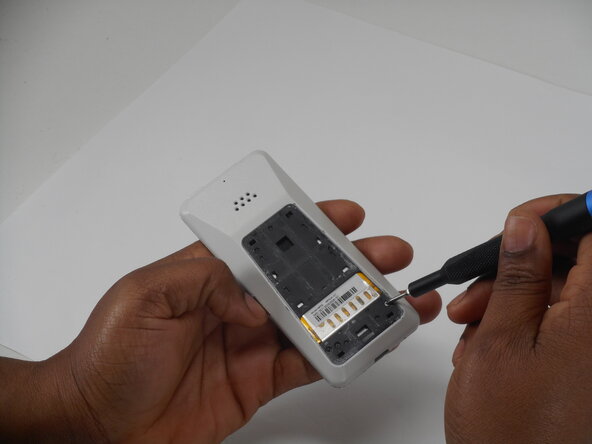
    • Use a Phillips screwdriver to remove the two adjacent 3 mm Phillips screws.

  4. Punkt MP02 Keyboard Membrane Replacement: 步骤 4 中的图像 1,3 Punkt MP02 Keyboard Membrane Replacement: 步骤 4 中的图像 2,3 Punkt MP02 Keyboard Membrane Replacement: 步骤 4 中的图像 3,3
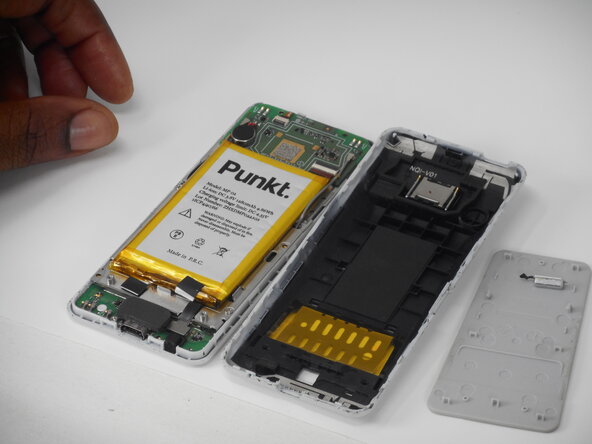
    • Insert a Jimmy into the seam between the front and back case.

    • Slide the Jimmy around the perimeter while prying to separate the front and back case.

  5. Punkt MP02 Keyboard Membrane Replacement: 步骤 5 中的图像 1,2 Punkt MP02 Keyboard Membrane Replacement: 步骤 5 中的图像 2,2
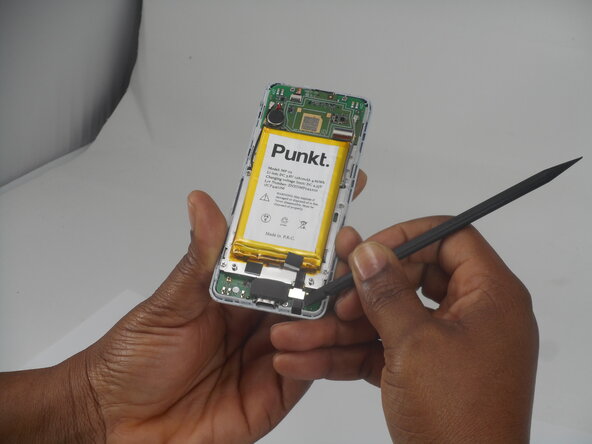
    • Use a spudger to pry up and disconnect the battery press connector.

    • Make sure to pry under the connector itself and not on the board.

  6. Punkt MP02 Keyboard Membrane Replacement: 步骤 6 中的图像 1,2 Punkt MP02 Keyboard Membrane Replacement: 步骤 6 中的图像 2,2
    • Gently pry the battery off with the spudger tool.

    • Take care not to bend, warp, or puncture the battery during removal.

  7. Punkt MP02 Keyboard Membrane Replacement, Screen: 步骤 7 中的图像 1,3 Punkt MP02 Keyboard Membrane Replacement, Screen: 步骤 7 中的图像 2,3 Punkt MP02 Keyboard Membrane Replacement, Screen: 步骤 7 中的图像 3,3
    • Remove the six 3 mm-long Phillips screws located on the board beneath the battery.

  8. Punkt MP02 Keyboard Membrane Replacement: 步骤 8 中的图像 1,3 Punkt MP02 Keyboard Membrane Replacement: 步骤 8 中的图像 2,3 Punkt MP02 Keyboard Membrane Replacement: 步骤 8 中的图像 3,3
    • Remove the antenna coaxial connectors on the board with a spudger by gently prying straight up where they are connected on the board.

  9. Punkt MP02 Keyboard Membrane Replacement: 步骤 9 中的图像 1,3 Punkt MP02 Keyboard Membrane Replacement: 步骤 9 中的图像 2,3 Punkt MP02 Keyboard Membrane Replacement: 步骤 9 中的图像 3,3
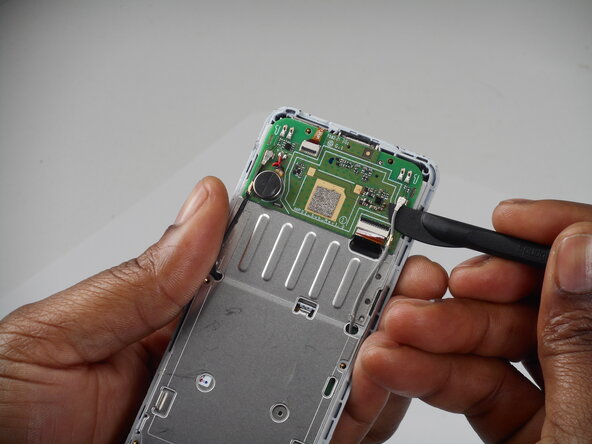
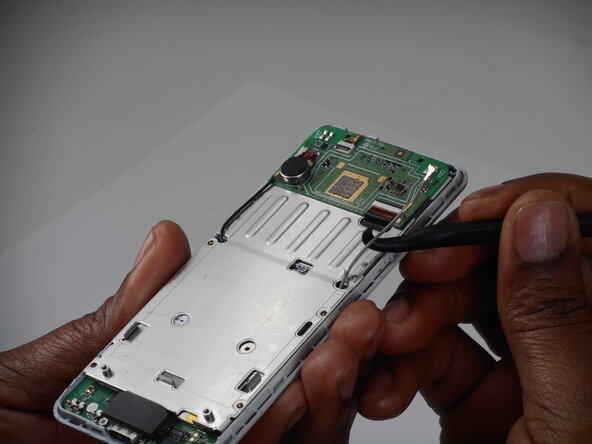
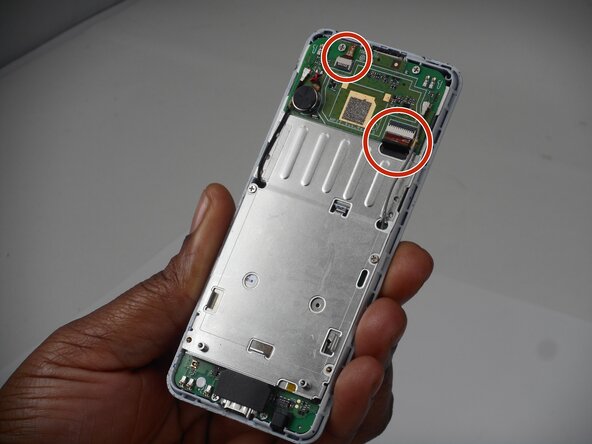
    • Flip up the two black locking flaps securing each of the two ribbon cables.

    • Disconnect the two ribbon cables.

  10. Punkt MP02 Keyboard Membrane Replacement: 步骤 10 中的图像 1,2 Punkt MP02 Keyboard Membrane Replacement: 步骤 10 中的图像 2,2
    • Using your thumbs, push the board up so that the clip can slide out of the indent.

    • Use a spudger to gently separate the boards.

    • Ensure that the antennae slide through the holes—do not accidentally pull these off.

  11. Punkt MP02 Keyboard Membrane Replacement: 步骤 11 中的图像 1,3 Punkt MP02 Keyboard Membrane Replacement: 步骤 11 中的图像 2,3 Punkt MP02 Keyboard Membrane Replacement: 步骤 11 中的图像 3,3
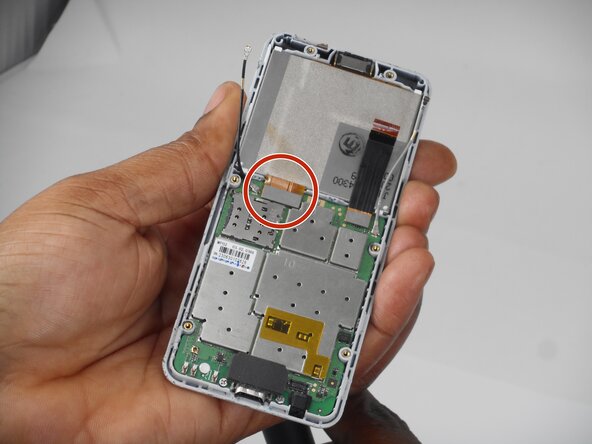
    • Use a spudger to lift and disconnect the screen press connector.

    • Make sure to pry up on the edge of the connector, not the board itself.

    • Remove the screen.

  12. Punkt MP02 Keyboard Membrane Replacement, Keyboard Membrane: 步骤 12 中的图像 1,3 Punkt MP02 Keyboard Membrane Replacement, Keyboard Membrane: 步骤 12 中的图像 2,3 Punkt MP02 Keyboard Membrane Replacement, Keyboard Membrane: 步骤 12 中的图像 3,3
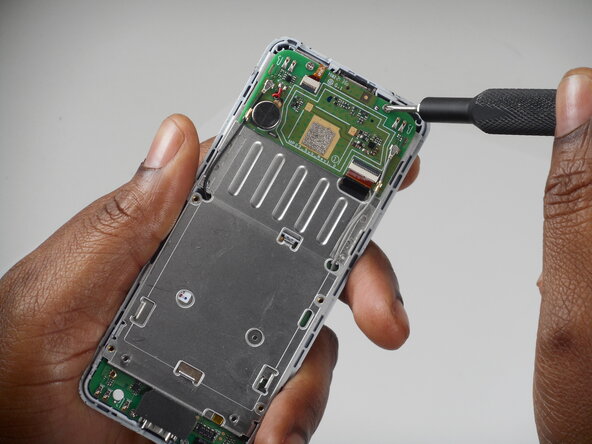
    • Remove the 3 (3mm) Phillips head screws from the board.

  13. Punkt MP02 Keyboard Membrane Replacement: 步骤 13 中的图像 1,2 Punkt MP02 Keyboard Membrane Replacement: 步骤 13 中的图像 2,2
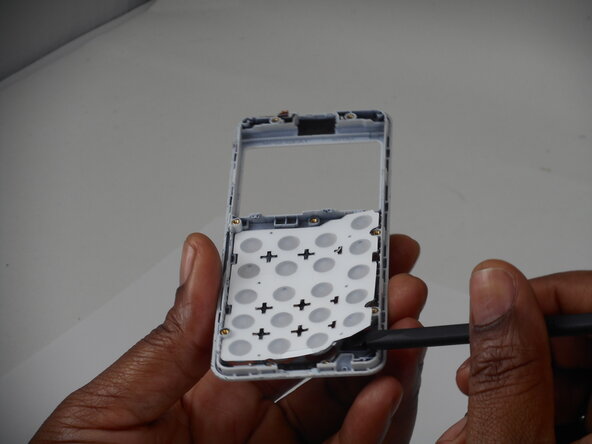
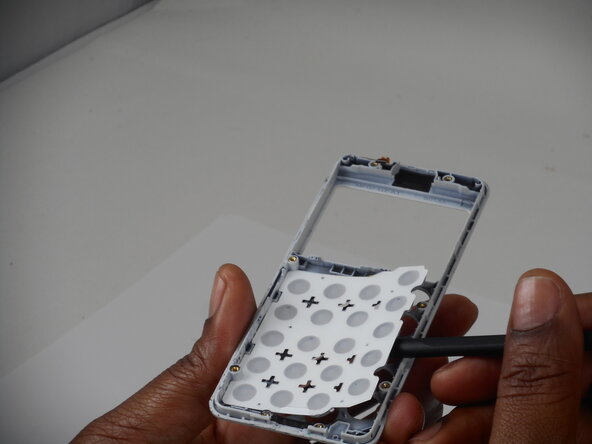
    • Use a spudger to gently pry the board up and remove it.

  14. Punkt MP02 Keyboard Membrane Replacement: 步骤 14 中的图像 1,3 Punkt MP02 Keyboard Membrane Replacement: 步骤 14 中的图像 2,3 Punkt MP02 Keyboard Membrane Replacement: 步骤 14 中的图像 3,3
    • Peel the keyboard membrane off the phone casing.

结论

To reassemble your device, follow the above steps in reverse order.
Take your e-waste to an R2 or e-Stewards certified recycler.
Repair didn’t go as planned? Try some basic troubleshooting or ask our Answers community for help.

Gloria Enchill

于02/19/26注册

97 声望

撰写一个指南

0指南评论

添加评论

浏览统计数据:

过去 24 小时: 0

过去 7 天: 8

过去 30 天: 8

总计 45