跳转到主内容
加入维修社区 - 创建账户

PSP 2000 Logic Board Replacement

你所需要的

    1. PSP 2000 Logic Board Replacement, Battery: 步骤 1 中的图像 1,3 PSP 2000 Logic Board Replacement, Battery: 步骤 1 中的图像 2,3 PSP 2000 Logic Board Replacement, Battery: 步骤 1 中的图像 3,3
      • Place PSP face down, so that the UMD Drive is facing upwards.

      • Locate the battery door and open.

      • Remove the battery from inside.

      询问修复机器人

      添加评论

    1. PSP 2000 Logic Board Replacement, Front Casing: 步骤 2 中的图像 1,1
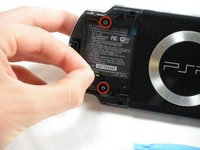
      • This step requires the removal of the warranty sticker. Removing the sticker will void the warranty. According to the FTC removing this will not void your warranty.

      • Locate the sticker in the battery compartment labeled: "En: Warranty Void if Seal Damaged."

      • Remove the sticker using the PSP Opening Tools.

      • Under the sticker is a 5mm Phillips screw needed in the next step.

      询问修复机器人

      添加评论

    2. PSP 2000 Logic Board Replacement: 步骤 3 中的图像 1,2 PSP 2000 Logic Board Replacement: 步骤 3 中的图像 2,2
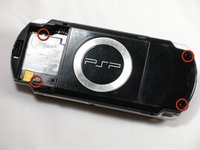
      • Remove four 5 mm Phillips from the case.

      • If the screws stick in the case, you can use a magnetized screwdriver to draw them out.

      询问修复机器人

      添加评论

    3. PSP 2000 Logic Board Replacement: 步骤 4 中的图像 1,2 PSP 2000 Logic Board Replacement: 步骤 4 中的图像 2,2
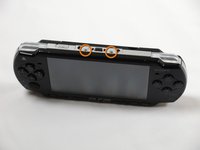
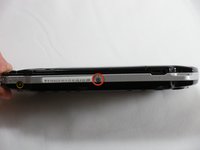
      • Remove the following screws from around the bezel:

      • Two 4 mm Phillips

      • One 5 mm Phillips

      • The two shorter 4 mm screws are on the top of the PSP; the longer 5 mm screw is on the bottom.

      添加评论

    4. PSP 2000 Logic Board Replacement: 步骤 5 中的图像 1,2 PSP 2000 Logic Board Replacement: 步骤 5 中的图像 2,2
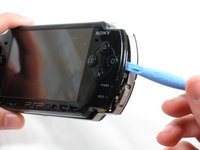
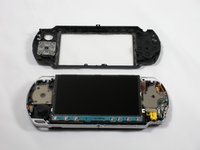
      • Gently pry the front bezel away from the casing using a PSP opening tool.

      • Start on the right hand side of the PSP bezel, and carefully work the tool around the side.

      • If you want to clean the control buttons or D-pad, you can easily pop them out once the faceplate is off and wipe them clean.

      询问修复机器人

      添加评论

    1. PSP 2000 Logic Board Replacement, Display: 步骤 6 中的图像 1,3 PSP 2000 Logic Board Replacement, Display: 步骤 6 中的图像 2,3 PSP 2000 Logic Board Replacement, Display: 步骤 6 中的图像 3,3
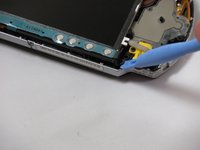
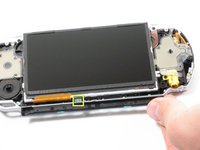
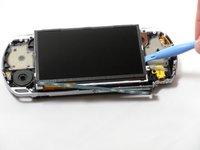
      • Remove the home bar by gently prying on the left and right sides of it with the opening tools. Lift the bar out of the device.

      • A ribbon cable connects the home bar to the logic board. Be careful not to damage the cable when removing the bar.

      添加评论

    2. PSP 2000 Logic Board Replacement: 步骤 7 中的图像 1,3 PSP 2000 Logic Board Replacement: 步骤 7 中的图像 2,3 PSP 2000 Logic Board Replacement: 步骤 7 中的图像 3,3
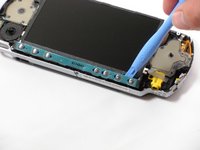
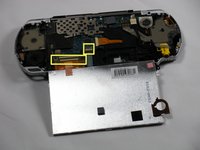
      • With the home bar out of the way, gently pry up the display using the opening tools.

      • There is another ribbon cable attached to the bottom of the LCD. Be careful not to damage either of the connectors when removing.

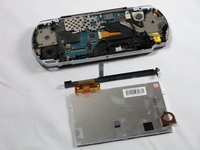
      • Lift the black tabs of the ribbon cable connectors using a opening tool. Pull the ribbons out towards the bottom of the PSP to disconnect.

      • Gently lift out the display.

      添加评论

    1. PSP 2000 Logic Board Replacement,  Memory Stick Slot: 步骤 8 中的图像 1,3 PSP 2000 Logic Board Replacement,  Memory Stick Slot: 步骤 8 中的图像 2,3 PSP 2000 Logic Board Replacement,  Memory Stick Slot: 步骤 8 中的图像 3,3
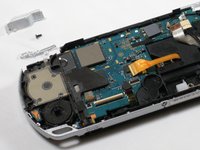
      • Remove two 4.5 mm Phillips screws from the left-hand side of the PSP.

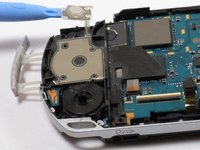
      • Slide off the left trigger along with the plastic bracket underneath.

      • Carefully pry off left trigger button using opening tools.

      • The button is adhered to the body. It can be re-adhered with hot glue after being pried-up, if necessary.

      询问修复机器人

      添加评论

    2. PSP 2000 Logic Board Replacement: 步骤 9 中的图像 1,2 PSP 2000 Logic Board Replacement: 步骤 9 中的图像 2,2
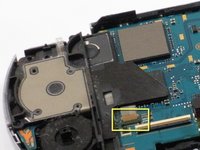
      • Use an opening tool to lift up the brown tab on the connector and remove the cable horizontally.

      • Gently remove the memory card slot by pulling it straight out.

      添加评论

    1. PSP 2000 Logic Board Replacement, Speaker: 步骤 10 中的图像 1,2 PSP 2000 Logic Board Replacement, Speaker: 步骤 10 中的图像 2,2
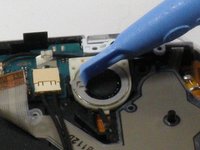
      • Use the opening tools to press the tab on the left-hand side of the speaker to release it.

      • Be careful not to puncture the speaker in the process.

      • Remove the speaker by twisting it counter-clockwise (to the left, like a screw).

      询问修复机器人

      添加评论

    1. PSP 2000 Logic Board Replacement, Logic Board: 步骤 11 中的图像 1,1
      在这个步骤中使用的工具:
      Tweezers
      $4.99
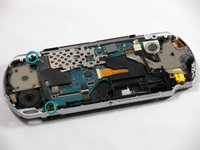
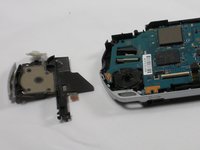
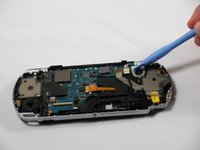
      • Remove the following four connections:

      • Two ribbon cables -- flip up latch and remove horizontally.

      • One wire clamp -- use an opening tool to pry it up vertically.

      • One wiring harness -- use your fingers, a PSP opening tool, or tweezers to disconnect the connector horizontally.

      • The ribbon cable near the wire clamp has a brown tab that should be lifted using an opening tool prior to removal. Be careful to not damage the ribbon or connector.

      询问修复机器人

      添加评论

    2. PSP 2000 Logic Board Replacement: 步骤 12 中的图像 1,2 PSP 2000 Logic Board Replacement: 步骤 12 中的图像 2,2
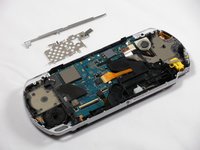
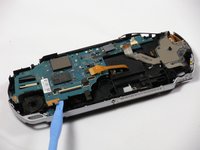
      • Remove metal shields by gently lifting them with an opening tool.

      询问修复机器人

      添加评论

    3. PSP 2000 Logic Board Replacement: 步骤 13 中的图像 1,3 PSP 2000 Logic Board Replacement: 步骤 13 中的图像 2,3 PSP 2000 Logic Board Replacement: 步骤 13 中的图像 3,3
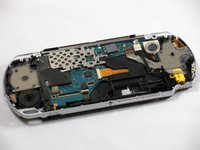
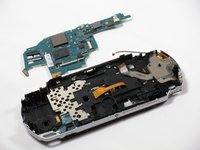
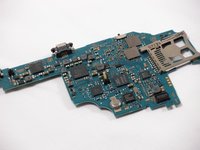
      • Double-check to make sure that all connections to the board are unplugged in order to avoid damage to your PSP.

      • Using an opening tool, delicately raise the logic board from its base.

      询问修复机器人

      添加评论

结论

To reassemble your device, follow these instructions in reverse order.

取消:我没有完成这个指南。

34等其他人完成本指南。

espinks

于10/18/09注册

3,887 声望

创作了5篇指南

团队

Cal Poly, Team 6-3, Maness Fall 2009 Cal Poly, Team 6-3, Maness Fall 2009 的会员

CPSU-MANESS-F09S6G3

5 名成员

创作了99篇指南

5指南评论

How do I know whether my Logic Board is functioning properly or not?

Alvin Wijaya - 回复 分享

how can I change that little refill on the motherboard

Dmytro Yantsur - 回复 分享

how-do-i-repair-the-screen-conntors

james - 回复 分享

My psp is not turning on when battery is inserted even when plugged to electricity...and again if the battery is inserted to it the charging light turns on..Pls help m

Farotide David - 回复 分享

What do you call the connector that joins lcd to the board small one 4pin?

Shi Ace - 回复 分享

添加评论

浏览统计数据:

过去 24 小时: 16

过去 7 天: 119

过去 30 天: 540

总计 61,352