跳转到主内容
加入维修社区 - 创建账户

Nintendo Game Boy Advance SP Speaker Replacement

你所需要的

  1. Nintendo Game Boy Advance SP Speaker Replacement, Prepare your Game Boy for disassembly: 步骤 1 中的图像 1,3 Nintendo Game Boy Advance SP Speaker Replacement, Prepare your Game Boy for disassembly: 步骤 1 中的图像 2,3 Nintendo Game Boy Advance SP Speaker Replacement, Prepare your Game Boy for disassembly: 步骤 1 中的图像 3,3
    • Slide the power switch to the OFF position and unplug any cables.

    • If you have a game cartridge in, remove it.

  2. Nintendo Game Boy Advance SP Speaker Replacement, Remove the battery cover: 步骤 2 中的图像 1,2 Nintendo Game Boy Advance SP Speaker Replacement, Remove the battery cover: 步骤 2 中的图像 2,2
    • Use a JIS 00 screwdriver to loosen the captive screw securing the battery cover.

    • You can try to use a non-iFixit Phillips driver in a pinch, but you risk damaging or stripping the screw. Push down firmly on the driver and twist slowly.

  3. Nintendo Game Boy Advance SP Speaker Replacement: 步骤 3 中的图像 1,3 Nintendo Game Boy Advance SP Speaker Replacement: 步骤 3 中的图像 2,3 Nintendo Game Boy Advance SP Speaker Replacement: 步骤 3 中的图像 3,3
    • Lift the edge of the cover near the screw and remove the cover.

    • During reassembly, hook the tabs on the bottom edge of the cover into their slots and lay the cover into place.

  4. Nintendo Game Boy Advance SP Speaker Replacement, Remove the battery: 步骤 4 中的图像 1,3 Nintendo Game Boy Advance SP Speaker Replacement, Remove the battery: 步骤 4 中的图像 2,3 Nintendo Game Boy Advance SP Speaker Replacement, Remove the battery: 步骤 4 中的图像 3,3
    • Use your finger to lift the battery by the tab on its left edge, then remove it.

    • During reassembly:

    • Never reuse a deformed or damaged battery—it's a fire hazard. Replace it with a new battery.

    • Your replacement battery may come with a plastic enclosure that slides over the battery.

    • Insert the edge of the battery with contacts at a slight downward angle—aligning the contacts with their prongs in the recess—and press the battery into place.

  5. Nintendo Game Boy Advance SP Speaker Replacement, Remove the bottom shell: 步骤 5 中的图像 1,2 Nintendo Game Boy Advance SP Speaker Replacement, Remove the bottom shell: 步骤 5 中的图像 2,2
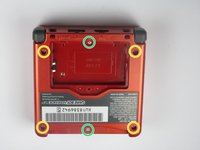
    • Use a tri‑point Y0 screwdriver to remove the six screws securing the bottom shell:

    • Four 6.3 mm‑long recessed screws

    • Two 4.6 mm‑long screws

  6. Nintendo Game Boy Advance SP Speaker Replacement: 步骤 6 中的图像 1,2 Nintendo Game Boy Advance SP Speaker Replacement: 步骤 6 中的图像 2,2
    • Lift the bottom shell straight up and remove it.

  7. Nintendo Game Boy Advance SP Speaker Replacement, Remove the power switch cover: 步骤 7 中的图像 1,2 Nintendo Game Boy Advance SP Speaker Replacement, Remove the power switch cover: 步骤 7 中的图像 2,2
    • Use your fingers to lift and remove the power switch cover.

    • During reassembly:

    • Use your fingers to put the power switch cover (notched side up) into place so the cutout goes around the actual switch.

    • Gently slide the cover back and forth to make sure it's positioned properly and moving the switch.

    • If the switch isn't properly in its cutout, you won't be able to power on your Game Boy.

  8. Nintendo Game Boy Advance SP Speaker Replacement, Remove the motherboard screws: 步骤 8 中的图像 1,2 Nintendo Game Boy Advance SP Speaker Replacement, Remove the motherboard screws: 步骤 8 中的图像 2,2
    • Use a JIS 00 screwdriver to remove the three 4.1 mm‑long screws securing the motherboard.

  9. Nintendo Game Boy Advance SP Speaker Replacement, Prop up the motherboard: 步骤 9 中的图像 1,3 Nintendo Game Boy Advance SP Speaker Replacement, Prop up the motherboard: 步骤 9 中的图像 2,3 Nintendo Game Boy Advance SP Speaker Replacement, Prop up the motherboard: 步骤 9 中的图像 3,3
    • Place a sturdy object such as a stack of books or tool case along the edge of your Game Boy with the hinges.

    • Use your fingers to gently flip the motherboard over the hinges and prop it up.

  10. Nintendo Game Boy Advance SP Speaker Replacement, Remove the speaker: 步骤 10 中的图像 1,3 Nintendo Game Boy Advance SP Speaker Replacement, Remove the speaker: 步骤 10 中的图像 2,3 Nintendo Game Boy Advance SP Speaker Replacement, Remove the speaker: 步骤 10 中的图像 3,3
    • Use the point of a spudger or a clean fingernail to lift the speaker until you can grip it with your fingers.

    • Grip the speaker with your fingers and remove it.

结论

To reassemble your device, follow these instructions in reverse order.

Take your e-waste to an R2 or e-Stewards certified recycler.

Repair didn’t go as planned? Try some basic troubleshooting, or ask our Answers Community for troubleshooting help.

14等其他人完成本指南。

Spencer Day

于09/14/22注册

158,684 声望

创作了1,043篇指南

0指南评论

添加评论

浏览统计数据:

过去 24 小时: 9

过去 7 天: 54

过去 30 天: 212

总计 22,988