跳转到主内容

Meta Quest 2 Controller Side Shell Prereq

仅作为前提条件
本指南仅提供前提条件!本指南是另一个程序的一部分,不能单独使用。

你所需要的

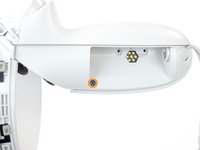
  1. Meta Quest 2 Controller Side Shell Prereq, Remove the battery cover: 步骤 1 中的图像 1,3 Meta Quest 2 Controller Side Shell Prereq, Remove the battery cover: 步骤 1 中的图像 2,3 Meta Quest 2 Controller Side Shell Prereq, Remove the battery cover: 步骤 1 中的图像 3,3
    • Use your fingers to slide the battery cover down towards the strap end of the controller.

    • Remove the battery cover.

    • If you're taking the controller apart for repairs, remove the batteries in the controller.

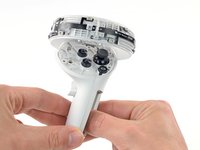
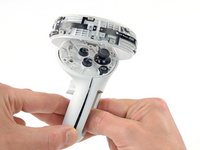
  2. Meta Quest 2 Controller Side Shell Prereq, Remove the wrist strap: 步骤 2 中的图像 1,2 Meta Quest 2 Controller Side Shell Prereq, Remove the wrist strap: 步骤 2 中的图像 2,2
    • Use your fingers to grasp the wrist strap near the anchor peg.

    • Lift the wrist strap anchor peg straight out of its recess.

    • Remove the wrist strap.

  3. Meta Quest 2 Controller Side Shell Prereq, Loosen the faceplate adhesive: 步骤 3 中的图像 1,1
    • Heat an iOpener and apply it to the bottom edge of the controller faceplate for a minute.

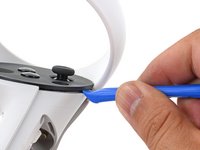
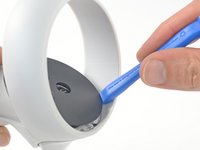
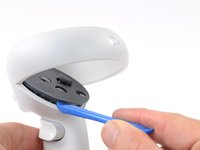
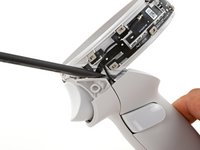
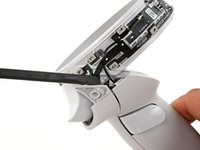
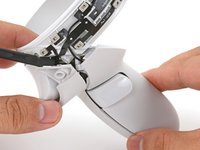
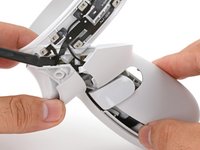
  4. Meta Quest 2 Controller Side Shell Prereq, Loosen the controller faceplate: 步骤 4 中的图像 1,3 Meta Quest 2 Controller Side Shell Prereq, Loosen the controller faceplate: 步骤 4 中的图像 2,3 Meta Quest 2 Controller Side Shell Prereq, Loosen the controller faceplate: 步骤 4 中的图像 3,3
    • The controller faceplate is secured with adhesive and three friction pegs.

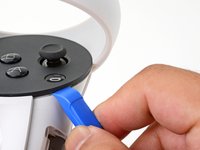
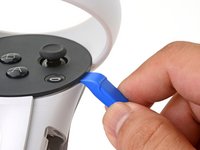
    • Press the edge of an opening tool into the seam between the controller faceplate and shell, near the Oculus button.

    • If you can’t get the opening tool into the seam, heat the area with an iOpener for a minute and try again.

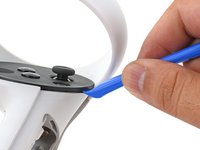
    • Slide the opening tool to the base of the ring shell to loosen the adhesive.

  5. Meta Quest 2 Controller Side Shell Prereq: 步骤 5 中的图像 1,2 Meta Quest 2 Controller Side Shell Prereq: 步骤 5 中的图像 2,2
    • Use an opening tool to pry up on the seam to loosen the first friction peg.

  6. Meta Quest 2 Controller Side Shell Prereq: 步骤 6 中的图像 1,2 Meta Quest 2 Controller Side Shell Prereq: 步骤 6 中的图像 2,2
    • Continue prying around the entire faceplate to separate the remaining friction pegs and adhesive.

    • If you're having trouble, apply a heated iOpener to the faceplate for a minute and try again.

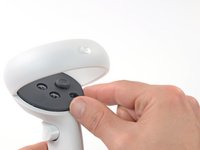
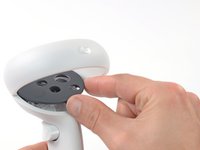
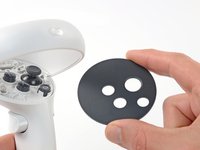
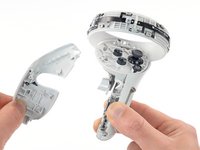
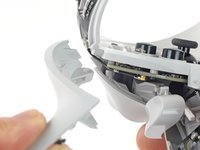
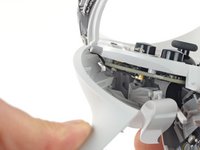
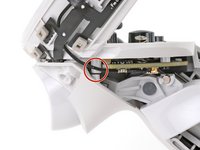
  7. Meta Quest 2 Controller Side Shell Prereq, Remove the faceplate: 步骤 7 中的图像 1,3 Meta Quest 2 Controller Side Shell Prereq, Remove the faceplate: 步骤 7 中的图像 2,3 Meta Quest 2 Controller Side Shell Prereq, Remove the faceplate: 步骤 7 中的图像 3,3
    • Remove the controller faceplate.

    • The three friction pegs should hold the faceplate securely, so you don’t need to replace the adhesive during reassembly. Be sure to firmly press the faceplate onto the controller so that all friction pegs fully engage.

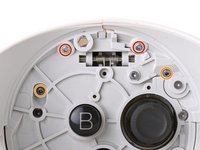
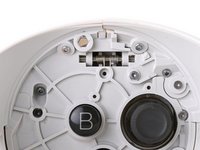
  8. Meta Quest 2 Controller Side Shell Prereq, Loosen the controller ring shell: 步骤 8 中的图像 1,2 Meta Quest 2 Controller Side Shell Prereq, Loosen the controller ring shell: 步骤 8 中的图像 2,2
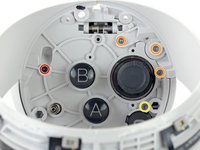
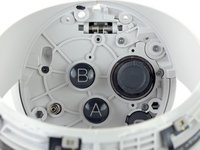
    • Use a Torx T5 driver to remove the four screws securing the controller ring shell to the controller:

    • Two 4.7 mm‑long screws

    • Two 5.9 mm‑long screws

  9. Meta Quest 2 Controller Side Shell Prereq: 步骤 9 中的图像 1,2 Meta Quest 2 Controller Side Shell Prereq: 步骤 9 中的图像 2,2
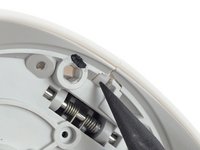
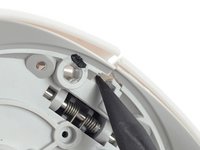
    • Press the point of a spudger firmly against the white alignment square to release the ring shell.

  10. Meta Quest 2 Controller Side Shell Prereq, Remove the controller ring shell: 步骤 10 中的图像 1,3 Meta Quest 2 Controller Side Shell Prereq, Remove the controller ring shell: 步骤 10 中的图像 2,3 Meta Quest 2 Controller Side Shell Prereq, Remove the controller ring shell: 步骤 10 中的图像 3,3
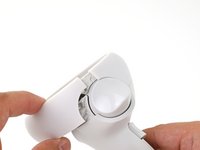
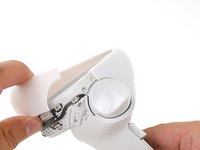
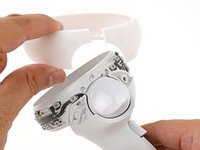
    • Use your fingers to grab the end of the ring shell that doesn’t have the white alignment square.

    • Gently lift the ring shell up and away from the controller to unclip it from the controller.

    • Remove the controller ring shell.

  11. Meta Quest 2 Controller Side Shell Prereq, Loosen the side shell: 步骤 11 中的图像 1,2 Meta Quest 2 Controller Side Shell Prereq, Loosen the side shell: 步骤 11 中的图像 2,2
    • Use a Torx T5 driver to remove the five screws:

    • One 11.5 mm‑long screw

    • Three 5.9 mm‑long screws

    • One 18.2 mm‑long screw

  12. Meta Quest 2 Controller Side Shell Prereq, Remove the battery label: 步骤 12 中的图像 1,1
    在这个步骤中使用的工具:
    Tweezers
    $4.99
    • Use tweezers and your fingers to peel the battery information label out from the battery compartment.

    • If you want to reuse this sticker, be careful not to tear it. If it’s difficult to peel, apply a heated iOpener to it for a minute to soften the label adhesive.

  13. Meta Quest 2 Controller Side Shell Prereq, Loosen the side shell: 步骤 13 中的图像 1,2 Meta Quest 2 Controller Side Shell Prereq, Loosen the side shell: 步骤 13 中的图像 2,2
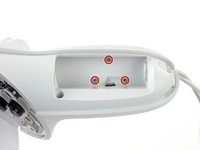
    • Use a Torx T5 driver to remove the four 5.9 mm‑long screws securing the side shell to the controller:

    • Three screws inside the battery compartment

    • One screw near the corner of the battery compartment

  14. Meta Quest 2 Controller Side Shell Prereq: 步骤 14 中的图像 1,2 Meta Quest 2 Controller Side Shell Prereq: 步骤 14 中的图像 2,2
    • Pull the bottom of the side shell slightly away from the controller to loosen the shell.

    • You may hear a few clicks as the clips release. This is normal.

  15. Meta Quest 2 Controller Side Shell Prereq: 步骤 15 中的图像 1,2 Meta Quest 2 Controller Side Shell Prereq: 步骤 15 中的图像 2,2
    • Part of the side shell is looped around a screw post. In this step, you’ll spread the screw post apart enough to slip the shell out.

    • Insert the flat end of a spudger into the gap between the controller ring and the front shell.

    • The front shell is the plastic frame part below the front trigger.

    • Twist the spudger to widen the gap between the front shell and the controller.

    • Position the spudger so that it can stay in place without you holding the tool.

  16. Meta Quest 2 Controller Side Shell Prereq, Remove the side shell: 步骤 16 中的图像 1,3 Meta Quest 2 Controller Side Shell Prereq, Remove the side shell: 步骤 16 中的图像 2,3 Meta Quest 2 Controller Side Shell Prereq, Remove the side shell: 步骤 16 中的图像 3,3
    • Guide the looped part of the side shell through the screw post gap.

    • Remove the side shell.

  17. Meta Quest 2 Controller Side Shell Prereq, Reassembly note: 步骤 17 中的图像 1,3 Meta Quest 2 Controller Side Shell Prereq, Reassembly note: 步骤 17 中的图像 2,3 Meta Quest 2 Controller Side Shell Prereq, Reassembly note: 步骤 17 中的图像 3,3
    • During reassembly:

    • Spread the screw post wide enough to loop the side shell back around it.

    • Be careful not to pinch the antenna cable or the tracking flex cable as you reposition the side shell.

结论

To reassemble your device, follow these instructions in reverse order.

Take your e-waste to an R2 or e-Stewards certified recycler.

Repair didn’t go as planned? Try some basic troubleshooting, or ask our Answers community for help.

Arthur Shi

于01/03/18注册

310,295 声望

创作了701篇指南

团队

iFixit iFixit 的会员

Staff

123 名成员

创作了23,648篇指南

0指南评论

添加评论

浏览统计数据:

过去 24 小时: 0

过去 7 天: 0

过去 30 天: 1

总计 76