跳转到主内容
加入维修社区 - 创建账户

MacBook Pro 17" Unibody Hard Drive Replacement

你所需要的

  1. MacBook Pro 17" Unibody Hard Drive Replacement, Lower Case: 步骤 1 中的图像 1,1
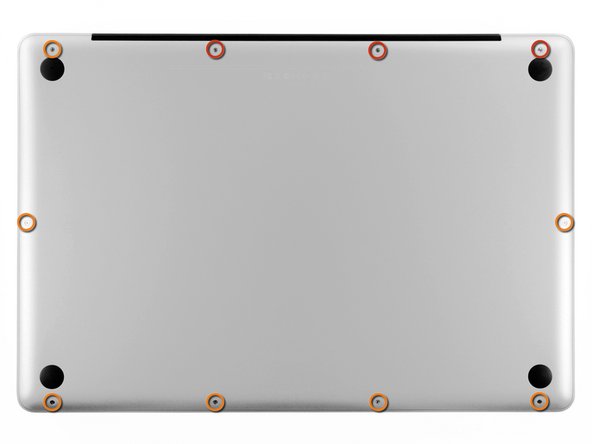
    • Remove the following ten screws securing the lower case to the upper case:

    • Three 13.5 mm Phillips screws.

    • Seven 3 mm Phillips screws.

    添加评论

  2. MacBook Pro 17" Unibody Hard Drive Replacement: 步骤 2 中的图像 1,2 MacBook Pro 17" Unibody Hard Drive Replacement: 步骤 2 中的图像 2,2
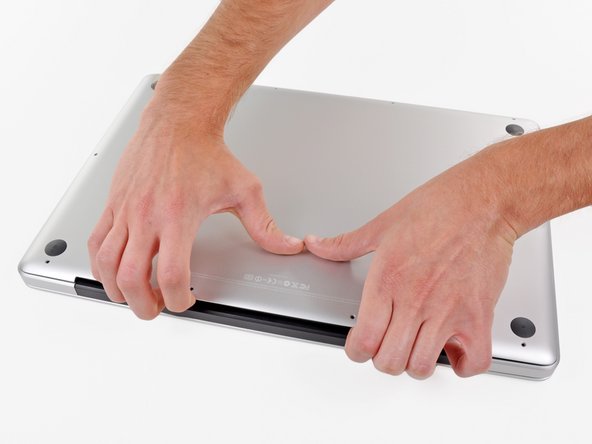
    • Wedge your fingers between the lower case and the vent, and lift upward to release the two clips holding the lower case to the upper case.

    • During reassembly, carefully align the lower case and then press it firmly until both clips engage.

    • Remove the lower case.

    添加评论

  3. MacBook Pro 17" Unibody Hard Drive Replacement, Battery: 步骤 3 中的图像 1,3 MacBook Pro 17" Unibody Hard Drive Replacement, Battery: 步骤 3 中的图像 2,3 MacBook Pro 17" Unibody Hard Drive Replacement, Battery: 步骤 3 中的图像 3,3
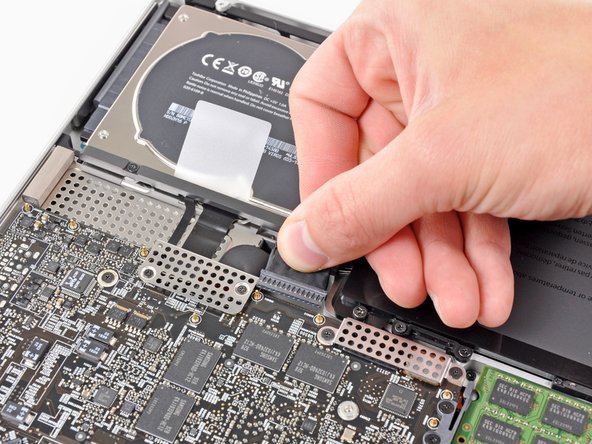
    • Whenever working near the logic board, it is always wise to first disconnect the battery to avoid short circuits.

    • If present, grab the plastic tab attached to the battery connector and pull it toward the front edge of the device. For Late-2011 models the battery connector will not have a tab and is simply a plug that inserts straight down into the motherboard--to remove pry the plug straight up.

    • If the plastic tab is missing, use a spudger to pry the connector up from its socket.

    • Pull the tab parallel to the face of the logic board.

    添加评论

  4. MacBook Pro 17" Unibody Hard Drive Replacement, Hard Drive: 步骤 4 中的图像 1,1
    • Remove the two Phillips screws securing the hard drive bracket to the upper case.

    • These screws are captive to the hard drive bracket.

    添加评论

  5. MacBook Pro 17" Unibody Hard Drive Replacement: 步骤 5 中的图像 1,1
    • Remove the hard drive bracket from the upper case.

    询问修复机器人

    添加评论

  6. MacBook Pro 17" Unibody Hard Drive Replacement: 步骤 6 中的图像 1,1
    • Use the hard drive's pull tab to lift it out of the upper case.

    • Don't try to completely remove the hard drive just yet! Its cable is still connected.

    询问修复机器人

    添加评论

  7. MacBook Pro 17" Unibody Hard Drive Replacement: 步骤 7 中的图像 1,2 MacBook Pro 17" Unibody Hard Drive Replacement: 步骤 7 中的图像 2,2
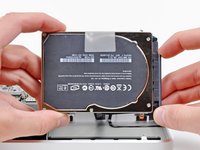
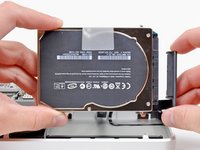
    • Pull the hard drive connector away from the body of the hard drive.

    • Remove the hard drive from your MacBook Pro.

    询问修复机器人

    添加评论

  8. MacBook Pro 17" Unibody Hard Drive Replacement, Hard Drive: 步骤 8 中的图像 1,2 MacBook Pro 17" Unibody Hard Drive Replacement, Hard Drive: 步骤 8 中的图像 2,2
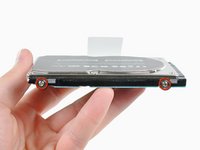
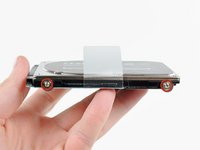
    • Remove the four T6 Torx screws around the outer edge of the hard drive.

    • If desired, peel off the plastic pull tab and transfer it to your new hard drive.

    • If you are installing a new hard drive, we have an OS X install guide to get you up and running.

    添加评论

结论

To reassemble your device, follow these instructions in reverse order.

取消:我没有完成这个指南。

242等其他人完成本指南。

12指南评论

Very easy to follow. Replacing the HDD on these unibodies is super easy. Thanks for the guide.

tech4eleven - 回复 分享

Very easy, excepted for finding the right screw for Step 8. I replaced original HDD with a Samsung 840 EVO 500GB. Fine!

yello73 - 回复 分享

Exceptional instructions. If you're struggling to restore from a backup... connect your backup drive via cable, start your macbook, choose disk utilities, choose the new hard drive from the list on the left, if first aide options (repair/verify) are not available, erase and name the new drive, and then you should be able to restore from backup. :)

Deanna Ashby - 回复 分享

Thank goodness you posted this. I thought I messed up installation because there was no new HD when I turned on the laptop. I couldn't figure out how to restore. Then I saw this and tried it and it's restoring now. Thank you!!

catchpaco - 回复 分享

Very easy, Thank you for this tremendous guide. Works perfectly and I directly connected my old HDD to USB and restore all my information using the Migration Assistant app. Fine!

Abdullah Alqassar - 回复 分享

添加评论

浏览统计数据:

过去 24 小时: 9

过去 7 天: 49

过去 30 天: 262

总计 279,246