跳转到主内容
加入维修社区 - 创建账户

Levoit Core 300-RAC Power Cord Replacement

你所需要的

    1. Levoit Core 300-RAC Power Cord Replacement, Air Filter: 步骤 1 中的图像 1,2 Levoit Core 300-RAC Power Cord Replacement, Air Filter: 步骤 1 中的图像 2,2
      • Make sure your device is turned off and unplugged for safety.

      • Turn the Levoit Core 300-RAC over so the bottom is facing up.

      询问修复机器人

      添加评论

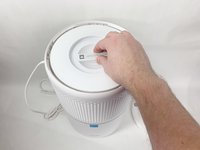
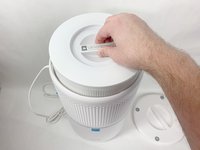
    2. Levoit Core 300-RAC Power Cord Replacement: 步骤 2 中的图像 1,3 Levoit Core 300-RAC Power Cord Replacement: 步骤 2 中的图像 2,3 Levoit Core 300-RAC Power Cord Replacement: 步骤 2 中的图像 3,3
      • Turn the bottom cover counterclockwise and lift it off to remove it.

      • The cover does not "snap" on or off when turned.

      询问修复机器人

      添加评论

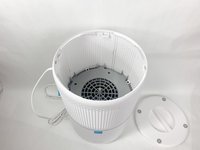
    3. Levoit Core 300-RAC Power Cord Replacement: 步骤 3 中的图像 1,3 Levoit Core 300-RAC Power Cord Replacement: 步骤 3 中的图像 2,3 Levoit Core 300-RAC Power Cord Replacement: 步骤 3 中的图像 3,3
      • Lift the filter straight up and out of the device.

      询问修复机器人

      添加评论

    1. Levoit Core 300-RAC Power Cord Replacement, Power Cord: 步骤 4 中的图像 1,3 Levoit Core 300-RAC Power Cord Replacement, Power Cord: 步骤 4 中的图像 2,3 Levoit Core 300-RAC Power Cord Replacement, Power Cord: 步骤 4 中的图像 3,3
      • Use a Phillips #2 screwdriver to remove the four screws that go through the four white tabs inside the device

      • Set the screws aside in a safe place.

      询问修复机器人

      添加评论

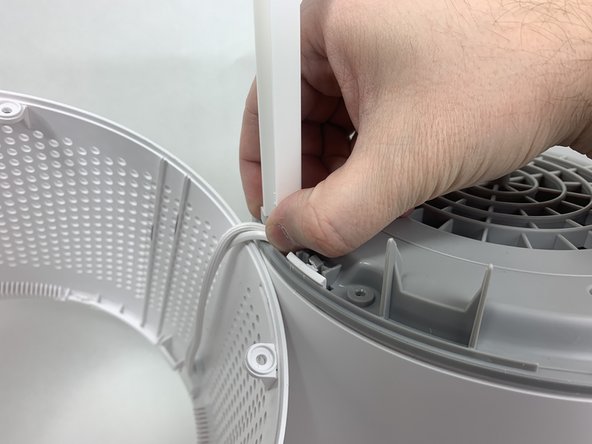
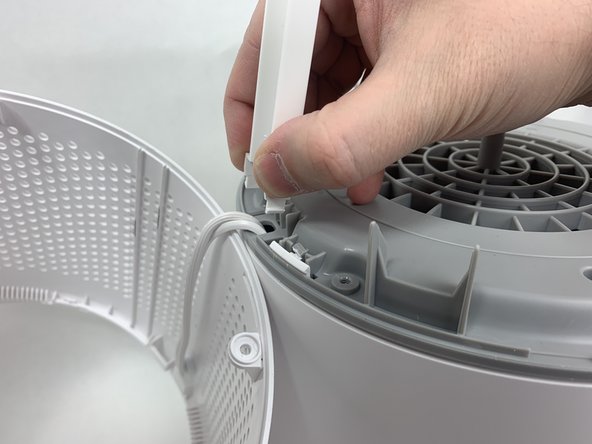
    2. Levoit Core 300-RAC Power Cord Replacement: 步骤 5 中的图像 1,3 Levoit Core 300-RAC Power Cord Replacement: 步骤 5 中的图像 2,3 Levoit Core 300-RAC Power Cord Replacement: 步骤 5 中的图像 3,3
      • Use a metal spudger to gently pry between the four white tabs and the white housing and release the outer housing.

      • Gently pull up on the outer housing to prevent the clips from resetting.

      询问修复机器人

      添加评论

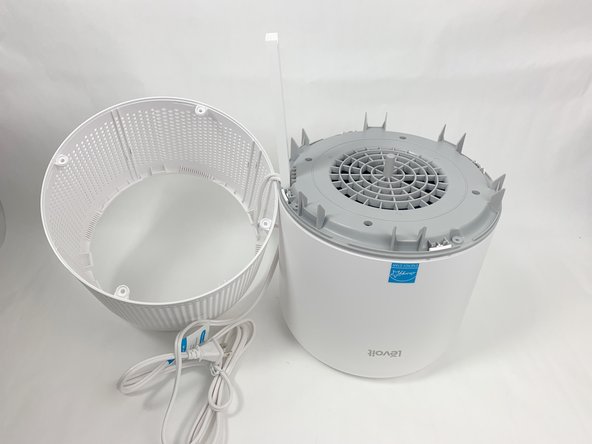
    3. Levoit Core 300-RAC Power Cord Replacement: 步骤 6 中的图像 1,2 Levoit Core 300-RAC Power Cord Replacement: 步骤 6 中的图像 2,2
      • Remove the white outer housing and set it to the side.

      • The power cord is fed through a hole in the side of this housing, so it will need to be right next to the rest of the device.

      询问修复机器人

      添加评论

    4. Levoit Core 300-RAC Power Cord Replacement: 步骤 7 中的图像 1,3 Levoit Core 300-RAC Power Cord Replacement: 步骤 7 中的图像 2,3 Levoit Core 300-RAC Power Cord Replacement: 步骤 7 中的图像 3,3
      • Grab the cable channel by its base, squeeze, and pull up at the same time to remove it.

      询问修复机器人

      添加评论

    5. Levoit Core 300-RAC Power Cord Replacement: 步骤 8 中的图像 1,2 Levoit Core 300-RAC Power Cord Replacement: 步骤 8 中的图像 2,2
      • Remove the four Phillips #2 screws securing the gray face plate.

      • Set the screws aside in a safe place.

      询问修复机器人

      添加评论

    6. Levoit Core 300-RAC Power Cord Replacement: 步骤 9 中的图像 1,3 Levoit Core 300-RAC Power Cord Replacement: 步骤 9 中的图像 2,3 Levoit Core 300-RAC Power Cord Replacement: 步骤 9 中的图像 3,3
      • Insert a Jimmy or spudger between the white tab and the gray faceplate body to release the faceplate.

      • Lift it out.

      询问修复机器人

      添加评论

    7. Levoit Core 300-RAC Power Cord Replacement: 步骤 10 中的图像 1,1
      • Use wire cutters to carefully cut off the crimped power cord connections and remove the white power cord.

      • Cut as close to the connection as possible to leave as much of the internal wires as possible.

      • Cut your new power cable to length and replace the old one. You can splice the new cable on using a soldering iron, heat shrink tubing, and a heat gun. Alternatively, you can use twist-on wire nuts to make a secure connection. For more information on soldering, take a look at How to Solder and Desolder Connectors, and How to Use Heat Shrink Tubing.

      添加评论

结论

To reassemble your device, follow these instructions in reverse order.

取消:我没有完成这个指南。

2等其他人完成本指南。

David Kamp

于11/02/23注册

589 声望

创作了3篇指南

团队

UMass Dartmouth, Team 1-6, Petersen Fall 2023 UMass Dartmouth, Team 1-6, Petersen Fall 2023 的会员

UMASSD-PETERSEN-F23S1G6

5 名成员

创作了8篇指南

2指南评论

You're a lifesaver, thank you! My rabbit managed to reach the cable for mine and chewed it up, my allergies have been going crazy

Grace - 回复 分享

What type of cable did you use to replace the older one?

Mauricio Diaz - 回复 分享

添加评论

浏览统计数据:

过去 24 小时: 3

过去 7 天: 23

过去 30 天: 99

总计 3,287