跳转到主内容
加入维修社区 - 创建账户

InFocus LP540 Projector Main Board Replacement

你所需要的

    1. InFocus LP540 Projector Main Board Replacement, Main Board: 步骤 1 中的图像 1,3 InFocus LP540 Projector Main Board Replacement, Main Board: 步骤 1 中的图像 2,3 InFocus LP540 Projector Main Board Replacement, Main Board: 步骤 1 中的图像 3,3
      • Flip the projector right-side up and turn it so that the back ports are facing you.

      • Remove the 7 mm metallic screws using the flat-head screwdriver.

      • Using the T10 Torx screwdriver, remove the two black 10 mm screws located at the center of the back panel.

      询问修复机器人

      添加评论

    2. InFocus LP540 Projector Main Board Replacement: 步骤 2 中的图像 1,2 InFocus LP540 Projector Main Board Replacement: 步骤 2 中的图像 2,2
      • Flip the projector over.

      • Use the T10 Torx screwdriver head to remove the two 77mm screws located nearest to the back panel ports.

      • Remove the two 10mm screws located near the lens side with the T10 Torx screwdriver head.

      • Flip the projector back over.

      • Lift up the main lid cautiously to avoid ripping the electrical ribbons.

      询问修复机器人

      添加评论

    3. InFocus LP540 Projector Main Board Replacement: 步骤 3 中的图像 1,3 InFocus LP540 Projector Main Board Replacement: 步骤 3 中的图像 2,3 InFocus LP540 Projector Main Board Replacement: 步骤 3 中的图像 3,3
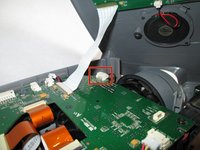
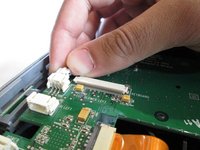
      • Unplug the speaker wire from the circuit board by simultaneously squeezing the sides and pulling.

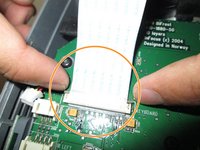
      • Pull on the brown tabs located at the sides of the white plastic ribbon holder and pull the ribbon out.

      • Remove the top cover.

      询问修复机器人

      添加评论

    4. InFocus LP540 Projector Main Board Replacement: 步骤 4 中的图像 1,2 InFocus LP540 Projector Main Board Replacement: 步骤 4 中的图像 2,2
      • Hold down the release tabs to remove the cables from the white tabs.

      询问修复机器人

      添加评论

    5. InFocus LP540 Projector Main Board Replacement: 步骤 5 中的图像 1,3 InFocus LP540 Projector Main Board Replacement: 步骤 5 中的图像 2,3 InFocus LP540 Projector Main Board Replacement: 步骤 5 中的图像 3,3
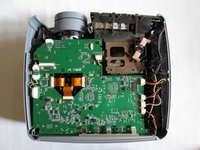
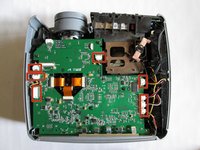
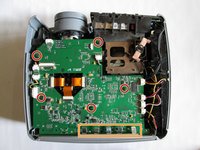
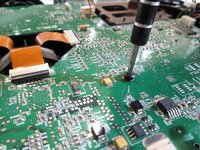
      • Use the T10 Torx screwdriver to remove the five 5mm screws located throughout the motherboard.

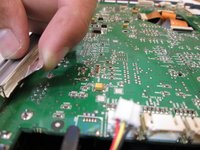
      • Pull up the five metal tabs located at the rear of the projector.

      • Do not pull up on the metal tabs too hard or too fast because they can break easily.

      询问修复机器人

      添加评论

    6. InFocus LP540 Projector Main Board Replacement: 步骤 6 中的图像 1,3 InFocus LP540 Projector Main Board Replacement: 步骤 6 中的图像 2,3 InFocus LP540 Projector Main Board Replacement: 步骤 6 中的图像 3,3
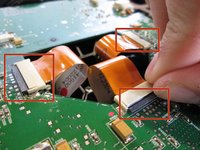
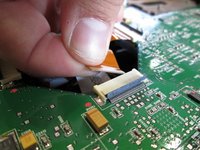
      • Remove the three gold ribbons by flipping up the black taps that hold the ribbon in place.

      • Pull the ribbons out carefully and place them under the main board.

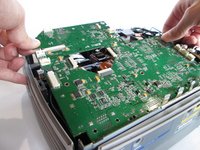
      • Carefully lift the entire main board up.

      询问修复机器人

      添加评论

结论

To reassemble your device, follow these instructions in reverse order.

取消:我没有完成这个指南。

另外一个人完成了本指南。

团队

Cal Poly, Team 13-17, Regan Winter 2014 Cal Poly, Team 13-17, Regan Winter 2014 的会员

CPSU-REGAN-W14S13G17

6 名成员

创作了15篇指南

0指南评论

添加评论

浏览统计数据:

过去 24 小时: 0

过去 7 天: 7

过去 30 天: 24

总计 2,652