跳转到主内容

HTC Touch Camera Lens Replacement

你所需要的

  1. HTC Touch Camera Lens Replacement, Camera Lens: 步骤 1 中的图像 1,1
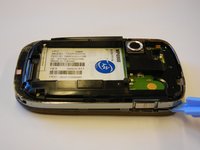
    • Slide the back panel upward using the grip at the bottom until it releases.

    • Lift and remove the panel.

  2. HTC Touch Camera Lens Replacement: 步骤 2 中的图像 1,1
    • Use your fingers to grip the battery and remove it from its compartment.

    • Set it aside in a safe place.

  3. HTC Touch Camera Lens Replacement: 步骤 3 中的图像 1,1
    • Remove the 4 torx-head screws in the corners of the phone using the T5 Torx Screwdriver.

    • Keep the screws in a safe place so you don’t lose them.

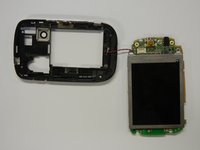
  4. HTC Touch Camera Lens Replacement: 步骤 4 中的图像 1,2 HTC Touch Camera Lens Replacement: 步骤 4 中的图像 2,2
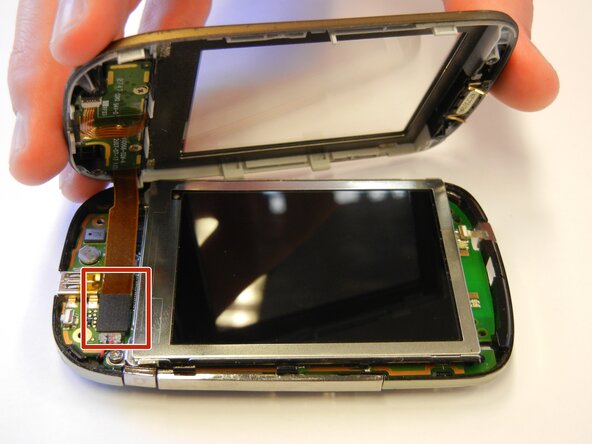
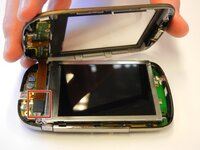
    • Use the plastic opening tool to remove the front panel from the phone.

    • Place a spudger or an opening tool under the edge of the press connector and pry straight up to disconnect it.

    • Make sure to pry under the edge of the connector itself, and not under the socket on the board. Otherwise, you risk permanently damaging the socket.

    • To reconnect, align the connector carefully over its socket and press down with your fingertip—first on one of the short sides, then the other—until it clicks into place. Don't try to force the connector into place. If you're having trouble, reposition it and try again.

  5. HTC Touch Camera Lens Replacement: 步骤 5 中的图像 1,1
    • Unscrew the torx-head screws at the base of the LCD screen using the T5 Torx Screwdriver.

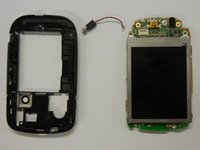
  6. HTC Touch Camera Lens Replacement: 步骤 6 中的图像 1,2 HTC Touch Camera Lens Replacement: 步骤 6 中的图像 2,2
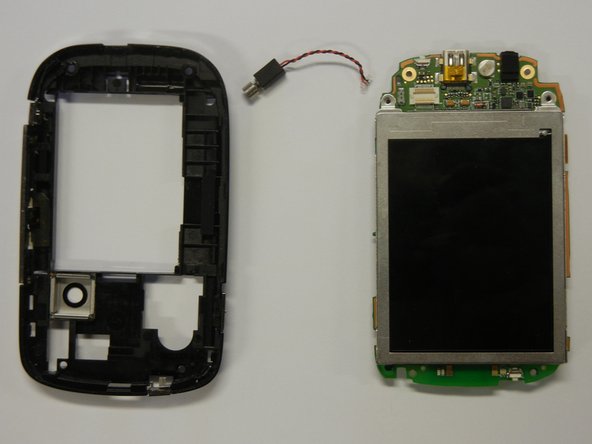
    • Seperate the motherboard from the black plastic casing.

    • Unplug the black and red wire from the motherboard.

    • Unplug the black and red wire from the black plastic casing.

  7. HTC Touch Camera Lens Replacement: 步骤 7 中的图像 1,1
    • Use a spudger to lift the black flap lock next to the orange ribbon cable and slide the cable from the socket.

    • Remove the LCD screen.

  8. HTC Touch Camera Lens Replacement: 步骤 8 中的图像 1,1
    • Place a spudger or an opening tool under the edge of the press connector and pry straight up to disconnect it.

    • Remove the camera lens from the motherboard using the plastic opening tool.

    • Align and insert the new camera lens into the opening. Press it into place until it is secure.

结论

You've successfully replaced your HTC Touch's camera lens! Test your camera to ensure the new lens works properly and your images are clear. To reassemble your device, follow these instructions in reverse order.

Take your e-waste to an R2 or e-Stewards certified recycler.

2等其他人完成本指南。

Sehyun

于03/31/11注册

69 声望

撰写一个指南

团队

Cal Poly, Team 15-12, Regan Spring 2011 Cal Poly, Team 15-12, Regan Spring 2011 的会员

CPSU-REGAN-S11S15G12

4 名成员

创作了10篇指南

0指南评论

添加评论

浏览统计数据:

过去 24 小时: 0

过去 7 天: 0

过去 30 天: 3

总计 2,792