简介
The CPU fan supports the HP Z2 Mini G3 (Model No. 1LE81UP#ABA) as a cooling mechanism. In case of malfunction or damage, this guide can direct end users to steps required to replace this cooling fan.
Before starting this replacement, check out our troubleshooting guide. The issue with your device may not require a replacement.
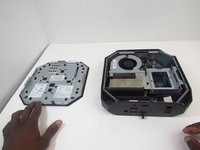
Be sure that the power is off and the A/C power cord has been disconnected before working on interior components. Removing hardware while the power is on could damage the device.
Components inside the device are also subject to static damage, so try and work on a hard surface to reduce this risk.
-
-
-
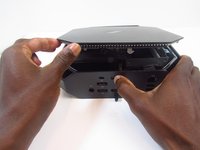
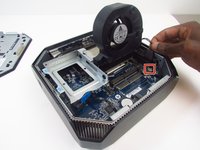
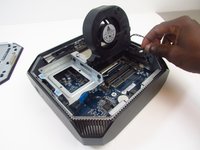
Rotate the device so the front side is facing you (the side with the power button) and locate the CPU fan.
-

 询问修复机器人






To reassemble your device, follow these instructions in reverse order.
另外一个人完成了本指南。

团队

Embry-Riddle Aeronautical University, Team S16-G4, Branham Spring 2020 Embry-Riddle Aeronautical University, Team S16-G4, Branham Spring 2020 的会员
ERAU-BRANHAM-S20S16G4
3 名成员
创作了6篇指南
