跳转到主内容
加入维修社区 - 创建账户

HP Stream 7 Screen Replacement

你所需要的

  1. HP Stream 7  Screen Replacement, Battery: 步骤 1 中的图像 1,2 HP Stream 7  Screen Replacement, Battery: 步骤 1 中的图像 2,2
    • Make sure the tablet is powered off before beginning.

    • Gently run the plastic opening tool or your fingernails around the tablet to pry the Back Cover from the tablet.

    询问修复机器人

    添加评论

  2. HP Stream 7  Screen Replacement: 步骤 2 中的图像 1,2 HP Stream 7  Screen Replacement: 步骤 2 中的图像 2,2
    • Remove the eight 5 mm Phillips 000 screws.

    • Gently run the plastic opening tool around the seam to pry the mid back cover from the tablet.

    询问修复机器人

    添加评论

  3. HP Stream 7  Screen Replacement: 步骤 3 中的图像 1,2 HP Stream 7  Screen Replacement: 步骤 3 中的图像 2,2
    在这个步骤中使用的工具:
    Tweezers
    $4.99
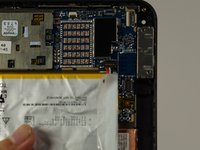
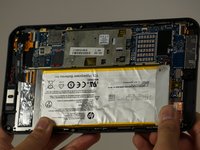
    • Using tweezers, gently pull the battery connector towards the battery to remove it from the System Board.

    • Pull the blue tabs (Not Shown) out from the tablet at an angle to remove the tape underneath the Battery.

    • If you broke both tabs, scrape the tape and Battery off.

    • Scraping off the Battery will damage it. If you are replacing another part, leave the Battery on the display panel.

    添加评论

  4. HP Stream 7  Screen Replacement, Motherboard Replacement: 步骤 4 中的图像 1,1
    • Disconnect the battery from the motherboard, but leave the battery on the display panel (unless you have already taken it off).

    • Disconnect the motherboard from the rear-facing camera, the front-facing camera, the antenna, the power button board, the screen, and the display panel using your spudger.

    • The cable connected to the display is adhered to the panel, so be careful when removing the cable (like most things here).

    • If you are inexperienced with disconnecting everything, "Recognizing and Disconnecting Cable Connectors" is a helpful ifixit guide.

    询问修复机器人

    添加评论

  5. HP Stream 7  Screen Replacement: 步骤 5 中的图像 1,2 HP Stream 7  Screen Replacement: 步骤 5 中的图像 2,2
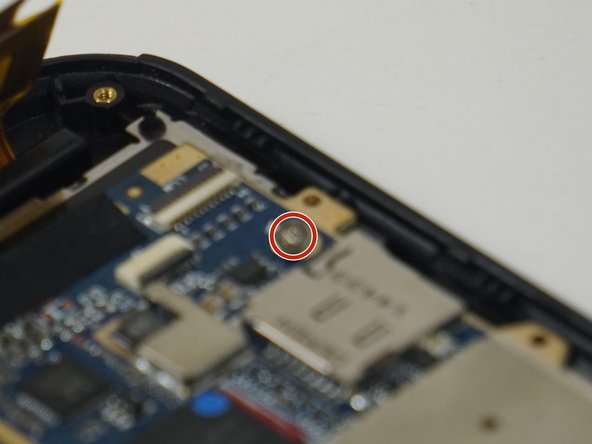
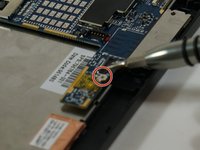
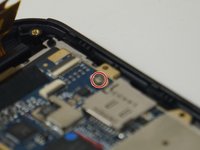
    • Remove the two 2 mm Phillips 000 screws from the motherboard.

    询问修复机器人

    添加评论

  6. HP Stream 7  Screen Replacement: 步骤 6 中的图像 1,2 HP Stream 7  Screen Replacement: 步骤 6 中的图像 2,2
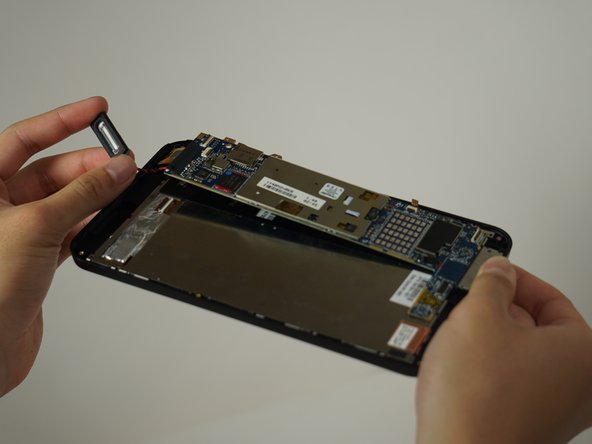
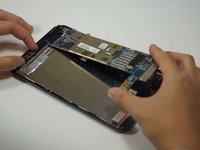
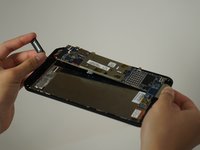
    • Once unscrewed, the motherboard separates from the rest of the device.

    • The speaker is soldered to the motherboard, but it comes off easily.

    • Forced separation may result in a damaged motherboard and/or personal injury.

    询问修复机器人

    添加评论

  7. HP Stream 7  Screen Replacement, Screen Replacement: 步骤 7 中的图像 1,1
    • After removing the motherboard, unscrew the four 2.5 mm Phillips 000 screws from the display panel.

    询问修复机器人

    添加评论

  8. HP Stream 7  Screen Replacement: 步骤 8 中的图像 1,1
    • Using your spudger, pry the display panel off the front.

    询问修复机器人

    添加评论

  9. HP Stream 7  Screen Replacement: 步骤 9 中的图像 1,1
    • The screen should now just come right off. Be sure to catch any broken bits if the screen is damaged.

    询问修复机器人

    添加评论

结论

To reassemble your device, follow these instructions in reverse order.

取消:我没有完成这个指南。

6等其他人完成本指南。

团队

Cal Poly, Team 18-5, Forte Fall 2016 Cal Poly, Team 18-5, Forte Fall 2016 的会员

CPSU-FORTE-F16S18G5

4 名成员

创作了6篇指南

6指南评论

where can i buy new screen????

eibrims - 回复 分享

Yeah, I want to know where I can buy a screen for my hp stream 7.

Rider Sd - 回复 分享

Where can i buy a new screen for the stream 7 please??

migueajr - 回复 分享

Same question but no answer !

Where can anyone find replacement screen online ??

Ahmed Saleh - 回复 分享

We're I can buy the replacement screen?

Raymond Borrero - 回复 分享

添加评论

浏览统计数据:

过去 24 小时: 1

过去 7 天: 5

过去 30 天: 37

总计 4,667