简介
In this guide we will be showing you how to disassemble your GoPro Hero4 Silver, as well as how to replace the motherboard. The motherboard is the brain of the camera, controlling all of its functions. Including receiving and interpreting data, distributing power throughout the camera, and controlling every function. This means one may need to replace the motherboard to improve a variety of functions that could come about by damage or general wear and tear. Before you begin with the mother board though, you must first remove the battery and ensure you have the necessary tools to preform this repair. Be sure to mind the warnings throughout the guide, as the motherboard is fragile and can be damaged easily.
你所需要的
-
-
-
Start by removing the silver plastic face from the camera using a plastic opening tool. Insert the plastic opening tool into the middle of each edge and lift up the tabs that keep the camera face on.
-
The seven plastic tab locations are marked in red.
 询问修复机器人
-
-
-
-
-
Remove the three 8 mm Phillips #000 screws on each corner of the camera.
-
Remove the single 4 mm Phillips #000 screw on the bottom left corner of the camera.
-
-
-
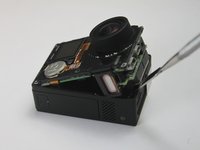
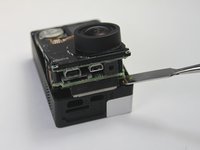
To remove the motherboard assembly from the camera casing, use the plastic opening tool on the lens side of the camera to pry the motherboard assembly out of the camera housing.
-
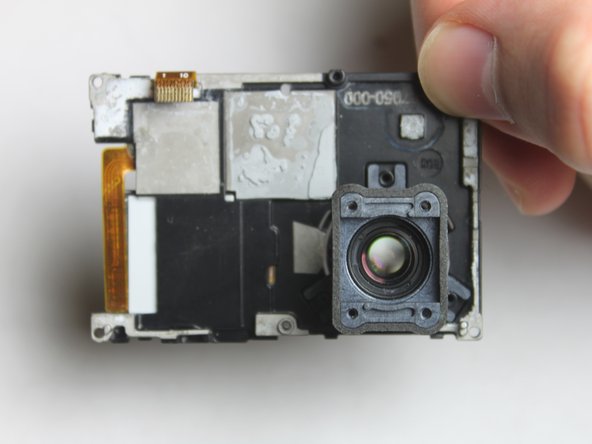
To avoid breaking the plastic on the lens side of the camera (see photo), pry along the edges near the corners.
-
-
-
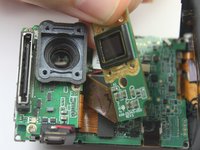
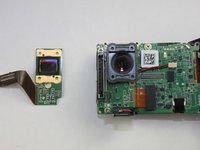
To remove the sensor assembly, simply peel off the lens towards the attached ribbon cable.
-
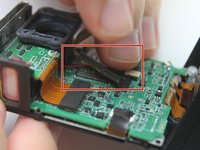
The sensor has ribbon cables running to the motherboard via a black rectangular connector.
-
To remove the sensor, use the spudger to pry up each side, Then, lift the connector straight up from its socket.
-
With the old camera sensor assembly removed, you can now replace it with a new sensor.
-
-
-
-
-
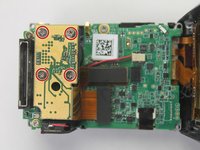
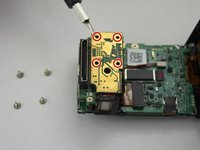
Remove the three 8 mm Phillips #000 screws securing the Hero port to the motherboard.
-
-
-
-
-
在这个步骤中使用的工具:Tweezers$4.99
-
Use a pair of tweezers to disconnect the ribbon cable from the ZIF connector by flipping up the black retaining flap. You should then be able to pull the cable free.
-
Once the ribbon cable is disconnected, you can remove the black plastic bracket which holds the camera lens.
-
-
-
Flip the motherboard assembly and camera housing over so you can access the back of the motherboard.
-
Look for the white connector that has two wires that lead from the mother board to the battery compartment in the camera housing.
-
Using the metal tweezers, pull upward on the connector to disconnect the clip.
-
-
-
-
-
With the speaker assembly removed, you can now replace the motherboard.
-
-








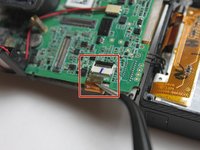
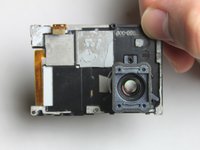


To reassemble your device, follow these instructions in reverse order.
28等其他人完成本指南。

团队

USF Tampa, Team 2-1, Blackwell Fall 2015 USF Tampa, Team 2-1, Blackwell Fall 2015 的会员
USFT-BLACKWELL-F15S2G1
4 名成员
创作了60篇指南
11指南评论
Do step 9 before step 6. It's near impossible to get the middle screw out in the order the guide presents. There's also a screw that isn't mentioned that needs to be removed in order to complete step 9. You can see the screw in step 6's picture right above the QR bar code.
Daniel Benz - 回复 分享
Hi team,
How would you secure the flex cables, next to the power connector, back to the motherboard?
Joed Sanchez - 回复 分享
Did you ever get an answer as i have the same problem
Anything on this yet?
