跳转到主内容
加入维修社区 - 创建账户

Garmin DriveSmart 55 EX Screen Replacement

你所需要的

  1. Garmin DriveSmart 55 EX Screen Replacement, Screen: 步骤 1 中的图像 1,3 Garmin DriveSmart 55 EX Screen Replacement, Screen: 步骤 1 中的图像 2,3 Garmin DriveSmart 55 EX Screen Replacement, Screen: 步骤 1 中的图像 3,3
    • Use a T5 Torx screwdriver to remove the four 4.2 mm black screws from the back case.

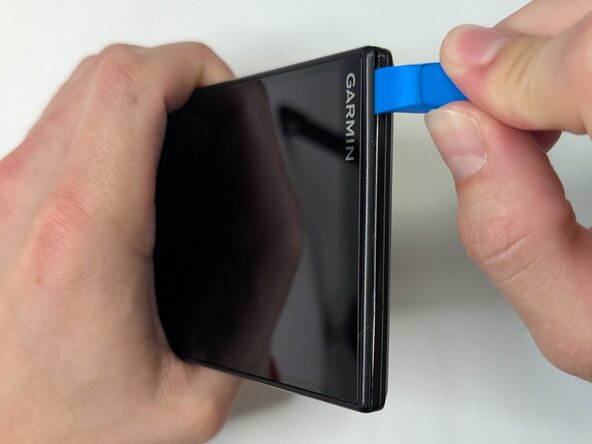
    • Insert the plastic opening tool into the gap between the screen and case, and release the clips along the edges of the device.

    • Use opening picks along the perimeter to keep them separated until you can remove the screen.

    询问修复机器人

    添加评论

  2. Garmin DriveSmart 55 EX Screen Replacement: 步骤 2 中的图像 1,3 Garmin DriveSmart 55 EX Screen Replacement: 步骤 2 中的图像 2,3 Garmin DriveSmart 55 EX Screen Replacement: 步骤 2 中的图像 3,3
    • Gently separate the screen from the case and place the device flat on the surface.

    • Avoid pulling on the screen too forcefully, as the display ribbon cable is still connected to the motherboard.

    • Use a T5 Torx screwdriver to remove the four 3.8 mm silver screws from the motherboard.

    • Avoid scratching the motherboard when using the screwdriver, as this can damage the device.

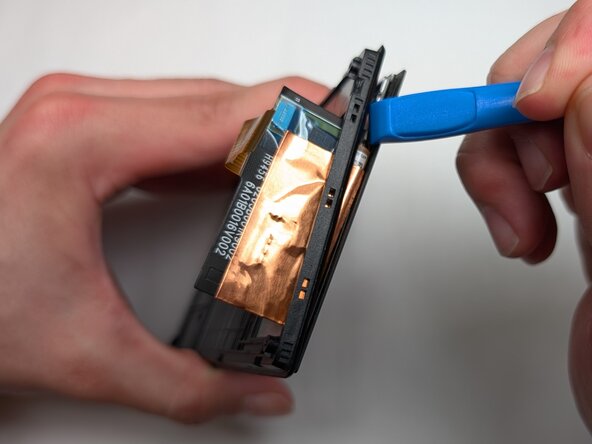
    • Gently pry the motherboard up using the plastic opening tool.

    询问修复机器人

    添加评论

  3. Garmin DriveSmart 55 EX Screen Replacement: 步骤 3 中的图像 1,2 Garmin DriveSmart 55 EX Screen Replacement: 步骤 3 中的图像 2,2
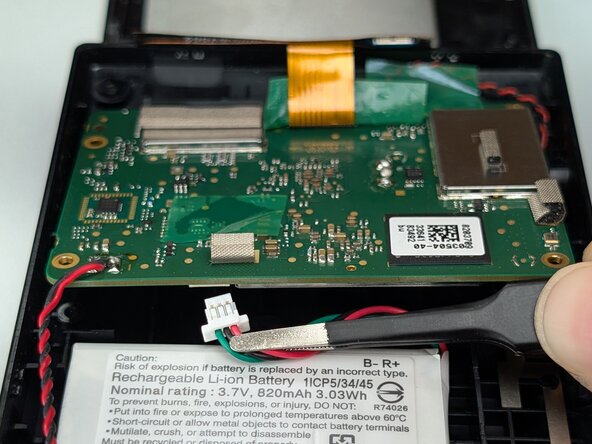
    • Use your fingers or tweezers to disconnect the battery connector on the underside of the motherboard.

    • Avoid pulling on the cables.

    询问修复机器人

    添加评论

  4. Garmin DriveSmart 55 EX Screen Replacement: 步骤 4 中的图像 1,3 Garmin DriveSmart 55 EX Screen Replacement: 步骤 4 中的图像 2,3 Garmin DriveSmart 55 EX Screen Replacement: 步骤 4 中的图像 3,3
    • Use a spudger or a clean fingernail to flip up the locking flap on the ZIF connector.

    • Use the widest tool possible to avoid damaging the delicate hinge pins.

    • Use tweezers to gently pull the gold ribbon cable from the socket on the motherboard.

    • Be careful when removing the ribbon cable because it is thin and can tear easily.

    询问修复机器人

    添加评论

  5. Garmin DriveSmart 55 EX Screen Replacement: 步骤 5 中的图像 1,2 Garmin DriveSmart 55 EX Screen Replacement: 步骤 5 中的图像 2,2
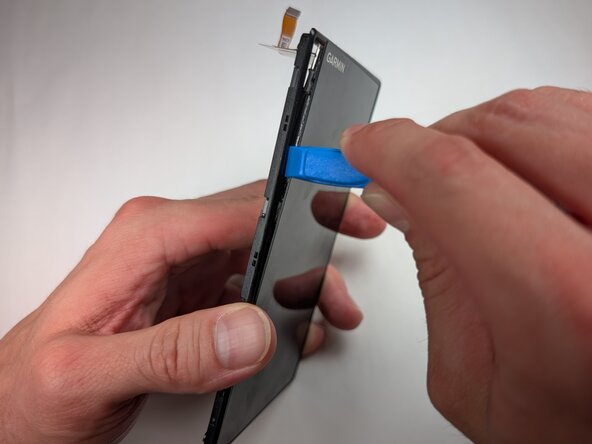
    • Insert a spudger or plastic opening tool into the gap between the screen and display frame.

    • Once a corner begins to lift, slowly slide the tool around the edges to release the clips securing them.

    • The screen is glass and if you use too much force it can shatter and crack the screen.

    • Separate the screen from the device.

    询问修复机器人

    添加评论

结论

To reassemble your device, follow these instructions in reverse order. Take your e-waste to an R2 or e-Stewards certified recycler.

取消:我没有完成这个指南。

0指南评论

添加评论

浏览统计数据:

过去 24 小时: 0

过去 7 天: 2

过去 30 天: 22

总计 73