跳转到主内容
加入维修社区 - 创建账户

Canon EOS 40D LCD Replacement

你所需要的

  1. Canon EOS 40D LCD Replacement, Battery: 步骤 1 中的图像 1,1
    • Locate the battery compartment cover on the bottom of the camera below the shutter button.

    询问修复机器人

    添加评论

  2. Canon EOS 40D LCD Replacement: 步骤 2 中的图像 1,1
    • Find the marked arrow on the battery compartment cover labeled "BATT. OPEN". Slide the lever following the arrow's direction and lift at the same time to release the latch.

    询问修复机器人

    添加评论

  3. Canon EOS 40D LCD Replacement: 步骤 3 中的图像 1,1
    • Release the lever and allow the battery compartment cover to completely open.

    • Remove the battery.

    询问修复机器人

    添加评论

  4. Canon EOS 40D LCD Replacement, LCD: 步骤 4 中的图像 1,1
    • Remove the rubber eyepiece by sliding it upwards.

    添加评论

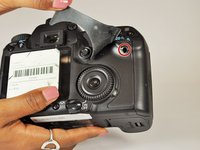
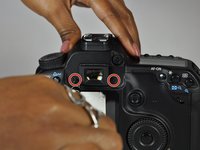
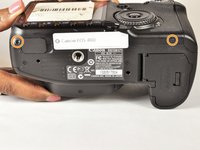
  5. Canon EOS 40D LCD Replacement: 步骤 5 中的图像 1,3 Canon EOS 40D LCD Replacement: 步骤 5 中的图像 2,3 Canon EOS 40D LCD Replacement: 步骤 5 中的图像 3,3
    • Remove the three 5.0 mm Phillips #000 screws.

    • Remove the two 3.0 mm Phillips #000 screws on the bottom of the camera.

    询问修复机器人

    添加评论

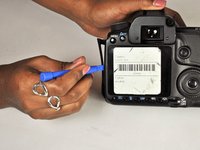
  6. Canon EOS 40D LCD Replacement: 步骤 6 中的图像 1,3 Canon EOS 40D LCD Replacement: 步骤 6 中的图像 2,3 Canon EOS 40D LCD Replacement: 步骤 6 中的图像 3,3
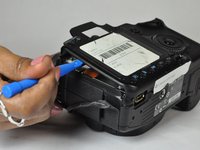
    • Remove the side cover using a plastic opening tool or your hands.

    • Use a plastic opening tool to gently start prying the rear case up from the rest of the camera.

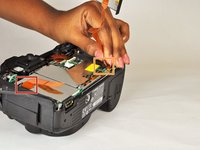
    • Use the tip of a spudger to disconnect the ZIF connector on the left side of the camera. The ribbon cable on this device was torn in the process of removing the back case, so there are no photos showing this step.

    • Disconnect the ribbon cable securing the rear case to the motherboard.

    • Separate the rear case from the camera.

    询问修复机器人

    添加评论

  7. Canon EOS 40D LCD Replacement: 步骤 7 中的图像 1,2 Canon EOS 40D LCD Replacement: 步骤 7 中的图像 2,2
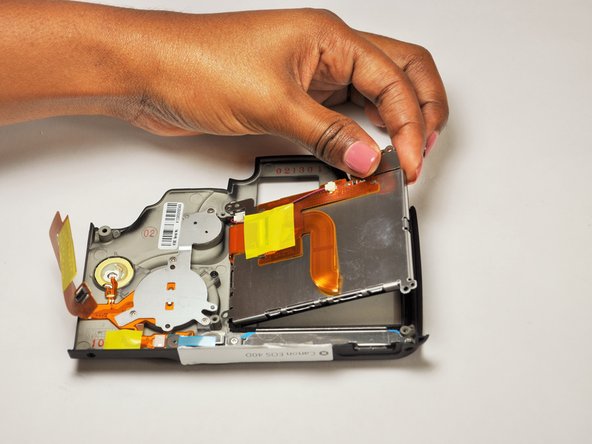
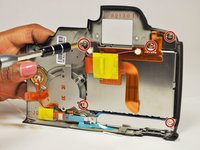
    • Remove the five 5.0 mm Phillips #000 screws securing the LCD to the rear case.

    • Lift the LCD free of the rear case.

    询问修复机器人

    添加评论

  8. Canon EOS 40D LCD Replacement: 步骤 8 中的图像 1,3 Canon EOS 40D LCD Replacement: 步骤 8 中的图像 2,3 Canon EOS 40D LCD Replacement: 步骤 8 中的图像 3,3
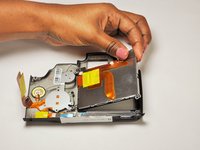
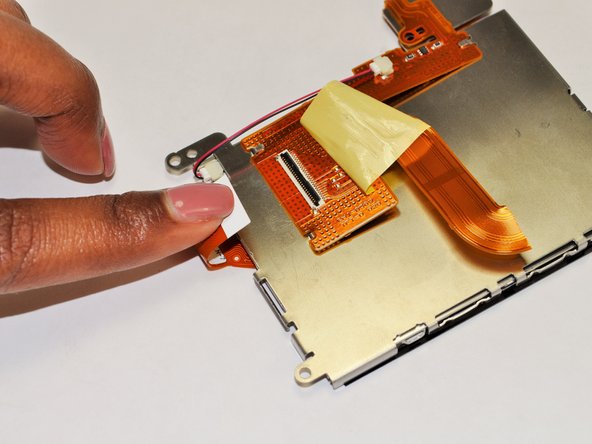
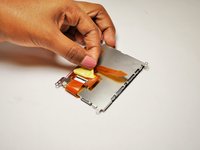
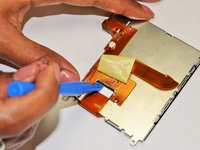
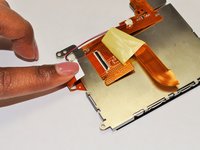
    • Remove the yellow tape covering the LCD ZIF connector.

    • Use a plastic opening tool to lift up the black retaining flap.

    • Pull the LCD ribbon cable out of the connector.

    询问修复机器人

    添加评论

  9. Canon EOS 40D LCD Replacement: 步骤 9 中的图像 1,1
    在这个步骤中使用的工具:
    Tweezers
    $4.99
    • Use a pair of tweezers to disconnect the cable connector.

    • The LCD frame should now come free of the LCD panel.

    询问修复机器人

    添加评论

  10. Canon EOS 40D LCD Replacement: 步骤 10 中的图像 1,1
    • LCD panel remains.

    • It's a good idea to use a soft cloth to wipe the LCD screen and rear cover before reassembly.

    添加评论

结论

To reassemble your device, follow these instructions in reverse order.

取消:我没有完成这个指南。

3等其他人完成本指南。

团队

USF Tampa, Team 12-3, Blackwell Fall 2015 USF Tampa, Team 12-3, Blackwell Fall 2015 的会员

USFT-BLACKWELL-F15S12G3

4 名成员

创作了16篇指南

2指南评论

For the life of me, I cannot remove the two screws on either side of the view-finder!

tomaska - 回复 分享

On the unit are brought on eBay for parts all the screws came out fine.But on the camera I was repairing I had to remove the left hand viewfinder screw by takings its head off with a Dremel rotary tool!!!

Robin Taylor - 回复 分享

添加评论

浏览统计数据:

过去 24 小时: 4

过去 7 天: 16

过去 30 天: 80

总计 5,654