跳转到主内容
加入维修社区 - 创建账户

Bose SoundTouch 20 Buttons Replacement

你所需要的

  1. Bose SoundTouch 20 Buttons Replacement, Buttons: 步骤 1 中的图像 1,2 Bose SoundTouch 20 Buttons Replacement, Buttons: 步骤 1 中的图像 2,2
    • Remove the (6) six 1.5 cm Phillips screws holding on the bottom cover of the speaker using a Phillips #0 screwdriver.

    • Lift the cover straight up and set the cover to the side.

    询问修复机器人

    添加评论

  2. Bose SoundTouch 20 Buttons Replacement: 步骤 2 中的图像 1,2 Bose SoundTouch 20 Buttons Replacement: 步骤 2 中的图像 2,2
    • Gently pull the white ribbon from the connector on the top side of the motherboard.

    • Make sure to pull straight back so you don't bend or damage the ribbon.

    询问修复机器人

    添加评论

  3. Bose SoundTouch 20 Buttons Replacement: 步骤 3 中的图像 1,2 Bose SoundTouch 20 Buttons Replacement: 步骤 3 中的图像 2,2
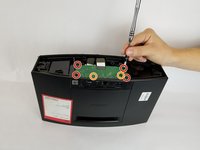
    • Remove the (4) four 1.5 cm screws connecting the motherboard to the speaker.

    • Remove the (2) two 1 cm screws connecting the motherboard to the speaker.

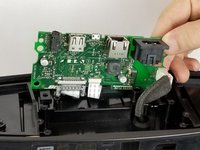
    • When lifting the board, be careful of the two ribbons located underneath the board. Don't lift the board straight up, instead tilt it towards the cables. As shown in picture 2.

    询问修复机器人

    添加评论

  4. Bose SoundTouch 20 Buttons Replacement: 步骤 4 中的图像 1,2 Bose SoundTouch 20 Buttons Replacement: 步骤 4 中的图像 2,2
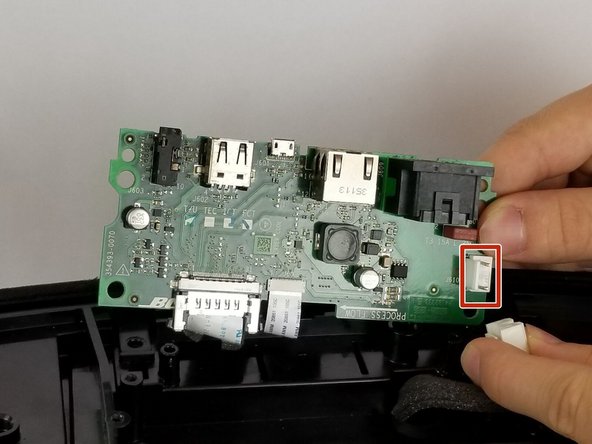
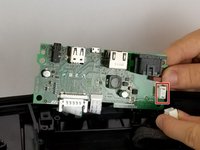
    • Remove the white cable by pressing on the side of the connector with a tab and pulling backwards.

    询问修复机器人

    添加评论

  5. Bose SoundTouch 20 Buttons Replacement: 步骤 5 中的图像 1,2 Bose SoundTouch 20 Buttons Replacement: 步骤 5 中的图像 2,2
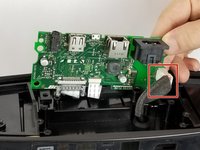
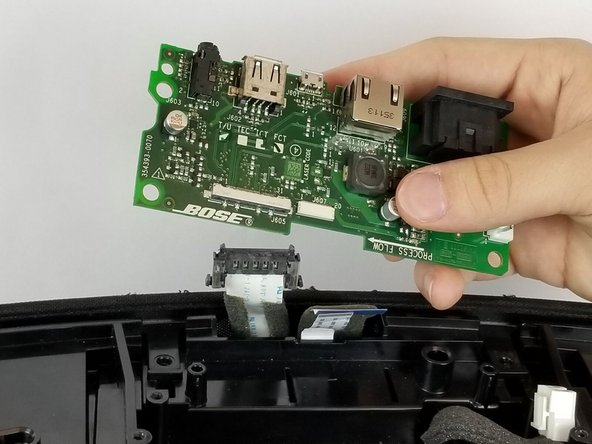
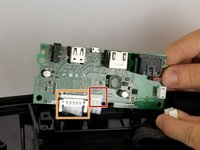
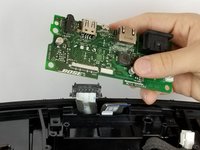
    • Gently pull the thinner white ribbon located towards the center of the board.

    • Pull straight down to prevent bending or damaging the ribbon.

    • Squeeze the plastic sides of the plug and pull straight down to remove this ribbon.

    • After removing the two ribbons, completely remove the motherboard and set it to the side.

    询问修复机器人

    添加评论

  6. Bose SoundTouch 20 Buttons Replacement: 步骤 6 中的图像 1,2 Bose SoundTouch 20 Buttons Replacement: 步骤 6 中的图像 2,2
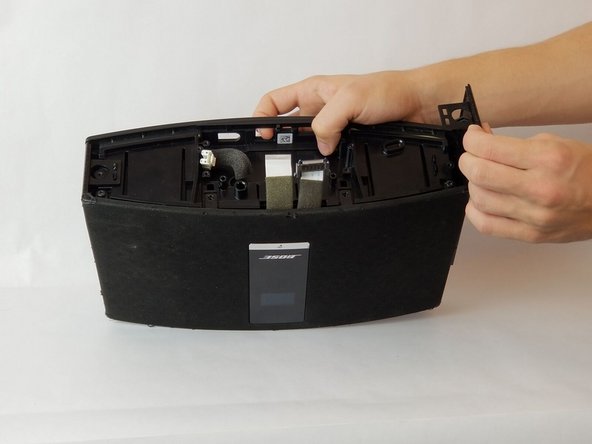
    • To remove the side panel from the speaker, lift the top of the sides from the slots.

    • The sides will be bent up after removing from the slots, they do not come up right away.

    • After completing the previous step, pull gently straight up to remove the side.

    • Repeat on both sides of the speaker.

    询问修复机器人

    添加评论

  7. Bose SoundTouch 20 Buttons Replacement: 步骤 7 中的图像 1,3 Bose SoundTouch 20 Buttons Replacement: 步骤 7 中的图像 2,3 Bose SoundTouch 20 Buttons Replacement: 步骤 7 中的图像 3,3
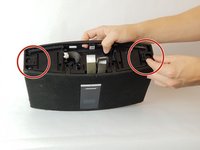
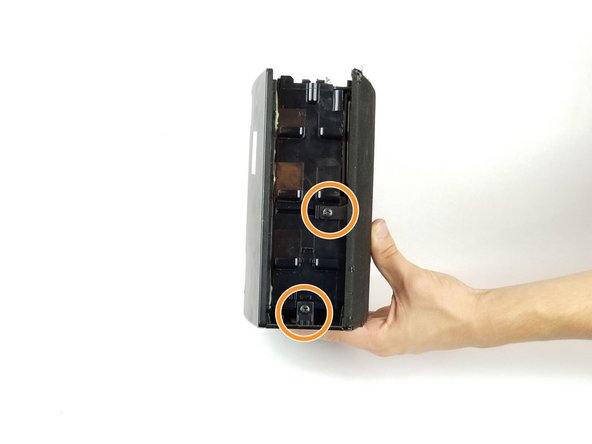
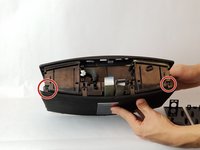
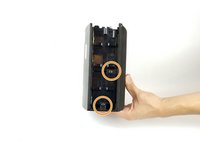
    • Remove the (2) two 1.5 cm screws circled in picture one.

    • Rotate the speaker to its side and remove the (2) two 1.5 cm screws circled in picture 2. Remove these screws on either side of the speaker.

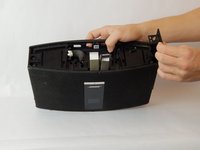
    • After all screws are removed, gently remove the cover from the speaker as shown in picture 3.

    询问修复机器人

    添加评论

  8. Bose SoundTouch 20 Buttons Replacement: 步骤 8 中的图像 1,3 Bose SoundTouch 20 Buttons Replacement: 步骤 8 中的图像 2,3 Bose SoundTouch 20 Buttons Replacement: 步骤 8 中的图像 3,3
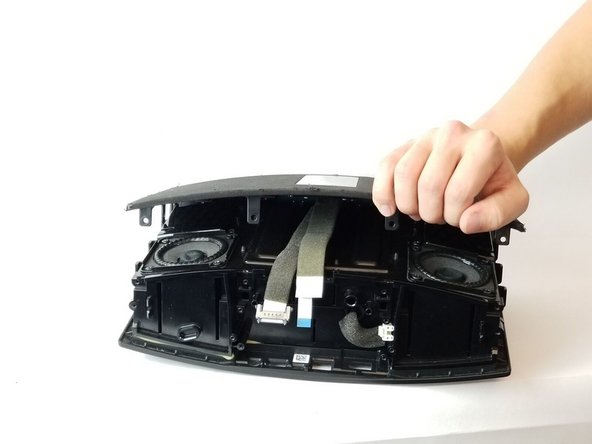
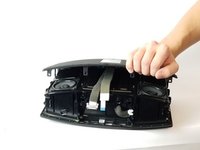
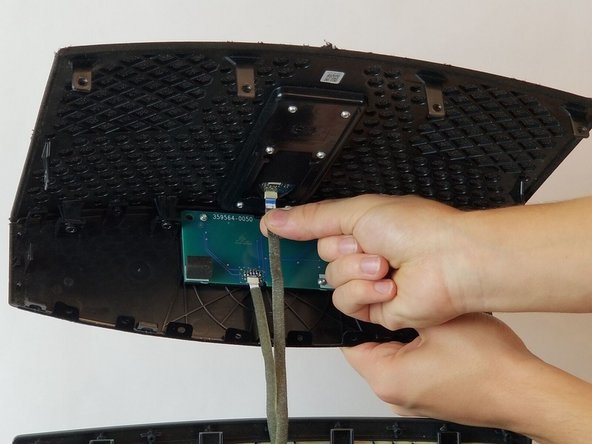
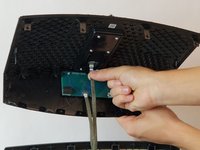
    • After lifting the cover, you will see two ribbons attaching the cover to the speaker. Gently remove these ribbons by pulling straight down.

    • Make sure to pull the ribbons straight out so you don't bend or damage the ribbon.

    询问修复机器人

    添加评论

  9. Bose SoundTouch 20 Buttons Replacement: 步骤 9 中的图像 1,2 Bose SoundTouch 20 Buttons Replacement: 步骤 9 中的图像 2,2
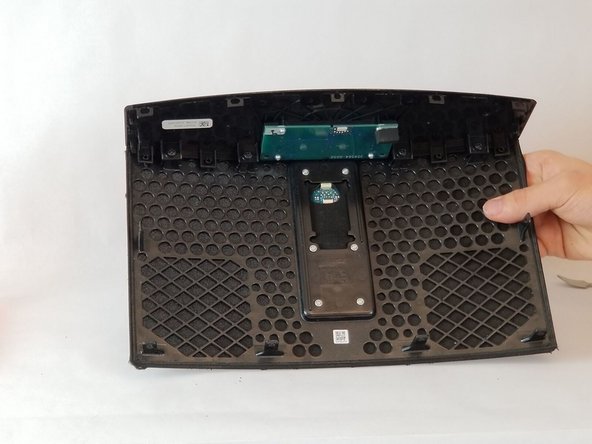
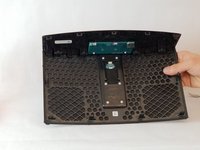
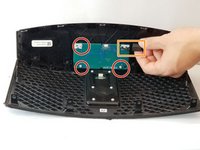
    • Place the fully separated cover face down on a surface.

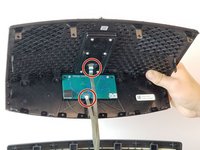
    • Using a star bit screwdriver, remove the three screws circled in picture 1.

    • Unplug the plug boxed in on picture 1.

    • Gently push out the button board from the top of the cover.

    询问修复机器人

    添加评论

结论

To reassemble your device, follow these instructions in reverse order.

取消:我没有完成这个指南。

2等其他人完成本指南。

团队

USF Tampa, Team S11-G3, Passmore Fall 2017 USF Tampa, Team S11-G3, Passmore Fall 2017 的会员

USFT-PASSMORE-F17S11G3

4 名成员

创作了11篇指南

6指南评论

where did you get the buttons?

Armando Luna - 回复 分享

looking for the buttons as well. please advise

anonymous 2227 - 回复 分享
Yes, how do we get the replacement part?

edmsim - 回复 分享

Hi Daniel, hope you call help, the two small ribbons attached to the speaker are the attached where?

Thank you Alexander

scandysummer - 回复 分享

I accidentally broke the ribbon cable while cleaning the front mesh panel. Can you please suggest exact specification for Ribbon cable attached to the cover of the speaker. For your reference please see image in step 8 of Bose SoundTouch 20 Buttons Replacement

Amit Katiyar - 回复 分享

添加评论

浏览统计数据:

过去 24 小时: 2

过去 7 天: 30

过去 30 天: 113

总计 5,000