简介
This is a prerequisite guide! This guide is part of another procedure and is not meant to be used alone.
Use this guide to disconnect the battery in the Xiaomi Redmi Note 9S.
你所需要的
-
-
Prepare an iOpener and apply it to the back cover for at least two minutes to loosen the adhesive underneath.
-
-
-
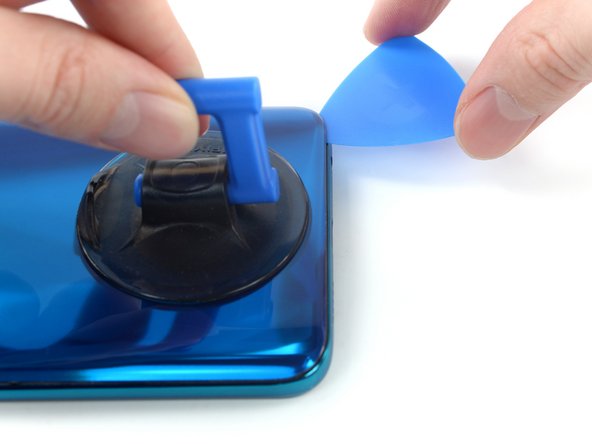
Secure a suction handle to the bottom edge of the rear glass, as close to the edge as possible.
-
Lift the rear glass with the suction handle to create a small gap between the back cover and the frame.
-
Insert an opening pick into the gap you created.
-
-
-
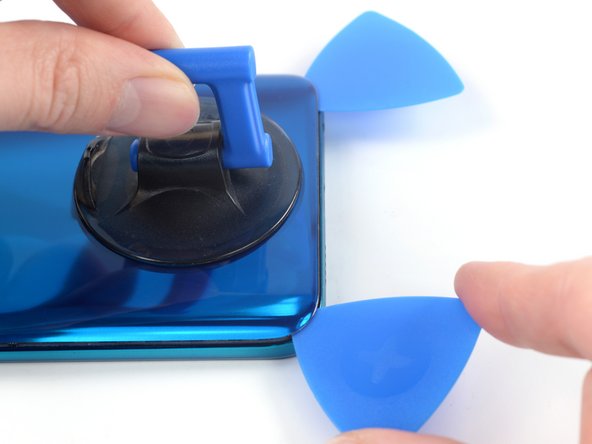
Slide the opening pick to the bottom right corner to slice the adhesive.
-
Leave the opening pick in place to prevent the adhesive from resealing.
-
-
-
Insert a second opening pick at the bottom edge of your phone.
-
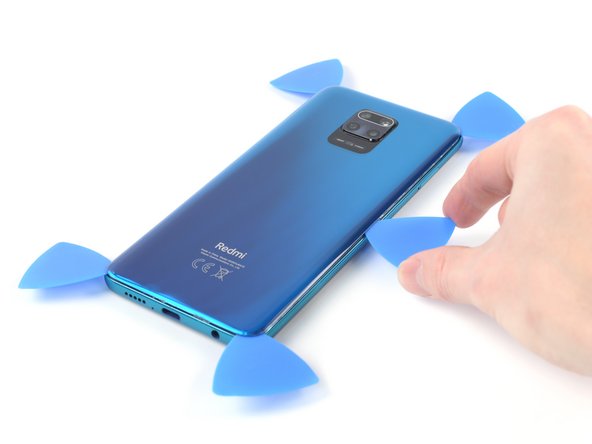
Slide the opening pick to the bottom left corner to slice the adhesive.
-
Leave the opening picks in place to prevent the adhesive from resealing.
-
-
-
-
Use a Phillips screwdriver to remove the eleven 3.8 mm-long screws securing the motherboard cover.
-
-
-
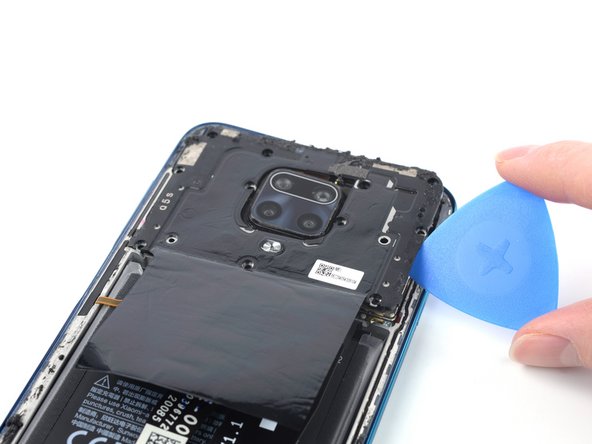
Insert the tip of an opening pick underneath the right edge of the motherboard cover.
-
Twist the opening pick sideways to pry up the motherboard cover.
-
-
在这个步骤中使用的工具:Tweezers$4.99
-
Use your fingers or a pair of tweezers to remove the motherboard cover.
-
-
-
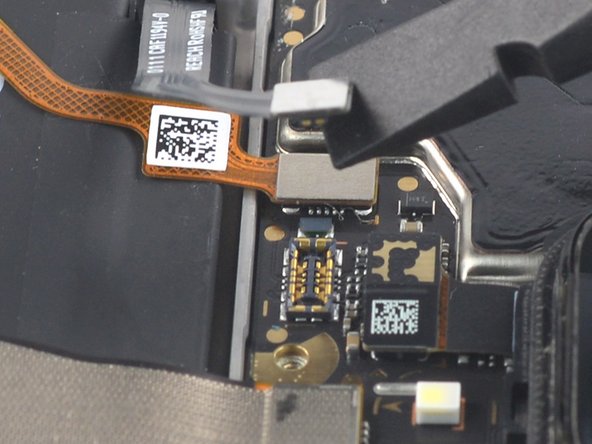
Use a spudger to disconnect the battery flex cable by prying the connector straight up from its socket.
-












To reassemble your device, follow these instructions in reverse order.
Repair didn’t go as planned? Try some basic troubleshooting, or ask our Answers community for help.



