简介
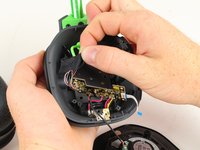
The battery is what gives the headset the power to run and function. This guide will show you how to remove the battery from the headset.
你所需要的
-
-
-
Remove the magnetic ear pads by gently pulling them away from the headset. Be careful not to remove the left earpad, which houses the microphone, and ensure you're only removing the right earpad.
 询问修复机器人
-
-
-
-
-
-
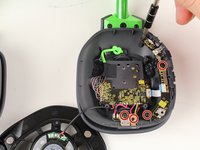
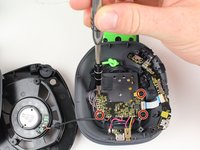
Remove the five 6mm PH1 screws.
-
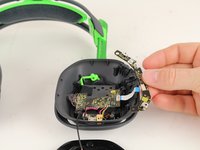
Remove the buttons panel by pulling the panel away from the white ribbon cord.
-
-






To reassemble your device, follow these instructions in reverse order.
14等其他人完成本指南。

团队

Cal Poly, Team S15-G1, Livingston Fall 2017 Cal Poly, Team S15-G1, Livingston Fall 2017 的会员
CPSU-LIVINGSTON-F17S15G1
3 名成员
创作了23篇指南
15指南评论
Where do I buy a battery though….
