此翻译由机器生成,尚未经过人工审核。 会说这种语言吗? 查看评论。
简介
本设备的风扇仅由几颗螺丝固定。但请注意,在拆卸时,有几根线缆包裹在其他组件后方。拆卸时请务必小心,不要用力拉扯线缆,应先将它们从其他组件后方移出,再将风扇完全拆下。此外,请妥善保管好拆下的螺丝,并记住它们原本的位置,因为其中有一颗螺丝与其他螺丝不同。做好这些准备,能让接下来的重新组装过程变得轻松许多!
你所需要的


 询问修复机器人


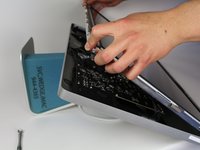
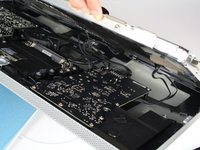


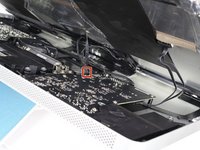
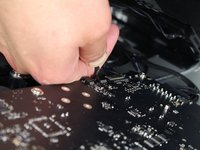
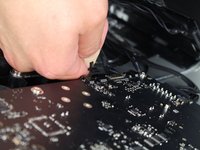


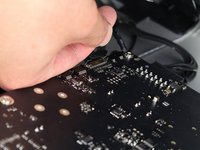
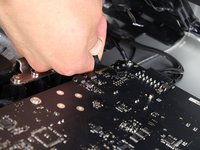
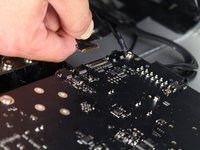


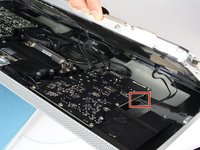
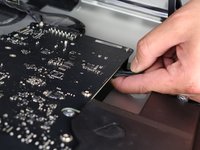
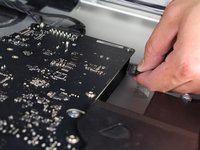


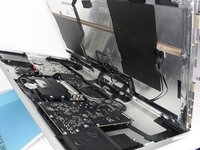
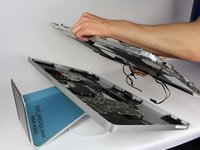


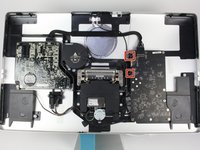
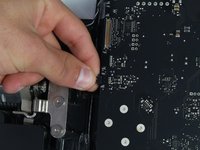
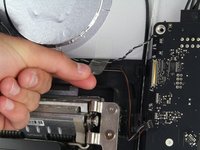

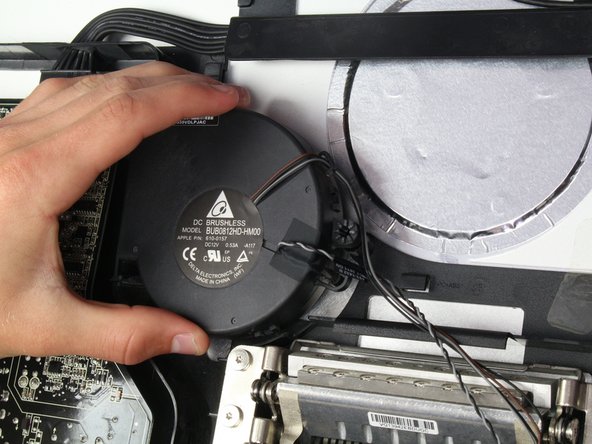
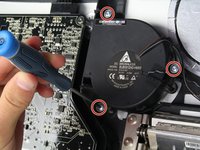
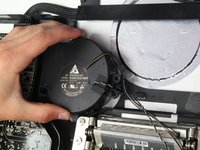

要重新组装设备,请按相反顺序执行这些说明。
28等其他人完成本指南。

团队

Cal Poly, Team 5-11, Maness Spring 2015 Cal Poly, Team 5-11, Maness Spring 2015 的会员
CPSU-MANESS-S15S5G11
4 名成员
创作了60篇指南
11指南评论
I have been having trouble with fan noise -- a noisy, rapid thumping sound, especially on startup but getting worse over a few weeks and lately persisting all day. Following this excellent guide, I removed the fan and examined it. I could see nothing wrong except perhaps a fine layer of dust on the blades, no worse than could be expected. I did not manage to disassemble the fan itself, as its two-part housing is very firmly clipped together, but applied a vacuum cleaner hose to both the entry and exit sides to clean it up as much as possible. I put it back and reassembled the whole display, and am pleased to report that the noise has completely disappeared. This may be good news to anyone dismayed by the apparent non-availability of replacement fans.
John Canti - 回复 分享
Thank you for your comment. Experienced the same trouble, it sounded much like the washing machine spinning at the neighbors while it wasn't. Managed to get the fan out, same as you wrote, some dust, not much. Managed to open the fan housing, but not without breaking some of the clips that kept it together. I took the fan out, cleaned it carefully with a long haired brush on a vacuum cleaner. Have not touched the brush-less copper part. Put it back together and closed the fan casing. I then applied some clear tape where the clips broke in order to keep the housing 'sealed'. Put the LCD back in, connected all the wires. Then put the glass front back on top, but without the Torx screws :-( I just wanted to test whether or not the noise was gone. It was a bit nerve wrecking to remove the glass again, without pulling out the LCD display. Anyway, screws back in place, and all is quiet as it was when I bought it second hand, a few weeks ago as for my Mac Mini. Fingers crossed that it will last some time for me!
This guide made the power supply replacement quick and easy.
Jon Martinez - 回复 分享
I had the rumbling fan cleaned by a pro. but the rattling didn't go. I just finished replacing the fan on my 27'' Thunderbolt Display using these instructions, and so far so good after 3 hours. It usually started the rattling after 30mn!
I purchased the fan on eBay. There were a couple available then.
I got the fan for $18 and spent 30mn on the job. At the Apple certified spot in town, they were going to charge me $250! I bought this Apple Display second hand for $250! and now it is back to its old self, working like a charm :)
Thank you very much for this web page which walked me through the process.
By the way, for a succion cup I used the two small ones that are attached to my soap holder, from the bathroom tiled wall; worked just fine and I didn't have to spend $20 to buy one.
cheers
ekoh dubois - 回复 分享
Many thanks to Mr. Laverty and the other contributors. I followed this guide to install a new power supply in my darkened 27” Thunderbolt Display to bring it back from the dead. While the instructions were specifically for replacing the fan, I found that after following them to remove the LCD panel, it was easy to replace the power supply as well. For anyone else who may suspect a failed power supply (loud buzzing and then black), I ordered mine directly from China, supposedly a brand new one. It looks identical to the original in every way and does have a 2018 sticker affixed to it. It took a month to arrive but did the trick. I paid $70.50 for it from wwon_one off eBay (https://www.ebay.com/itm/273134311780). Thanks again for the extremely helpful guide!
