跳转到主内容

Anker SoundCore 2 Battery Replacement

你所需要的

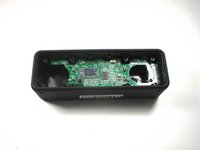
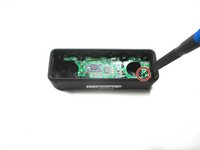
  1. Anker SoundCore 2 Battery Replacement, Front Panel: 步骤 1 中的图像 1,2 Anker SoundCore 2 Battery Replacement, Front Panel: 步骤 1 中的图像 2,2
    • Insert a spudger between the front panel and the body of the speaker.

    • Pry around the edges of the front panel with the spudger to pry it away from the speaker body.

  2. Anker SoundCore 2 Battery Replacement, Battery: 步骤 2 中的图像 1,3 Anker SoundCore 2 Battery Replacement, Battery: 步骤 2 中的图像 2,3 Anker SoundCore 2 Battery Replacement, Battery: 步骤 2 中的图像 3,3
    • Remove eight 10 mm screws from the speaker mount using a Phillips #1 screwdriver (Phillips #0 can strip the screw heads).

    • Insert a spudger in the gap between the speaker mount and speaker body to remove the speaker mount.

    • Be careful not to damage the rubber gasket around the speaker mount plate.

    • Use your hand to remove the speakers. Some variants have a wire from the speaker to the board, some rest on contact pins.

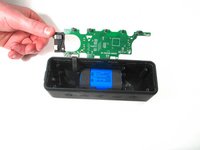
  3. Anker SoundCore 2 Battery Replacement: 步骤 3 中的图像 1,3 Anker SoundCore 2 Battery Replacement: 步骤 3 中的图像 2,3 Anker SoundCore 2 Battery Replacement: 步骤 3 中的图像 3,3
    • Remove the 10 mm screw that is holding the motherboard in place using a Phillips #1 screwdriver. Some variants have 2 screws.

    • Carefully remove the bluetooth antenna wire from the left of the board. It pulls up without much pressure.

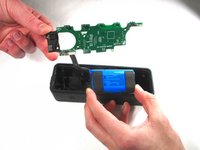
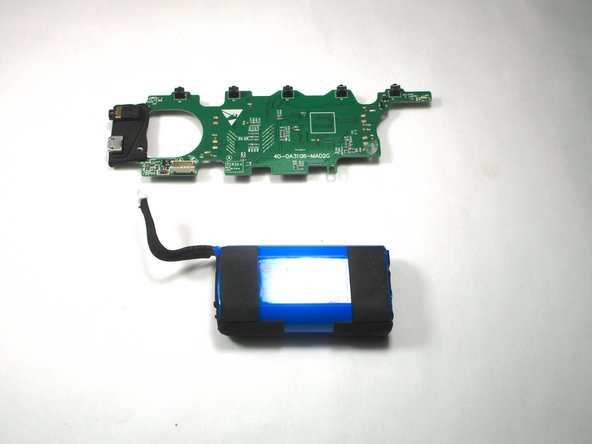
    • Flip up the motherboard to expose the battery.

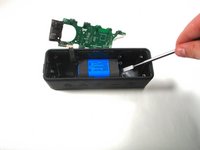
  4. Anker SoundCore 2 Battery Replacement: 步骤 4 中的图像 1,2 Anker SoundCore 2 Battery Replacement: 步骤 4 中的图像 2,2
    • Use a nylon spudger to remove the battery from the speaker casing.

    • Caution: Do not use metal prying tools on a battery—these can puncture an unprotected battery, potentially causing a fire.

    • The battery is glued down so it may be difficult to remove.

  5. Anker SoundCore 2 Battery Replacement: 步骤 5 中的图像 1,2 Anker SoundCore 2 Battery Replacement: 步骤 5 中的图像 2,2
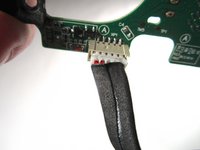
    • Unplug the wire that connects the battery with the motherboard.

    • Battery specs: 2 x 18650 2600mAh soldered in series (to bring voltage to 7.4V).

    • Can safely be upgraded to 2 x 18650 3500mAh for additional capacity.

    • When replacing the battery, plug in the new battery where the old one was plugged in.

结论

To reassemble your device, follow these instructions in reverse order.

7等其他人完成本指南。

8指南评论

It would be nice to have the specifications of the battery so availability can be checked before disassembly.

Michael Anderson - 回复

7.2V, 2550 mAh, 18.36 Watt - Hour

Kang Le - 回复

Hey I had a question.So i kind of dipped anker sound core 2 in water eithout the charging cover on and now it wont turn on.Can you Help what might be the problem here?

abdurreheembakir - 回复

Akku SoundCore2

Kapazität 2600 mAh Leistung 19.24 Wh Spannung 7.4 V Typ Li-ion

Andreas Reheis -

same. i tried cleaning and drying, even an improvised other battery but nothing happens. charging only ever shows red light.

JohnLS17 -

添加评论

浏览统计数据:

过去 24 小时: 14

过去 7 天: 121

过去 30 天: 541

总计 20,217